EX:
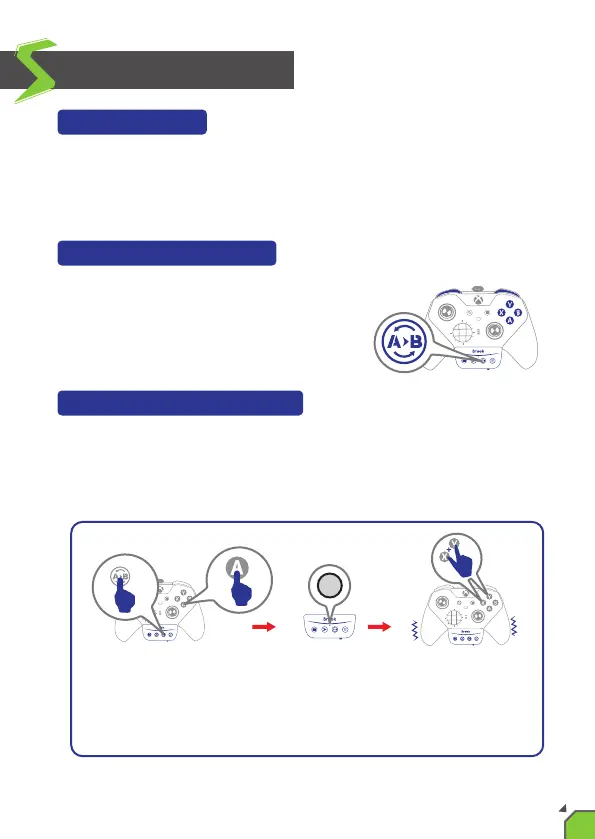
If you press "Remap buon" and "A" buon at the same me,
then release the buon and press X+Y buon, the "A" buon will
be set to X+Y.
Remap Funcon
Buons that can be Remap include: A, B, X, Y, LB, RB, LT, RT, LSB, RSB and
4 paddles for the Xbox One Elite Series 2 itself(hereinaer referred to as FK).
Press the “Remap buon” and FK buon at
the same me. The LED of the controller
will turn off.
Funcon Sengs
Step 1. Choosing a FK buon:
Press all keys that need to be assigned to FK at the same me and the
controller will vibrate. When all keys are released, the LED will light up
again to indicate successful setup.
Step 2. Choosing buon to be set:
14


 To Next Page