EasyManua.ls Logo

Brooks SLA5860 - User Manual

Default Icon
74 pages
Print Icon
To Next Page IconTo Next Page
Loading...
Installation and Operation Manual
X-TMF-SLA5800-Series-RevB-MFC-eng
Part Number: 541B187AAG
January, 2017
Brooks
®
Digital MFC's & MFM's
Brooks
®
SLA5800 Series
Elastomer Sealed, Digital,
Thermal Mass Flow Meters and Controllers
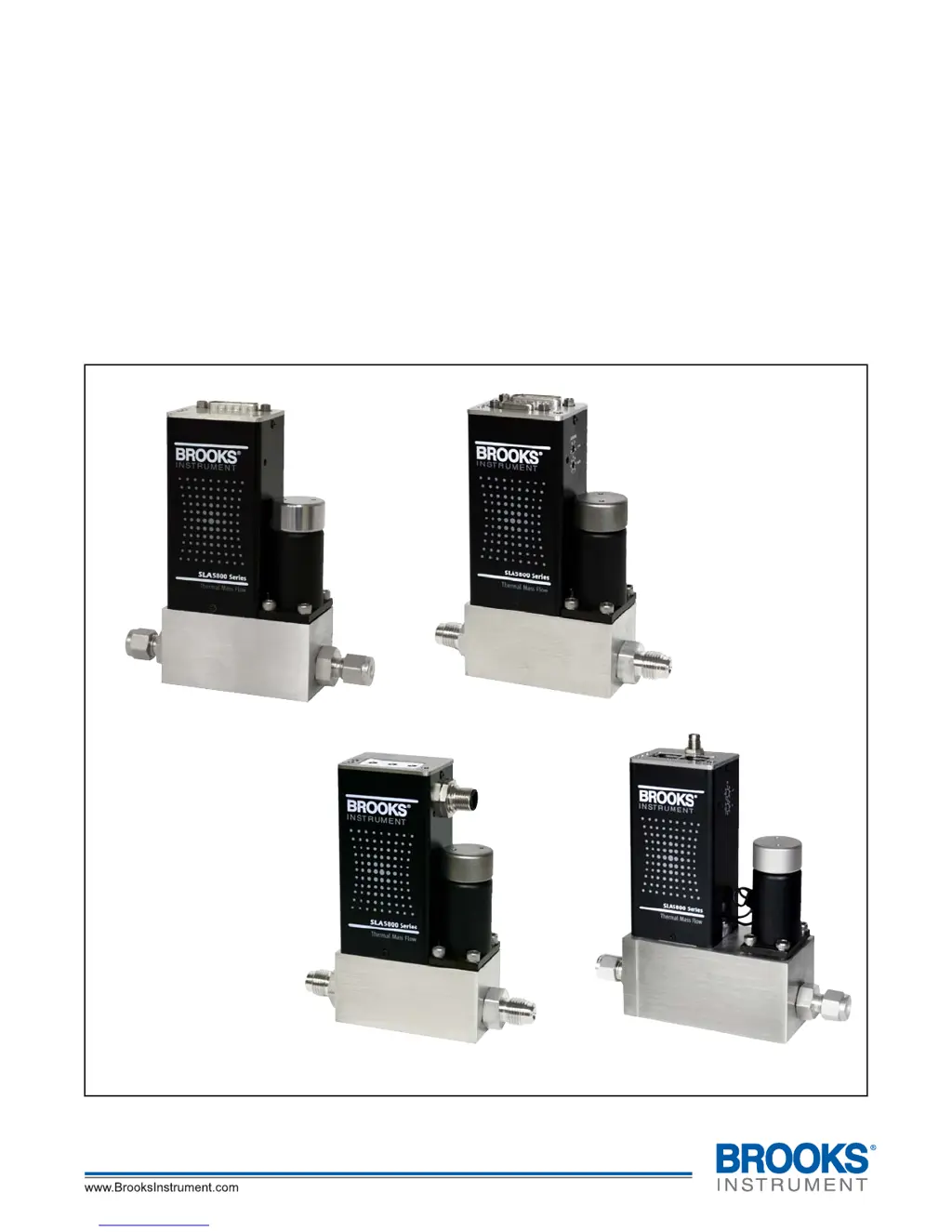
Model SLA5850
with RS485 Communications
Model SLA5850
with DeviceNet
®
Communications
Model SLA5850
with Profibus
®
Communications
Model SLA5851
with EtherCAT
®
Communications

Table of Contents

Questions and Answers

  • D
    Darius PayneAug 21, 2025
    Why Brooks SLA5860 flow cannot be achieved?
    • A
      Andrew PayneAug 21, 2025
      If you cannot achieve flow with your Brooks Measuring Instruments, regardless of the Setpoint, it might be due to a clogged control valve or the valve override input being grounded. Check the valve override input (Pin 12).
  • P
    Patricia DavidAug 25, 2025
    What to do if Brooks Measuring Instruments controller oscillates?
    • A
      Angela ParkerAug 25, 2025
      If your Brooks Measuring Instruments controller oscillates, the cause might be that the pressure drop or inlet pressure deviates from calibrated values. Adjust pressures to original specifications. Another reason may be unstable inlet pressure, so you should check the external pressure regulator.
  • F
    franklincatherineAug 26, 2025
    What to do if Brooks Measuring Instruments output signal follows Setpoint at lower Setpoints, but does not reach full scale?
    • D
      Donald AndersonAug 26, 2025
      If the output signal of your Brooks Measuring Instruments follows the Setpoint at lower settings but doesn't reach full scale, it could be due to insufficient inlet pressure or pressure drop. Adjust pressures and inspect in-line filters, cleaning or replacing them as needed. Also, the sensor or valve might be partially clogged, so cleaning them is recommended.
  • A
    Andrea ThomasAug 28, 2025
    What to do if Brooks SLA5860 output signal follows Setpoint at higher Setpoints but will not go below 2%?
    • J
      Jeffrey MillerAug 28, 2025
      If the output signal of your Brooks Measuring Instruments follows the Setpoint at higher settings but won't go below 2%, it is possible that the control valve leaks or is stuck open. Clean the control valve.
  • E
    Eric DavenportAug 30, 2025
    What to do if Brooks SLA5860 instrument is grossly out of calibration and flow is higher than desired?
    • T
      Tonya AllenAug 30, 2025
      If your Brooks Measuring Instruments is grossly out of calibration and the flow is higher than desired, the sensor may be partially clogged. Clean the sensor.
  • J
    John MarksSep 1, 2025
    What to do if Brooks SLA5860 Measuring Instruments output stays at zero?
    • N
      Nichole JonesSep 1, 2025
      If the output of your Brooks Measuring Instruments remains at zero, regardless of the Setpoint, even with flow through the meter/controller, the sensor might be clogged. Clean sensor.
  • T
    Tammy ElliottSep 3, 2025
    Why is the flow rate not achieving setpoint in my Brooks Measuring Instruments?
    • J
      Jason MarshallSep 3, 2025
      If the flow rate or flow signal of your Brooks Measuring Instruments fails to achieve the setpoint, it might be due to insufficient pressure drop across the MFCs. If necessary, increase the pressure.
  • A
    Anthony GriffithSep 5, 2025
    What to do if the output signal doesn't reach full scale on Brooks Measuring Instruments?
    • N
      Nicholas ChavezSep 5, 2025
      If the output signal of your Brooks Measuring Instruments follows the setpoint at lower setpoints but doesn't reach full scale, it could be due to several reasons: * Insufficient inlet pressure or pressure drop: Adjust the pressures and inspect in-line filters, cleaning or replacing them as needed. * Partially clogged sensor: Clean the sensor. * Partially clogged valve: Clean the control valve.
  • A
    acevedovictoriaSep 7, 2025
    What to do if flow cannot be achieved regardless of setpoint on Brooks SLA5860?
    • K
      Kimberly RichardsonSep 7, 2025
      If the flow cannot be achieved regardless of the setpoint in your Brooks Measuring Instruments, it could be due to a clogged control valve. In this case, you should clean the control valve.
  • C
    cynthia53Sep 9, 2025
    Why is the flow higher than desired on my Brooks SLA5860?
    • M
      Maria WilsonSep 10, 2025
      If the instrument is grossly out of calibration and the flow is higher than desired in your Brooks Measuring Instruments, a partially clogged sensor could be the cause. Clean the sensor to resolve this issue.

Summary

Section 1 Introduction

Specifications

Presents technical specifications, flow ranges, pressure ratings, and performance data.

RS485 Communications

Describes the RS485 communication protocol, features, and pinouts.

Profibus Communications

Details the Profibus communication option, features, and pinouts.

DeviceNet Communications

Explains the DeviceNet communication capability, features, and pinouts.

EtherCAT Communications

Introduces the EtherCAT communication interface and its features.

Section 2 Installation

2-9 Installation

Gives general installation procedures and cautions for MFC/MFM mounting.

Special Considerations for High Pressure Installations

Offers guidance on installing devices in high-pressure applications and startup.

Special Considerations to be taken when installing the SLA5853 MFC

Highlights specific installation considerations for the SLA5853 MFC model.

2-10 Electrical Interface

Explains the electrical interface, pin connections, and signal types for analog I/O.

2-11 Operation Check Procedure (Analog I;O)

Details the steps for checking the operation of the instrument with analog I/O.

2-12 Operation Check Procedure (Digital I;O)

Outlines the procedure for checking the operation of the instrument with digital I/O.

Section 3 Operation

3-2 Theory of Operation for Flow Measurement

Explains the principle of thermal mass flow measurement using the sensor and restrictor.

3-4 Analog I;O Mode of Operation

Describes the analog I/O options, setpoint input, flow signal output, and valve override.

Zeroing the MFC

Provides instructions on how to perform the self-zero function for the MFC.

3-5 Communications Features

Introduces the various communication protocols available for the digital series.

3-5-1 RS485 Communications Features (Analog versions only)

Details the specific features and baud rates for RS485 communication.

Section 4 Maintenance & Troubleshooting

4-1-1 Troubleshooting Analog or Digital

Provides guidance to diagnose MFC problems in gas distribution systems and answers FAQs.

Troubleshooting Table

Lists common troubles, possible causes, and corrective actions for MFC/MFM issues.

Brooks SLA5860 Specifications

General IconGeneral
BrandBrooks
ModelSLA5860
CategoryMeasuring Instruments
LanguageEnglish

Related product manuals