EasyManua.ls Logo

Brooks SLA585 - User Manual

Default Icon
76 pages
Print Icon
To Next Page IconTo Next Page
Loading...
Installation and Operation Manual
X-TMF-SLA5800-MFC-eng
Part Number: 541B027AAG
April, 2013
Brooks
®
Digital MFC's & MFM's
Brooks
®
SLA5850, SLA5851, SLA5853
Mass Flow Controllers Models
and Models SLA5860, SLA5861, SLA5863
Mass Flow Meters
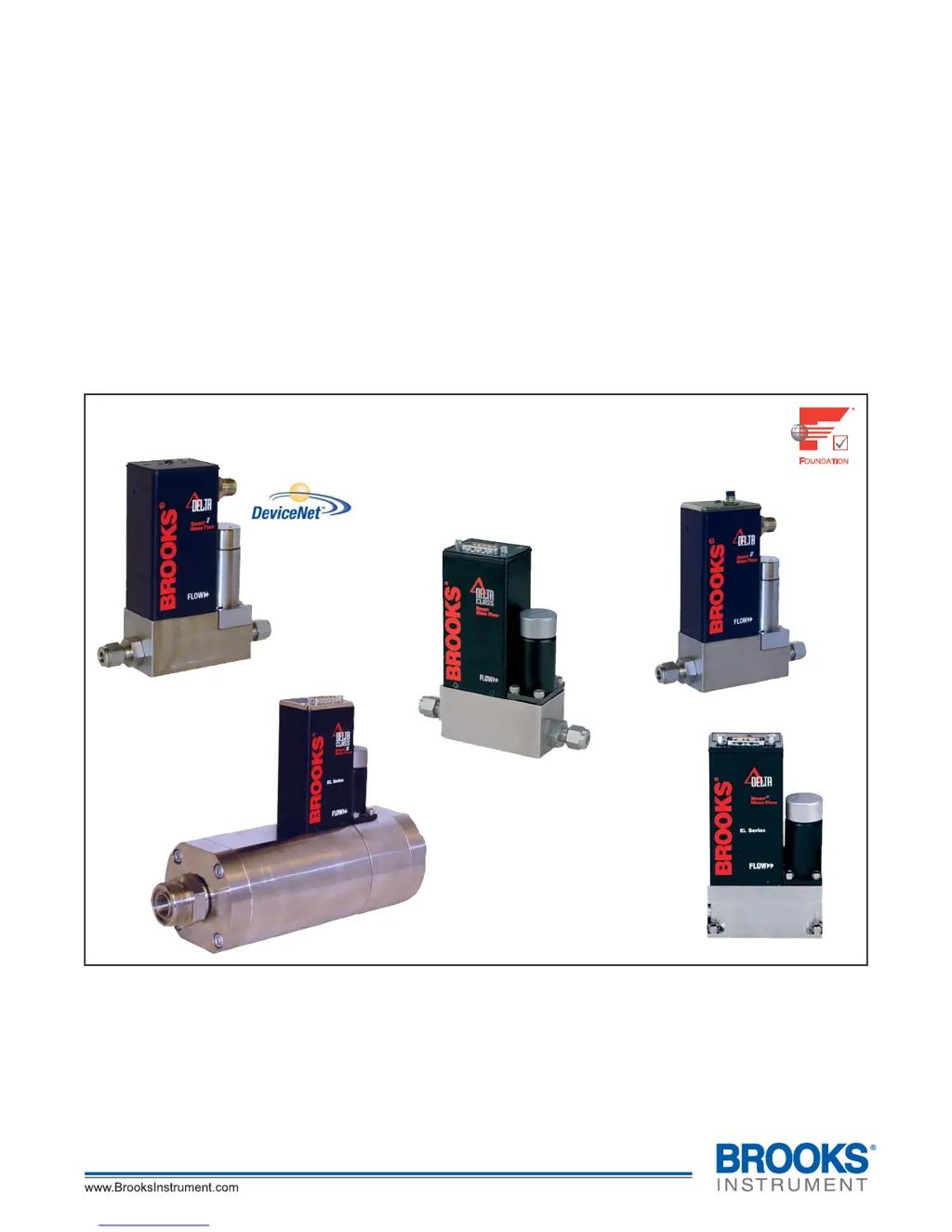
Model SLA5850S
Analog I/O MFC
with RS-485
Model SLA5850S
Analog I/O MFC
with RS-485
Elastomer Downport
Model SLA5853S
Analog I/O MFC
with RS-485
Model SLA5850D
Digital I/O
DeviceNet
TM
MFC
with Coplanar Valve
Model SLA5850F
Digital I/O
FOUNDATION
Fieldbus MFC
with Coplanar Valve

Table of Contents

Questions and Answers

  • L
    lsnyderAug 4, 2025
    Why is the flow rate not achieving setpoint in my Brooks SLA585 Measuring Instruments?
    • D
      dean32Aug 4, 2025
      If the flow rate or flow signal of your Brooks Measuring Instruments fails to achieve the setpoint, it might be due to insufficient pressure drop across the MFCs. If necessary, increase the pressure.
  • E
    Edward LarsenAug 8, 2025
    What to do if the output signal doesn't reach full scale on Brooks SLA585?
    • J
      John MillerAug 8, 2025
      If the output signal of your Brooks Measuring Instruments follows the setpoint at lower setpoints but doesn't reach full scale, it could be due to several reasons: * Insufficient inlet pressure or pressure drop: Adjust the pressures and inspect in-line filters, cleaning or replacing them as needed. * Partially clogged sensor: Clean the sensor. * Partially clogged valve: Clean the control valve.
  • H
    Heather CastroAug 13, 2025
    What to do if flow cannot be achieved regardless of setpoint on Brooks Measuring Instruments?
    • J
      James MartinezAug 13, 2025
      If the flow cannot be achieved regardless of the setpoint in your Brooks Measuring Instruments, it could be due to a clogged control valve. In this case, you should clean the control valve.
  • J
    jamesedwardsAug 17, 2025
    Why is the flow higher than desired on my Brooks Measuring Instruments?
    • J
      Jack GutierrezAug 17, 2025
      If the instrument is grossly out of calibration and the flow is higher than desired in your Brooks Measuring Instruments, a partially clogged sensor could be the cause. Clean the sensor to resolve this issue.
  • C
    Chelsea HolmesAug 21, 2025
    How to fix controller oscillations in Brooks SLA585 Measuring Instruments?
    • H
      halexanderAug 21, 2025
      If the controller oscillates in your Brooks Measuring Instruments, it could be due to pressure drop or inlet pressure deviating from calibrated values. Adjust the pressures to the original specifications.
  • M
    Maria JacksonAug 26, 2025
    Why won't the output signal go below 2% on Brooks Measuring Instruments?
    • D
      Dawn RandolphAug 27, 2025
      If the output signal of your Brooks Measuring Instruments follows the setpoint at higher setpoints but will not go below 2%, it might be because the control valve leaks or is stuck open. You should clean the control valve.
  • L
    lirichardAug 30, 2025
    What causes low flow on Brooks SLA585?
    • B
      Beverly PetersonAug 30, 2025
      If the instrument is grossly out of calibration and the flow is lower than desired in your Brooks Measuring Instruments, it could be due to a partially clogged restrictor. Replace or clean the restrictor.

Summary

Section 1: Introduction to Brooks Digital MFCs & MFMs

Specifications

Details performance characteristics, ratings, and flow ranges for the SLA5800 series.

Section 2: Installation

Electrical Interface and Wiring

Details electrical connections, I/O signals, wiring diagrams, and communication interfaces.

Operation Checkout Procedures

Steps for verifying proper operation of analog and digital I/O configurations.

Section 3: Operation

Analog I;O Configuration

Details analog I/O setpoint, flow signals, valve override, calibration, and zeroing functions.

Alarms and Diagnostics

Explains alarms, warnings, diagnostic codes, and safe mode behavior.

Section 4: Maintenance & Troubleshooting

Troubleshooting Guide

Provides suggestions for diagnosing common MFC/MFM issues.

System Checks and Bench Troubleshooting

Outlines system checks, bench troubleshooting procedures, and warnings.

Section A: Essential Instructions

Warranty, Service, and Support

Brooks SLA585 Specifications

General IconGeneral
BrandBrooks
ModelSLA585
CategoryMeasuring Instruments
LanguageEnglish

Related product manuals