General information
3
Viewing Documentation (Macintosh) 1
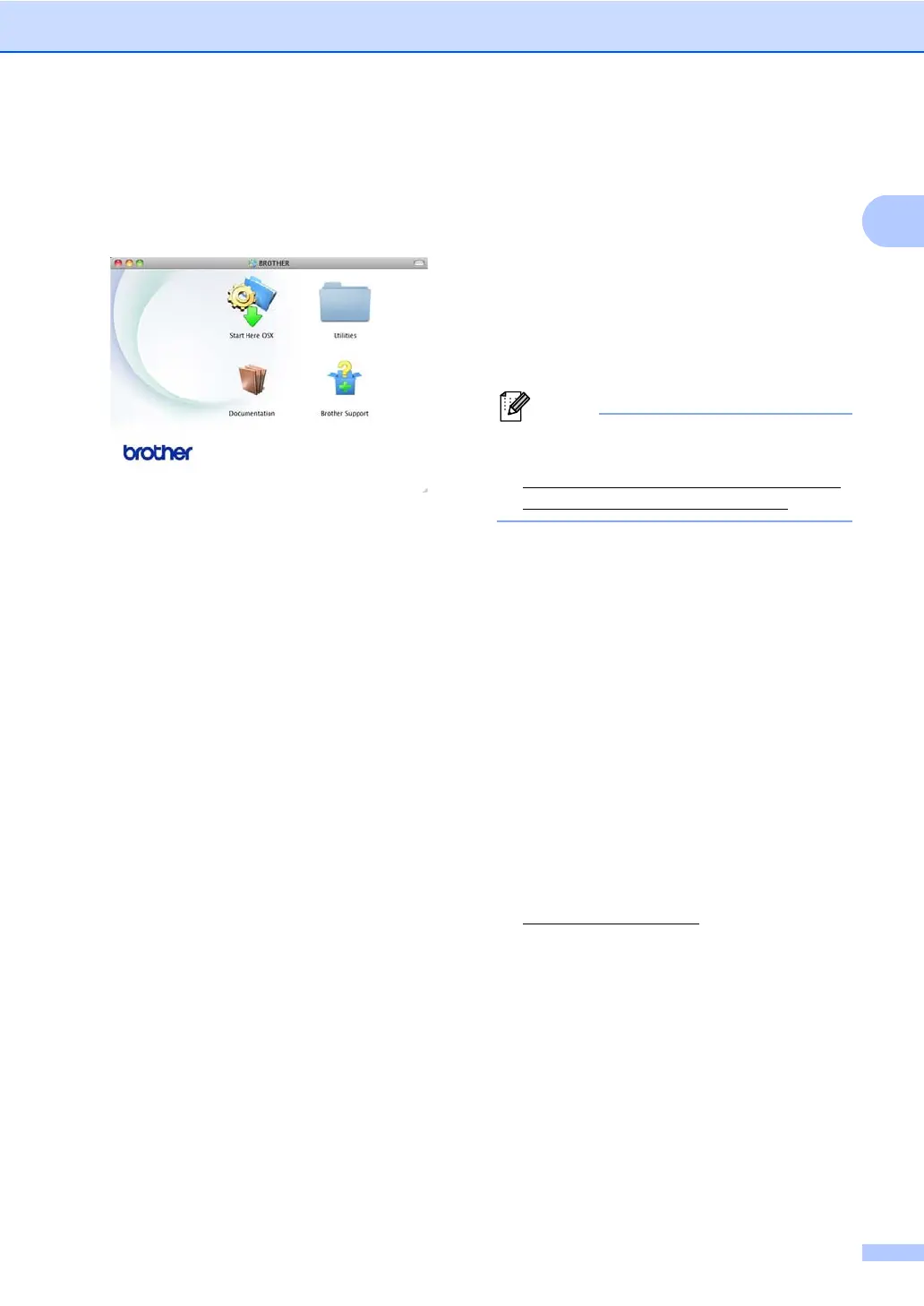
a Turn on your Macintosh. Insert the
Installer CD-ROM into your CD-ROM
drive. The following window will appear.
b Double-click the Documentation icon.
c If the model name screen appears,
choose your model name and click
Next.
d If the language screen appears,
double-click your language folder.
e Double-click top.pdf. If the country
screen appears, choose your country.
f After the list of User’s Guides appears,
choose the Guide you want to read.
How to find Scanning instructions 1
There are several ways you can scan
documents. You can find the instructions as
follows:
Software User's Guide
Scanning
ControlCenter
Network Scanning
Nuance™ PaperPort™ 12SE
How-to-Guides
(Windows
®
users)
The complete Nuance™ PaperPort™
12SE How-to- Guides can be viewed from
the Help selection in the Nuance™
PaperPort™ 12SE application.
Presto! PageManager User’s Guide
(Macintosh users)
Presto! PageManager is available as a
download from
http://nj.newsoft.com.tw/download/brother/
PM9SEInstaller_BR_multilang.dmg
The complete Presto! PageManager
User’s Guide can be viewed from the Help
selection in the Presto! PageManager
application.
How to find Network setup
instructions 1
Your machine can be connected to a wired
network.
Basic setup instructions uu Quick Setup
Guide
More information about network setup
uu Network User's Guide
1
1
In USA: You can find the Network User's Guide on
the Brother Solutions Center at
http://solutions.brother.com/
.


 To Next Page
 Loading...