EasyManua.ls Logo

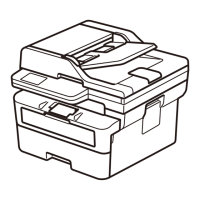
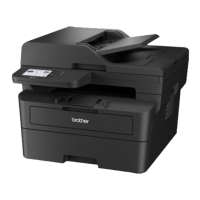
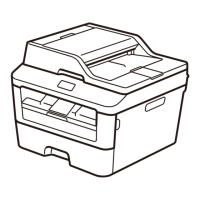
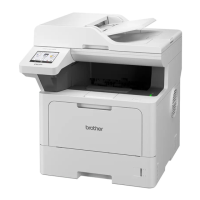
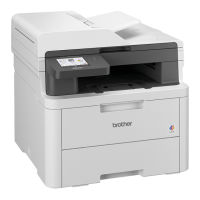
Brother DCP-L2640DW - User Manual

Brother DCP-L2640DW
22 pages
Print Icon
To Next Page IconTo Next Page
Loading...
Read this guide before attempting to operate the product, or before attempting any maintenance,
and ensure that you follow all warnings and instructions marked on the product. If you have
concerns about how to use your product safely after reading this guide, contact Brother customer
service or your local Brother dealer. Failure to follow these instructions may result in an increased
risk of personal injury or damage to property, including through fire, electrical shock, burns or
suffocation. Brother shall not be liable for the damage caused where the product owner has failed
to follow the instructions set out in this guide or on the product.
For more advanced instructions, information, and product specifications, see the Online User's
Guide at
support.brother.com/manuals.
Symbols and Conventions
Used in the Documentation
WARNING
WARNING indicates a potentially hazardous
situation which, if not avoided, could result in
death or serious injuries.
CAUTION
CAUTION indicates a potentially hazardous
situation which, if not avoided, may result in
minor or moderate injuries.
IMPORTANT
IMPORTANT indicates a potentially
hazardous situation which, if not avoided,
may result in damage to property or loss of
product functionality.
NOTE
NOTE specifies the operating environment,
conditions for installation, or special
conditions of use.
Hot Surface icons warn you not to
touch product parts that are hot.
Prohibition icons indicate actions
that must not be performed.
Electrical Hazard icons alert you to
the possibility of an electric shock.
Fire Hazard icons alert you to the
possibility of a fire.
Product Safety Guide
HL-L2400D / HL-L2405W / HL-L2460DW / HL-L2460DWXL / HL-L2865DW / DCP-B7640DW / DCP-L2640DW / DCP-L2660DW /
HL-L2480DW / MFC-L2807DW / MFC-L2820DW / MFC-L2820DWXL / MFC-L2880DW
1

Other manuals for Brother DCP-L2640DW

Questions and Answers

  • А
    АнатолийApr 5, 2026
    Инструкция по эксплуатации

    Summary

    Symbols and Conventions

    Understanding Safety Alerts

    Explains WARNING, CAUTION, IMPORTANT, and NOTE alerts for safe product use.

    Hazard Icon Meanings

    Explains icons for Hot Surface, Prohibition, Electrical Hazard, and Fire Hazard.

    Choose a Safe Location for Your Product

    Environmental Requirements

    Specifies temperature, humidity, and condensation limits for optimal placement.

    Placement Safety Guidelines

    Avoiding Hazardous Placements

    Details risks associated with heat, sunlight, chemicals, unstable surfaces, and blocked ventilation.

    Ensuring Proper Ventilation

    Stresses the importance of not blocking product slots for ventilation to prevent overheating.

    Product Placement Precautions

    Product Usage and Connection Safety

    Electrical Hazard Warnings

    Highlights risks of electrical shock and fire from improper connections.

    Power Cord and Plug Safety

    Handling and Connection Precautions

    Details safe practices for power cords, plugs, and connections to prevent shock or fire.

    Safe Product Usage and Handling

    Packaging and Electrical Precautions

    Warns about plastic bags, dismantling, self-servicing, and damaged products.

    Environmental and Storm Safety

    Advises against using during thunderstorms or with liquids/metal objects.

    Fire Hazards and Usage Warnings

    Flammable Substances and Paper Jams

    Warns against flammable cleaners, operating with paper jams, and using vacuum cleaners on toner.

    Specific Hazard Warnings

    Power Cord and Handling Safety

    Power Cord Usage Guidelines

    Details safe practices for using, positioning, and maintaining the power cord and plug.

    Product Storage and Toner Handling

    Toner Contact Safety Procedures

    Provides instructions for inhalation, skin, eye contact, and ingestion of toner.

    Operational Safety and Servicing

    FCC Declaration and User Information

    Interference and RF Exposure Compliance

    Laser and FDA Safety Information

    Brother DCP-L2640DW Specifications

    General IconGeneral
    Print TechnologyLaser
    FunctionsPrint, Copy, Scan
    Automatic Duplex PrintingYes
    Print Resolution2400 x 600 dpi
    ConnectivityWi-Fi
    Paper Input Capacity250 sheets
    Mobile PrintingAirPrint, Mopria
    Scanner TypeFlatbed
    Scan Resolution1200 x 1200 dpi
    Copy Resolution600 x 600 dpi
    Max Paper SizeA4
    Toner Yield1, 200 pages

    Videos

    How to Wifi Setup PC With Brother DCP-L2640DW

    How to Use the Scanner Of the Brother DCP-L2640DW

    How to Replace the Toner of The Brother DCP-L2640DW

    How to Reset Your Brother DCP-L2640DW

    How to Setup Wi-Fi Direct on the Brother DCP-L2640DW Printer

    How to Setup Brother DCP-L2640DW With USB Cable

    Related product manuals