
 Need help?
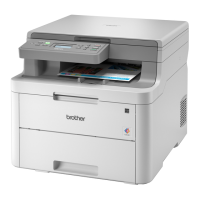
Do you have a question about the Brother DCP-L3515CDW and is the answer not in the manual?
Defines WARNING, CAUTION, and IMPORTANT levels of hazard and potential consequences.
Warns against placing product near heaters, air conditioners, fans, refrigerators, or water.
Warns against exposure to sunlight, heat, flames, gases, moisture, dust, and chemicals.
Stresses placing the product on a flat, stable surface and avoiding busy areas or unstable furniture.
Warns about high-voltage electrodes and the risk of electric shock or fire from improper handling.
Prohibits handling the product's plug with wet hands due to electric shock risk.
Lists precautions to prevent fires, including avoiding flammable substances for cleaning.
Alerts users to hot internal parts and recommends waiting for cooling before touching.
Emphasizes using the provided earthed plug and socket for safety.
Details safe practices for handling, securing, and not damaging the power cord.
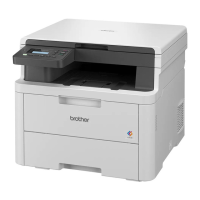
This document is a Product Safety Guide for a range of Brother printer and multifunction devices, including models such as the HL-L3215CW, HL-L3220CW, HL-L3240CDW, HL-L8230CDW, DCP-L3515CDW, DCP-L3520CDW, MFC-L3740CDW, MFC-L3760CDW, MFC-L8340CDW, and MFC-L8390CDW. It provides essential safety instructions and guidelines for the safe operation, installation, and maintenance of these products.
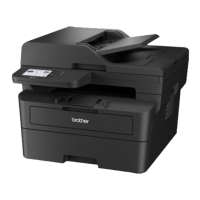
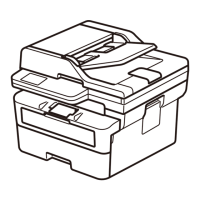
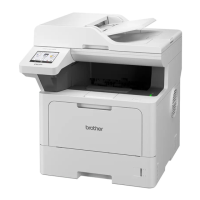
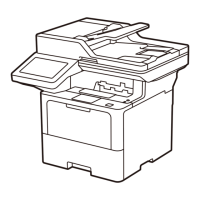
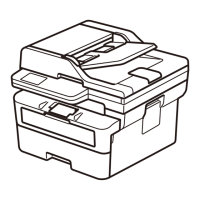
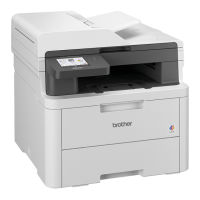
The devices covered by this guide are primarily printers and multifunction devices, which may include printing, scanning, and faxing capabilities depending on the specific model. They are designed for use in various environments, from personal to professional settings. Some models feature Wireless LAN for network connectivity and NFC (Near Field Communication) for easy pairing and printing. The guide emphasizes that not all models are available in all countries and that illustrations may show specific models like the HL-L3240CDW/MFC-L8390CDW.
The guide outlines several critical usage features and precautions to ensure safe operation. Users are instructed to read the entire guide before operating or performing any maintenance. It highlights the importance of following all warnings and instructions marked on the product itself. In case of concerns regarding safe usage, users are advised to contact Brother customer service or a local Brother dealer. Failure to adhere to these instructions could lead to personal injury or property damage, including risks of fire, electrical shock, burns, or suffocation.
For installation, the product should be placed on a flat, level, stable surface, free from vibration and shocks. It should be located in an area with a temperature between 10°C and 32.5°C and humidity between 20% and 80%, ensuring no condensation. It is crucial to avoid placing the product near heat sources (heaters, radiators), air conditioners, electrical fans, refrigerators, or water to prevent electrical shock, short circuits, or fire. Direct sunlight, excessive heat, open flames, corrosive gases, moisture, or dust should also be avoided, as these can cause electrical shock, short circuits, fire, or render the product inoperable.
The product should not be placed near chemicals or in locations where chemicals might spill, as organic solvents like benzene, paint thinner, polish remover, or deodorizer can damage the plastic cover and cables, posing risks of fire or electrical shock. Proper ventilation is essential; users must not block any slots or openings on the product, as these are for ventilation and blocking them could lead to overheating and fire. A minimum gap around the product, as illustrated in the guide, must be maintained.
For models with fax functionality, the product should be placed near a telephone socket. All models require a standard earthed electrical socket. Users are warned against placing the product on unstable carts, stands, or tables, especially if children are nearby, due to the risk of the heavy product falling and causing injury or damage. For models with scanning functionality, there's an added risk of injury if the scanner glass breaks. Busy areas should be avoided, or the product should be secured to prevent accidental knocking over. Cables and cords must be secured to prevent tripping hazards. Heavy objects should not be placed on the product, nor should any objects block access to the electrical socket, as the product must be easily unplugged in an emergency.
The product emits chemical substances during printing, and prolonged use in poorly ventilated areas may cause the emission of odorous gases like ozone. Therefore, a well-ventilated area is recommended for optimum performance and comfort. Users are advised not to place the product near devices containing magnets or generating magnetic fields, or near sources of interference like speakers or non-Brother cordless telephone base units, as these can affect print quality or electronic components.
When moving the product, it should be carried as shown in the illustrations, with at least two people lifting it from the front and back for larger models (DCP-L3515CDW/DCP-L3520CDW/DCP-L3520CDWE/DCP-L3527CDW/DCP-L3555CDW/DCP-L3560CDW/MFC-L3740CDW/MFC-L3740CDWE/MFC-L3760CDW/MFC-L8340CDW/MFC-L8390CDW). If a Lower Tray is used, the product should not be carried with it attached, as it is not secured and could cause injury or damage. Users must be careful not to put fingers in the areas indicated in the illustrations to prevent injuries.
The guide also includes warnings about hot surfaces within the product immediately after use, advising users to wait at least 10 minutes for parts to cool down before touching them. It also warns against running hands over paper edges due to potential injury from sharp edges. During printing, a distance of 7.87 inches (20 cm) from the machine should be maintained to avoid electromagnetic radiation exposure.
The safety guide provides specific instructions for maintenance to prevent electrical hazards and other risks. Before accessing the inside of the product for routine maintenance, including cleaning, users must unplug the telephone line cord (for fax models) and then the power cord from the electrical socket. Any telephone/RJ-11 or Ethernet/RJ-45 cables should also be disconnected.
Users are warned against pushing objects of any kind into the product's slots or openings, as this could lead to dangerous voltage points or short-out parts. Handling the plug with wet hands is prohibited due to the risk of electrical shock. The power plug must always be fully inserted, and the product or cord should not be used if the cord is worn or frayed. Regular cleaning of the power plug with a dry cloth is recommended to prevent dust accumulation around the blades, which could cause a short circuit and fire.
Dismantling the product is strictly prohibited, as it could cause fire or electrical shock and void the warranty. All servicing should be referred to Brother customer service or a local Brother dealer. Dropping metal objects or liquids on the power plug is forbidden due to the risk of electrical shock or fire. If water, other liquids, or metal objects enter the product, it must be immediately unplugged, and Brother customer service contacted.
The product must be connected to an AC power source within the range specified on its rating label, and not to a DC power source or inverter. Only the power cord supplied with the product should be used. For cleaning, flammable substances, sprays, or organic solvents/liquids containing alcohol or ammonia should not be used inside or outside the product, as these can cause a fire. Instead, a dry, lint-free cloth should be used. For detailed cleaning instructions, users are directed to the Online User's Guide.
Users are warned against operating the product with paper jams or stray pieces of paper inside, as prolonged contact with the fuser unit could cause a fire. A vacuum cleaner should not be used to clean up scattered toner, as toner dust can ignite inside the vacuum cleaner. Instead, toner dust should be carefully cleaned with a dry, lint-free soft cloth and disposed of according to local regulations.
The guide also provides instructions for handling toner contact:
The guide also mentions that if the product becomes unusually hot, releases smoke, generates strong smells, or if liquid is spilled on it, it must be immediately unplugged, and Brother customer service contacted. Plastic bags used in packaging should be kept away from babies and children to prevent suffocation and disposed of correctly.
 General
| Functions | Print, Copy, Scan |
|---|---|
| Print Resolution | 2400 x 600 dpi |
| Monthly Duty Cycle | 30, 000 pages |
| Automatic Duplex Printing | Yes |
| Paper Capacity | 250 sheets |
| Compatible Operating Systems | Windows, macOS, Linux |
| Scan resolution | 1200 x 1200 dpi |
| Max Paper Size | A4 |
| Type | Colour Laser Printer |
| Connectivity | USB, Wi-Fi |
| Display | LCD |
| Mobile printing | Yes |
| Scanner type | Flatbed |
| Toner Yield (Color) | Approx. 1, 400 pages |


 To Next Page
