EasyManua.ls Logo

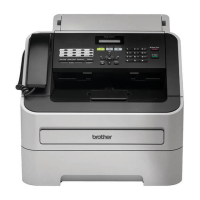
Brother FAX-2890 - User Manual

Brother FAX-2890
138 pages
Print Icon
To Next Page IconTo Next Page
Loading...
Basic User’s Guide
FAX-2890
FAX-2990
MFC-7290
Version 0
CHN-ENG

Table of Contents

Other manuals for Brother FAX-2890

Questions and Answers

  • R
    Regina BrennanSep 10, 2025
    What does 'Scan Unable XX' mean on Brother Fax Machine?
    • H
      harringtondavidSep 10, 2025
      The Brother Fax Machine has a mechanical problem. Turn the power switch off, wait a few seconds, and then turn it on again. Leave the machine for 15 minutes with the power on.
  • R
    Roger WatsonAug 25, 2025
    What does 'Toner Ended' mean on my Brother All in One Printer?
    • Z
      Zachary GomezAug 25, 2025
      If your Brother All in One Printer displays 'Toner Ended', it is time to replace the toner cartridge with a new one. Faxes will be stored in the memory while memory is available.
  • M
    Meghan JohnsonAug 25, 2025
    What does 'Drum Stop' mean on my Brother FAX-2890?
    • M
      Makayla WellsAug 26, 2025
      If your Brother All in One Printer displays 'Drum Stop', it indicates that it is time to replace the drum unit.
  • C
    Chad PenningtonSep 23, 2025
    What does 'Drum Error' mean on my Brother FAX-2890?
    • A
      Amber Cline MDSep 23, 2025
      If your Brother All in One Printer displays 'Drum Error', the corona wire on the drum unit needs to be cleaned. Clean the corona wire on the drum unit.
  • K
    Katherine OwensSep 12, 2025
    What to do if my Brother FAX-2890 All in One Printer says 'No Paper'?
    • D
      dwalkerSep 12, 2025
      If your Brother All in One Printer displays a 'No Paper' error, it means the printer is either out of paper or the paper isn't loaded correctly. Refill the paper tray and press Start. Alternatively, remove the paper and load it again, then press Start. If the problem persists, the paper pick-up roller may need cleaning.
  • S
    Stephen SmithSep 15, 2025
    What does 'EL Error' mean on my Brother FAX-2890 All in One Printer?
    • J
      John WrightSep 15, 2025
      If your Brother All in One Printer displays an 'EL Error', the machine has a mechanical problem. Open the front cover and close it again to see if this resolves the issue.
  • F
    Fernando SmithSep 4, 2025
    How to fix 'Size mismatch' error on Brother Fax Machine?
    • S
      Sean ColemanSep 4, 2025
      The paper in the tray of your Brother Fax Machine is not a correct size. Load an appropriate size of paper in the tray, and re-set the “Paper Size”.
  • D
    Debra GordonSep 5, 2025
    What does 'Toner Low' mean on my Brother Fax Machine?
    • J
      jeffreyashleySep 5, 2025
      If the LCD shows Toner Low you can still print; however, the Brother Fax Machine is telling you that the toner cartridge is near the end of its life. Order a new toner cartridge now so a replacement will be available when the LCD shows Replace Toner or Toner Ended.
  • R
    Rebecca GraySep 23, 2025
    Why does my Brother FAX-2890 All in One Printer print condensed or streaky faxes?
    • D
      Dr. Chad WilliamsSep 23, 2025
      If your Brother All in One Printer produces condensed prints with horizontal streaks, cuts off sentences, or shows missing lines, it's usually due to a poor telephone connection. If your copy looks good, ask the other party to send the fax again.
  • S
    Steven ThompsonAug 30, 2025
    What to do if Brother Fax Machine says 'Out of Memory'?
    • A
      Allison HubbardAug 30, 2025
      The Brother Fax Machine's memory is full. If you are faxing or copying, you can press Start to continue or Stop/Exit to wait for other operations to finish. Alternatively, clear faxes from the memory by printing them and consider turning off Fax Storage.

Brother FAX-2890 Specifications

General IconGeneral
BrandBrother
ModelFAX-2890
CategoryAll in One Printer
LanguageEnglish

Related product manuals