EasyManua.ls Logo

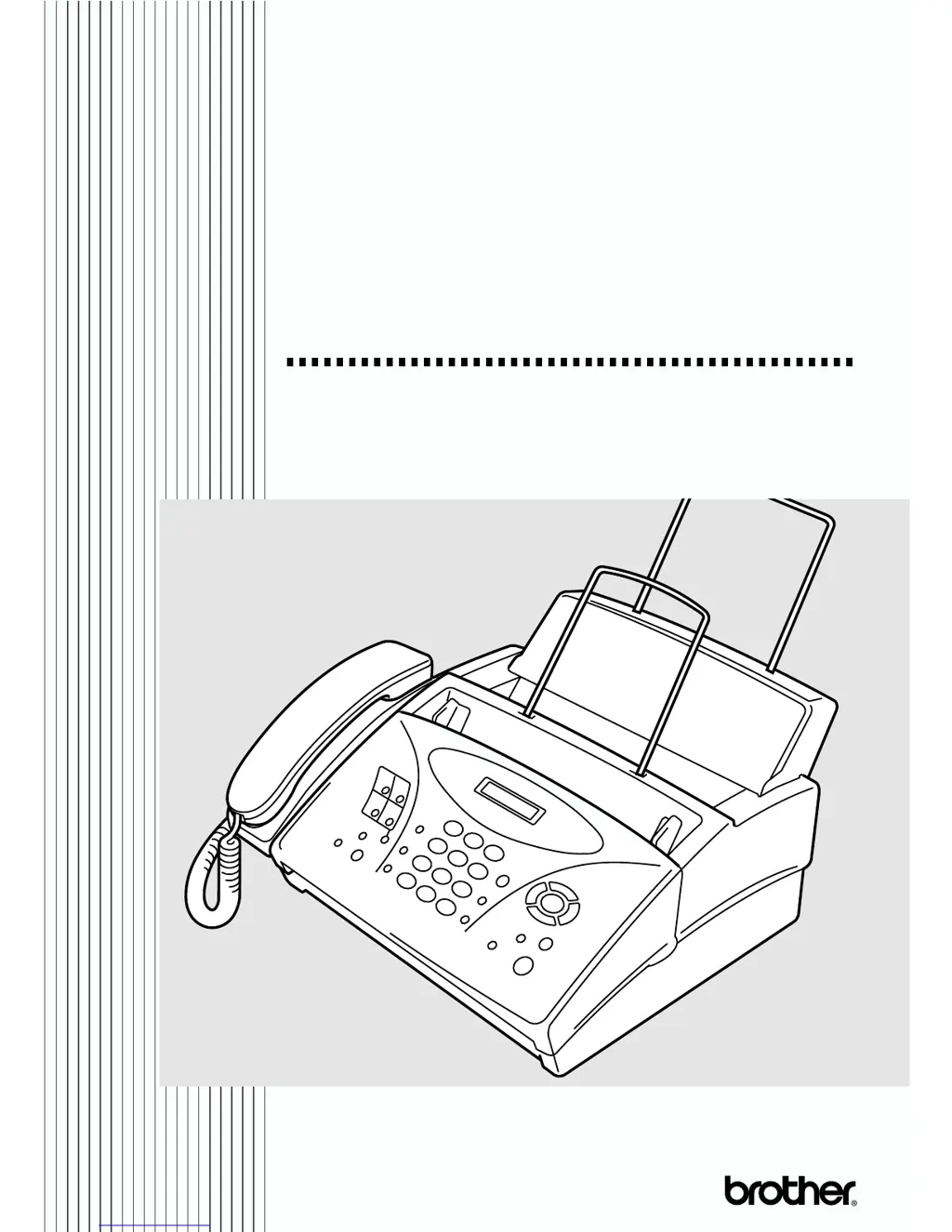
Brother FAX-775 - User Manual

Brother FAX-775
96 pages
Print Icon
To Next Page IconTo Next Page
Loading...
FAX-775
OWNER’S MANUAL
OWNER’S MANUAL

Table of Contents

Questions and Answers

  • S
    Sherri JensenAug 16, 2025
    What to do if my Brother FAX-775 says 'CHECK PAPER RELOAD PAPER'?
    • J
      Jeffrey MooreAug 17, 2025
      If your Brother Fax Machine displays 'CHECK PAPER RELOAD PAPER', it means the fax machine is out of paper or the paper is not properly loaded in the paper tray. Refill the paper or remove the paper and load it again. If this error appears while receiving a fax, load paper to restart printing. If you were coping or printing reports, load paper and try again.
  • J
    Jacob ThomasAug 19, 2025
    How to fix 'OUT OF MEMORY ERASE MESSAGE' on Brother FAX-775?
    • S
      Sean StarkAug 19, 2025
      If your Brother Fax Machine displays 'OUT OF MEMORY ERASE MESSAGE', it indicates that the memory capacity has been exceeded. To resolve this, print the faxes stored in memory to delete them, and then try again.
  • K
    Kent FloresAug 22, 2025
    What does 'NO RESPONSE/BUSY' mean on my Brother FAX-775 Fax Machine?
    • K
      Kevin Neal IIAug 22, 2025
      If your Brother Fax Machine shows 'NO RESPONSE/BUSY', it means the number you called does not answer or is busy. Check the number and call again.
  • A
    Austin MillerAug 25, 2025
    Why does my Brother FAX-775 Fax Machine say 'COMM.ERROR'?
    • C
      Christine HarveyAug 25, 2025
      The 'COMM.ERROR' message on your Brother Fax Machine indicates a communications error due to a poor-quality phone line. Try the call again.
  • A
    Alexis NicholsonAug 27, 2025
    What to do if my Brother FAX-775 says 'COVER OPEN PLS CLOSE COVER'?
    • M
      Mrs. Jessica RhodesAug 27, 2025
      If your Brother Fax Machine displays 'COVER OPEN PLS CLOSE COVER', it means the cover is not completely closed. Close the cover.
  • R
    Ronald Martinez DDSAug 30, 2025
    What does 'OUT OF MEMORY SEND:PRESS START OUT OF MEMORY QUIT:PRESS STOP' mean on Brother Fax Machine?
    • M
      Megan PenaAug 30, 2025
      If your Brother Fax Machine displays 'OUT OF MEMORY SEND:PRESS START OUT OF MEMORY QUIT:PRESS STOP', it means there is not enough memory available to send your fax. Press Stop/Exit. Print the faxes stored in memory to delete them. Then try again.
  • K
    Katherine YangSep 2, 2025
    How to fix 'OUT OF MEMORY PRINT:PRESS COPY OUT OF MEMORY QUIT:PRESS STOP' error on Brother Fax Machine?
    • J
      joseph20Sep 2, 2025
      If your Brother Fax Machine displays 'OUT OF MEMORY PRINT:PRESS COPY OUT OF MEMORY QUIT:PRESS STOP', it means that there is not enough memory available to perform your copy operation. Press Stop/Exit. Print the faxes stored in memory to delete them. Then try again.
  • C
    Cody SwansonSep 4, 2025
    What does 'DISCONNECTED' mean on my Brother FAX-775?
    • L
      lwallaceSep 4, 2025
      If your Brother Fax Machine displays 'DISCONNECTED', it indicates that the other party has disconnected during a call or fax. Try calling the other party again.
  • M
    Mario SmithSep 7, 2025
    How to resolve 'CHECK CARTRIDGE RESET OR REPLACE' error on Brother FAX-775 Fax Machine?
    • S
      Samantha BrownSep 8, 2025
      If your Brother Fax Machine displays 'CHECK CARTRIDGE RESET OR REPLACE', it means the machine is out of ribbon or the print cartridge is not properly installed. Install the print cartridge again.
  • C
    Christina KrauseSep 10, 2025
    Why does my Brother FAX-775 Fax Machine say 'COOLING DOWN WAIT FOR A WHILE'?
    • S
      Sabrina StevensSep 10, 2025
      The message 'COOLING DOWN WAIT FOR A WHILE' on your Brother Fax Machine indicates that the print head has overheated. Wait 30 minutes for it to cool down.

Summary

Brother Numbers

For Customer Service

Contact information for technical support and service.

BROTHER ONE YEAR LIMITED WARRANTY and EXCHANGE SERVICE (For USA Only)

What is covered

Details on what defects in materials and workmanship are covered.

What is NOT covered

Conditions that void the warranty, such as unauthorized service or damage.

What to do if you think your Product is defective

Procedure to report defects and obtain warranty service.

What Brother will do

Brother's commitment to repair or replace defective products.

Exchange Service

Procedure for exchanging a non-working product for a refurbished one.

BROTHER MULTIFUNCTION CENTER;FACSIMILE MACHINE LIMITED WARRANTY (For Canada Only)

FAX-775 Control Panel Overview

2 Location and Connections

Caution

Safety precautions for installing and using telephone wiring.

Assembly

Load the Paper

Connections

Installing Brother Machine, External Two-Line TAD and Two-Line Telephone

Connecting an External Telephone Answering Device (TAD)

3 On-Screen Programming

User-Friendly Programming

How to program the fax machine using on-screen prompts.

Navigation Keys

4 Initial Setup

Setting Date and Time

Procedure to set the date and time for the fax machine.

Setting Station ID

How to program name, fax, and telephone numbers for transmitted pages.

Setting Volume Amplify

Setting Up Your Area Code (For USA Only)

5 Setup Receive

Select Receive Mode

Options for how the machine answers incoming calls.

To Select or Change Your Receive Mode

Setting Ring Delay

Easy Receive

Advanced Receiving Operations

Operation from External or Extension Telephone

How to operate the fax from other phones using codes.

Changing Remote Codes

Procedure to change remote access codes.

To Change Remote Codes

Detailed steps to modify remote access codes.

6 Setup Send

Manual Transmission

Automatic Transmission

Delayed FAX

Canceling a Scheduled Job

Interrupting Delayed Fax and Polled Transmit Jobs

7 Auto Dial Numbers and Dialing Options

Storing Numbers for Easy Dialing

Methods for setting up One Touch, Speed Dial, and Groups.

Storing One Touch Dial Numbers

Procedure to store numbers on One Touch keys.

Storing Speed Dial Numbers

Changing One Touch and Speed Dial Numbers

Setting Up Groups for Broadcasting

Dialing Options

Speed Dialing

8 Telephone Services

Distinctive Ring

Information on using Distinctive Ring service for fax line.

Before You Choose the Ring Pattern to Register

VERY IMPORTANT

Registering the Distinctive Ring Pattern

Caller ID

Caller ID Log

Returning a Call from the Log

Procedure to automatically return a call from the Caller ID log.

Registering a Caller ID Number

Call Waiting Caller ID

CallManage (For USA Only)

Registration with CallManage Requires Change Your Carrier Selection

Steps to register for CallManage and change carrier selection.

Placing a Long Distance Telephone Call Using CallManage

How to make long distance phone calls using CallManage.

9 Making Copies

Reducing and Enlarging Copies

10 Printing Reports

11 Important Information

Federal Communications Commission Compliance Notice (For USA Only)

Important Safety Instructions

12 Troubleshooting and Routine Maintenance

Troubleshooting

General guidance for resolving difficulties with the fax machine.

Error Messages

Clearing Jams

Replacing the Print Cartridge

If You Are Having Difficulty with Your Fax Machine

Printing or Receiving Faxes

Troubleshooting for print quality issues like streaks or cut-off text.

Phone Line or Connections

Sending Faxes

Poor Transmitting Quality

Tips for improving fax transmission quality.

Dialing Does Not Work

Troubleshooting steps for dialing issues.

Vertical Black Lines When Sending

Troubleshooting for vertical lines on sent faxes due to dirty scanner.

Handling Incoming Calls

Routine Maintenance

Cleaning the Scanner

Instructions for cleaning the scanner assembly.

Packing and Shipping the fax machine

Specifications

Remote Fax Options

Programming a Fax Forwarding Number

Turning On Fax Storage

Changing Remote Access Code

Using Remote Retrieval Access Code

Retrieving Fax Messages

Changing Fax Forwarding Number

Changing Remote Retrieval Access Code

Brother FAX-775 Specifications

General IconGeneral
BrandBrother
ModelFAX-775
CategoryFax Machine
LanguageEnglish

Related product manuals