Chapter 2
14
Loading paper,
envelopes and other
media
2
Note
• For Tray#2, see Loading paper in paper
tray#2 (MFC-5860CN only) on page 16.
• If you are using Auto Select
(MFC-5860CN only), after refilling the
paper tray you should open and close the
scanner cover to reset the machine.
Loading paper and other
media 2
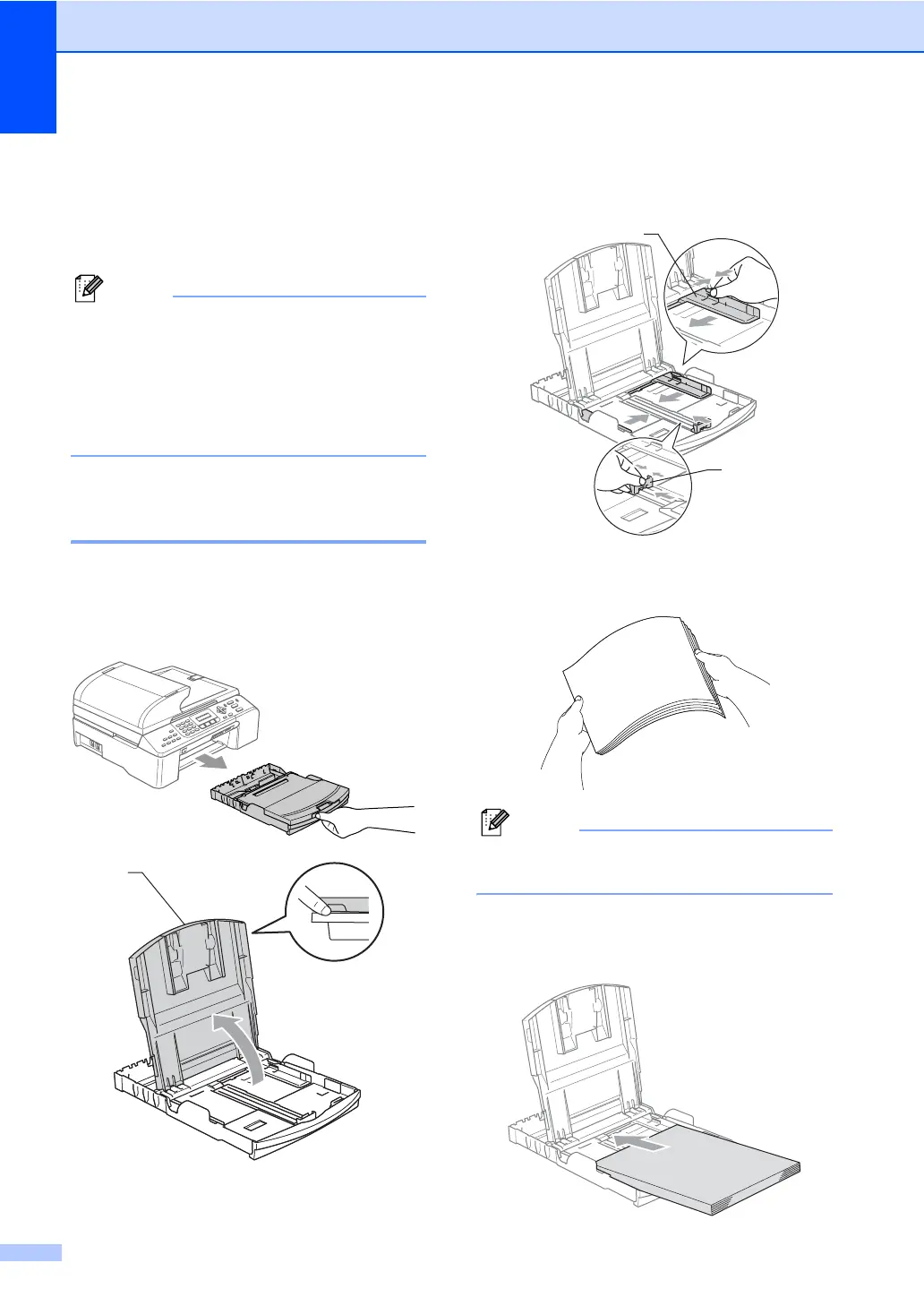
a Pull the paper tray completely out of the
machine.
If the paper support flap is open, close it
and lift the output paper tray cover (1).
b Press and slide the paper side
guides (1) and paper length guide (2) to
fit the paper size.
c Fan the stack of paper well to avoid
paper jams and misfeeds.
Note
Always make sure that the paper is not
curled.
d Gently put the paper into the paper tray
print side down and top edge first.
Check that the paper is flat in the tray.
1
1
2



 To Next Page
 Loading...








