Chapter 7
50
Duplex Copying
(1-sided to 2-sided)
(MFC-7365DN,
MFC-7460DN and
MFC-7860DW)
7
If you want to use the duplex copy feature,
load your document in the ADF.
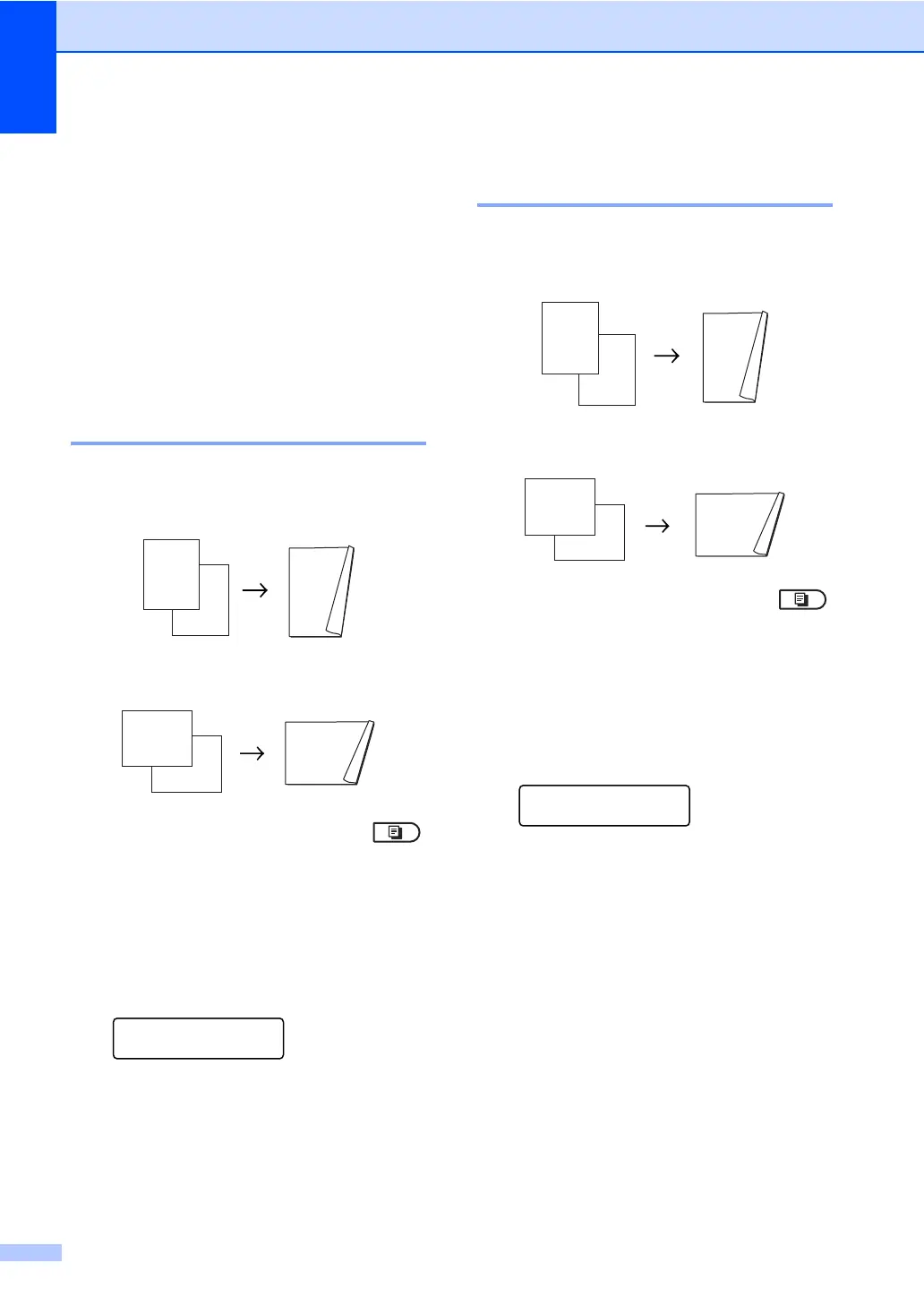
Duplex Copy (long edge flip) 7
1sidedi 2sidedL
Portrait
Landscape
a Make sure you are in Copy mode .
b Load your document.
c Enter the number of copies (up to 99)
using the dial pad.
d Press Duplex and a or b to select
1sidedi2sided L.
Duplex
1sided
i
2sided L
e
Press OK.
e Press Start to copy the document.
Advanced Duplex Copy
(short edge flip) 7
1sidedi 2sidedS
Portrait
Landscape
a Make sure you are in Copy mode .
b Load your document.
c Enter the number of copies (up to 99)
using the dial pad.
d Press Duplex and a or b to select
1sidedi2sided S.
Duplex
1sided
i
2sided S
e
Press OK.
e Press Start to copy the document.



 To Next Page
 Loading...