EasyManua.ls Logo

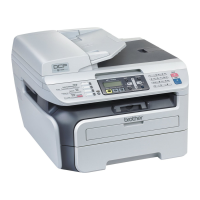
Brother MFC-7860DW - User Manual

Brother MFC-7860DW
170 pages
Print Icon
To Next Page IconTo Next Page
Loading...
BASIC USER’S GUIDE
MFC-7360
MFC-7360N
MFC-7362N
MFC-7460DN
MFC-7470D
MFC-7860DW
Not all models are available in all countries.
Version C
ARL/ASA/NZ

Table of Contents

Other manuals for Brother MFC-7860DW

Questions and Answers

  • D
    Dylan TorresAug 30, 2025
    How to fix 'Drum Error' on Brother All in One Printer?
    • J
      Jamie WaltonAug 30, 2025
      If your Brother All in One Printer displays 'Drum Error', it indicates that the corona wire on the drum unit needs to be cleaned. Clean the corona wire on the drum unit to resolve this issue.
  • A
    Ashley CoxAug 25, 2025
    How to resolve 'Cartridge Error' on Brother Printer?
    • D
      Darrell RodriguezAug 25, 2025
      If you are getting a 'CARTRIDGE ERROR' on your Brother printer, make sure that the drum unit and toner cartridge assembly is installed properly.
  • A
    alexandrahallSep 23, 2025
    What does 'Size Error DX' mean on my Brother All in One Printer and how to resolve it?
    • J
      Jay ShermanSep 23, 2025
      If your Brother All in One Printer displays 'Size Error DX', it means the paper in the tray is not a suitable size for automatic duplex printing. Load A4 paper for automatic duplex printing, and then press Start.
  • J
    Jason BuchananSep 3, 2025
    Brother MFC-7860DW does not print or scan after troubleshooting, what to do?
    • C
      Curtis WatsonSep 3, 2025
      If you have checked and tried all of the above, however the Brother All in One machine does not print/scan, uninstall the MFL-Pro Suite and reinstall it.
  • J
    Jeffrey HernandezSep 7, 2025
    What does 'Size Error DX' mean on my Brother MFC-7860DW and how to solve it?
    • R
      rcabreraSep 8, 2025
      If your Brother All in One Printer displays 'Size Error DX', it means the paper in the tray is not a suitable size for automatic duplex printing. Load A4 paper for automatic duplex printing, and then press Start.
  • R
    rangelronaldSep 1, 2025
    How to fix 'Fuser Error' on Brother Printer?
    • J
      jwardSep 1, 2025
      If the 'FUSER ERROR' message appears on your computer for your Brother printer, turn the printer off, wait a few seconds, and then turn it back on. If that doesn't work, leave the machine on for 15 minutes.
  • K
    Kevin MaloneAug 28, 2025
    What does 'Toner Low' mean on my Brother MFC-7860DW All in One Printer?
    • C
      Courtney CarneyAug 28, 2025
      If your Brother All in One Printer is displaying 'Toner Low', it means the toner is running low. It's recommended to purchase a new toner cartridge to have on hand before you receive a 'Replace Toner' message.
  • C
    Christie RobertsonSep 9, 2025
    Why does my Brother All in One Printer say cooling down wait for a while?
    • A
      April WilsonSep 10, 2025
      If your Brother All in One Printer displays 'Cooling Down Wait for a while', the drum unit or toner cartridge is too hot, and the machine has paused to cool down. Ensure the fan is spinning and the exhaust outlet isn't blocked. If the fan works, clear any obstructions around the exhaust and let the machine sit powered on for several minutes. If the fan isn't spinning, disconnect and reconnect the machine to power.
  • L
    Lauren MooreSep 5, 2025
    How to fix 'No Toner' error on Brother MFC-7860DW?
    • S
      Stephanie DennisSep 5, 2025
      If your Brother All in One Printer displays a 'No Toner' error, it means the toner cartridge is not installed correctly. To fix this, pull out the drum unit, take out the toner cartridge, and then put it back into the drum unit.
  • C
    cmckeeAug 27, 2025
    How to activate wireless setting on Brother MFC-7860DW All in One Printer?
    • T
      taylorterriAug 27, 2025
      To fix this, turn the wireless setting to ON. If a LAN cable is connected, disconnect it and then turn the wireless setting ON. 1. Press Menu, then 6 (Network), then 2 (WLAN), then 2 (Setup Wizard). 2. When 'WLAN Enable?' appears, press 1 to select 'On'. This will initiate the wireless setup wizard.

Brother MFC-7860DW Specifications

General IconGeneral
Secure printingYes
Print technologyLaser
Maximum resolution2400 x 600 DPI
Time to first page (black, normal)9 s
Print speed (black, normal quality, A4/US Letter)26 ppm
Duplex print speed (black, normal quality, A4/US Letter)5 ppm
Scan toE-mail, E-mail Server, File, FTP, Image, OCR
Scanner typeFlatbed & ADF scanner
Grayscale levels256
Input color depth48 bit
Output color depth24 bit
Image formats supportedBMP, JPG, TIF
Maximum scan resolution19200 x 19200 DPI
Optical scanning resolution600 x 2400 DPI
Copier resize25 - 400 %
Maximum copy resolution600 x 600 DPI
Maximum number of copies99 copies
N-in-1 copy function (N=)2, 4
Time to first copy (black, normal)11 s
Copy speed (black, normal quality, A4)26 cpm
FaxingMono faxing
Fax memory500 pages
Modem speed33.6 Kbit/s
Fax coding methodsJBIG, MH, MMR (Fax coding method), MR
Fax speed dialing (max numbers)200
Total input capacity250 sheets
Total output capacity100 sheets
Auto document feeder (ADF) input capacity35 sheets
DisplayLCD
Market positioningHome & office
Display number of lines2 lines
Display number of characters16
Internal memory32 MB
Processor familyARM
Processor frequency200 MHz
Card reader integratedNo
Sound pressure level (copying)53 dB
Sound pressure level (printing)30 dB
Custom media width76.2 - 216 mm
Maximum print size216 x 406 mm
Custom media length116 - 406.4 mm
Paper tray media typesBond paper, Envelopes, Labels, Plain paper, Recycled paper
Paper tray media weight60 - 105 g/m²
Non-ISO print media sizesLetter
ISO A-series sizes (A0...A9)A4, A5, A6
ISO B-series sizes (B0...B9)B5, B6
Maximum ISO A-series paper sizeA4
Multi-Purpose Tray media weight60 - 163 g/m²
Auto Document Feeder (ADF) media weight64 - 90 g/m²
Security algorithms128-bit WEP, 64-bit WEP, WPA-AES, WPA-PSK, WPA-TKIP, WPA2-PSK
Dimensions (WxDxH)527 x 510 x 493 mm
All-in-one functionsCopy, Fax, Print, Scan
Color all-in-one functionsScan
Standard interfacesUSB 2.0
USB 2.0 ports quantity1
AC input frequency50 - 60 Hz
Power consumption (standby)55 W
Power consumption (PowerSave)0.9 W
Power consumption (average operating)445 W
Sustainability certificatesENERGY STAR
Maximum duty cycle- pages per month
Package weight11600 g
Weight and Dimensions IconWeight and Dimensions
Weight14800 g

Videos

How To Connect Brother MFC-7860DW Printer to Wifi

How to change Brother TN450 toner cartridges at Brother MFC-7860DW printer

How to Fix Brother MFC 7860DW Offline?

Related product manuals