Troubleshooting
85
B
d Close the Jam Clear Cover. Make sure
the cover is closed properly.
e Re-connect the power cord.
Paper is jammed at the front and back
of the machine
B
If the LCD shows
Paper Jam [Front, Rear], follow these
steps:
a Unplug the machine from the AC power
outlet.
Make sure you remove paper from the
manual feed slot, and then close it.
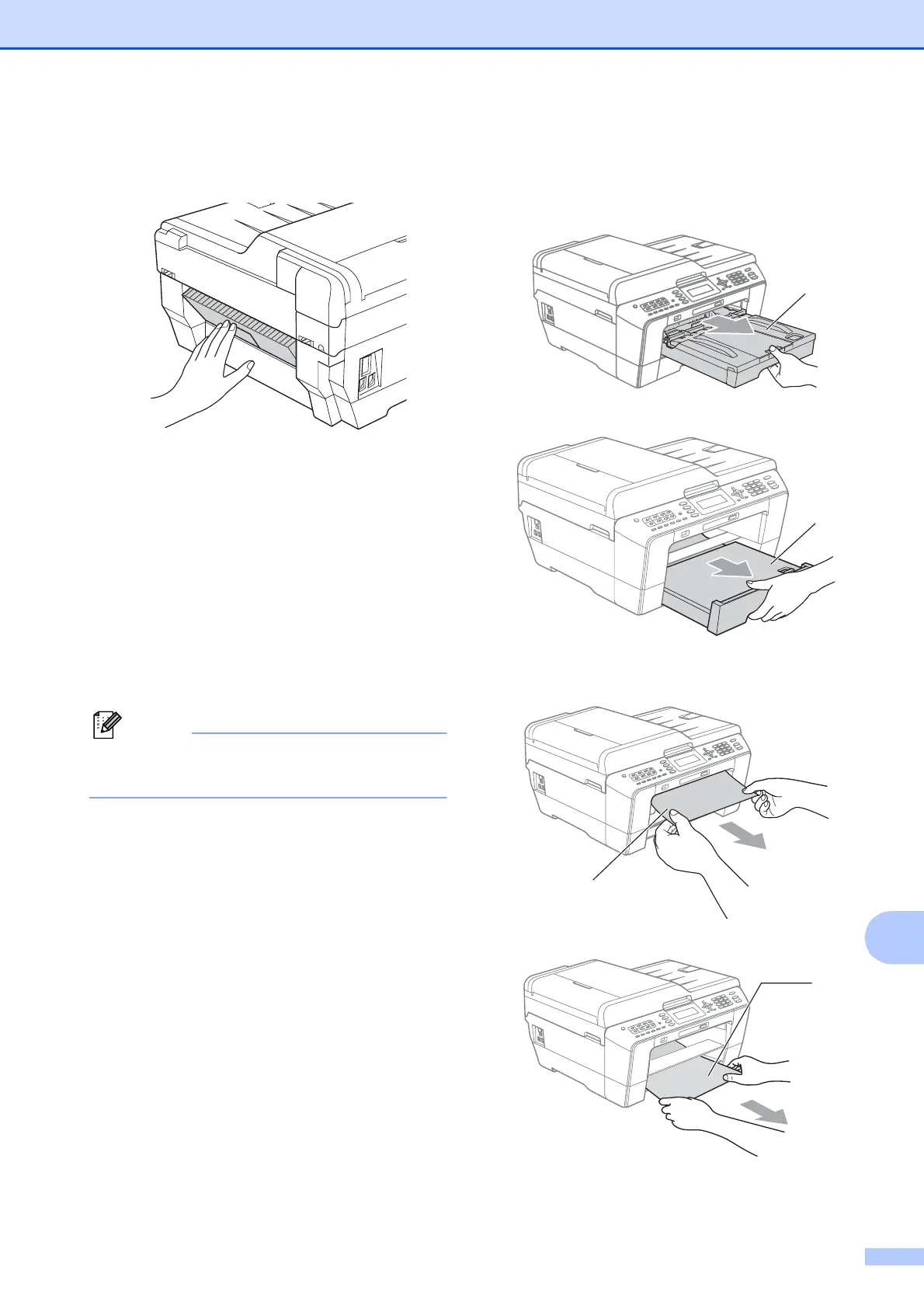
b Pull paper tray #1 (1) and then
tray #2 (2) (MFC-J6710DW) completely
out of the machine.
c Pull out the jammed paper (1).
1
2
1
1



 To Next Page
 Loading...











