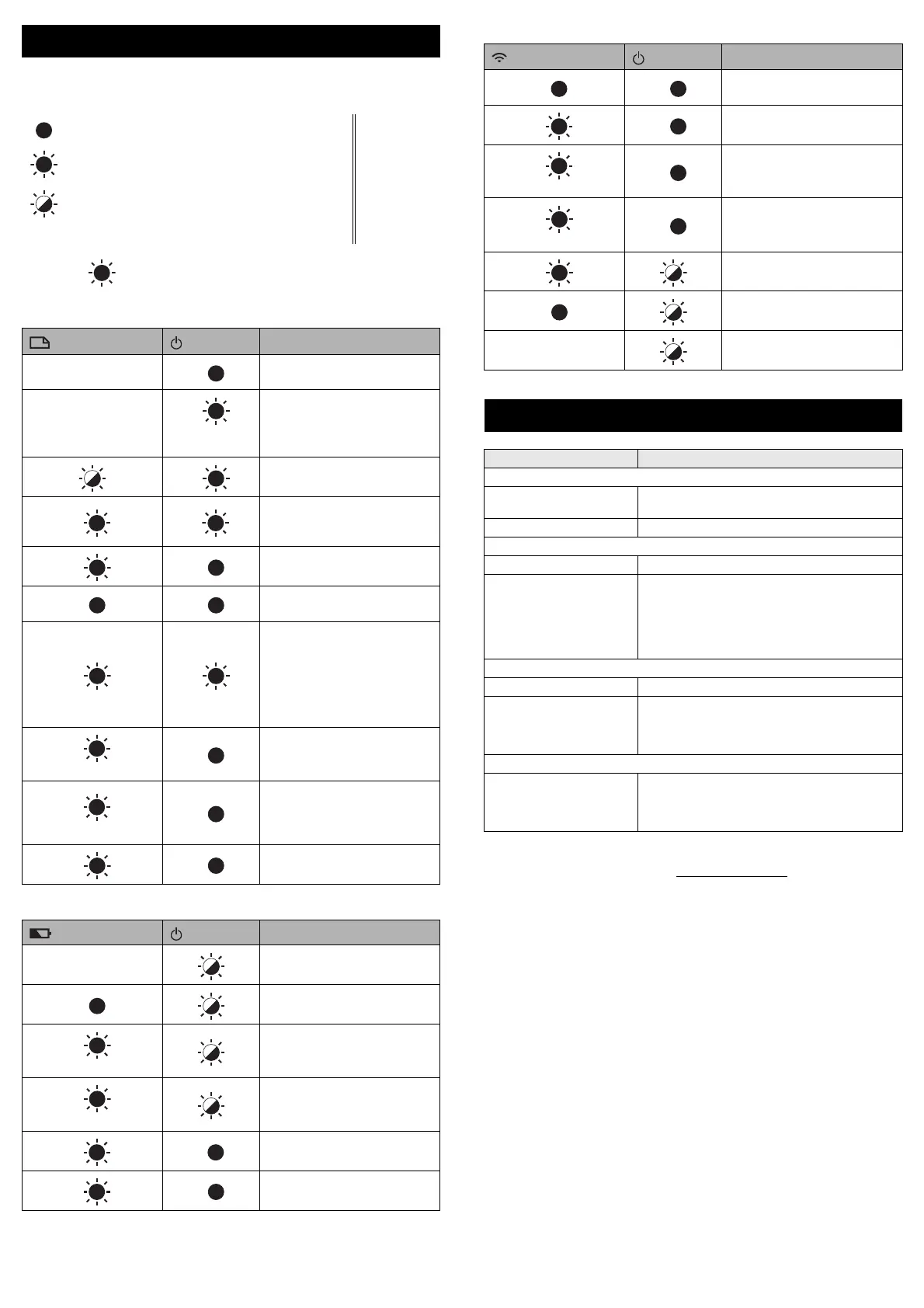
The indicators light and flash to indicate the your machine’s status. The
symbols used in this section explain the meaning of the different indicator
colours and patterns:
Example: G = Indicator is flashing in green
Label, Power indicator
Battery indicator
Wi-Fi indicator
Brother support website
Please visit our support website at support.brother.com.
You can find following information:
• Software downloads
• Manuals/Documents
• Frequently Asked Questions (Troubleshooting, Useful tips on using printer)
• Consumable information
• Latest OS compatibility information
The contents of this website are subject to change without notice.
LED Indicators
= Indicator is lit
G = Green
O = Orange
R = Red
= Indicator is flashing
= Indicator can be off, lit or flashing in any colour
(Off) = Indicator is off
(Label) (Power)
Condition
(Off)
O
Power is turning off
Top cover open
(Off)
G
(1 time in 1
second)
Transferring data
O
Now cooling
RR
System error 1
System error 2
System error 3
GO
Reset mode (when the mode is
starting)
GO
Reset mode (when the button
is pressed 2/4/6 times)
OO
When blinking alternately:
Cutter error
When blinking simultaneously:
High temperature error
Heat Shrink Tube high
temperature error
R
(1 time in 1 second)
O
Wrong media error
R
(2 times in 1.8 seconds)
G
No cassette error
Wrong type or incompatible
replacement tape error
Media end error
OG
Top cover open error when
printing
(Battery)
(Power)
Condition
(Off)
Rechargeable battery power:
full
O
Charging
O
(1 time in 4 seconds)
Rechargeable battery power:
half
O
(2 times in 4 seconds)
Rechargeable battery power:
low
RR
Rechargeable battery error
RG
Rechargeable battery power:
empty
(Wi-Fi)
(Power)
Condition
RO
No available WPS access
point was found
R
O
WPS access point connection
error
R
(2 times in 1.8 seconds)
O
Incorrect security settings
O
(2 times in 1.8 seconds)
O
WPS access point search error
G
Wi-Fi on, not connected
G
Wi-Fi on, connected
(Off) Wi-Fi off
Product Specifications
Model Name D800W
Size
Dimensions approx. 309 mm (W) × 188 mm (D) × 173 mm
(H) (including keybord LCD unit)
Weight approx. 3.3 kg (including keybord LCD unit)
Printing
Method Thermal Transfer
Tape cassette • Brother TZe tape cassette (3.5 mm, 6 mm,
9 mm, 12 mm, 18 mm, 24 mm, 36 mm
widths)
• Brother FLe label cassette (21 mm × 45 mm)
• Brother HSe tube cassette (5.8 mm, 8.8 mm
11.7 mm, 17.7 mm, 23.6 mm widths)
Interface
USB Version 2.0 Full Speed (Peripheral)
Wi-Fi • Wireless Direct: IEEE802.11g/n
• Ad-Hoc mode: IEEE802.11b/g/n
• Infrastructure mode: IEEE802.11b/g/n
• WPS 2.0
Environment
Operating
temperature/humidity
When running: between 10°C and 35°C /
between 20% and 80%
max. wet bulb temperature:
27°C



 To Next Page
 Loading...









