EasyManua.ls Logo

Brother PR-620 - User Manual

Brother PR-620
237 pages
Print Icon
To Next Page IconTo Next Page
Loading...
English
884-T03
XE2710-001
0707
Printed in Taiwan
EMBROIDERY MACHINE
OPERATION MANUAL
PR620 H1-H4_EN
PR-620
884-T03
OPERATION MANUAL

Table of Contents

Other manuals for Brother PR-620

Questions and Answers

  • R
    robert62Aug 14, 2025
    Why does the needle break on my Brother Sewing Machine?
    • W
      wfoleyAug 14, 2025
      If your Brother Sewing Machine's needle breaks, several factors could be at play. First, ensure the needle is correctly installed and that the needle set screw is securely tightened using the Allen screw driver. A bent or blunt needle should be replaced immediately. If the area around the hole in the needle plate is damaged, consider replacing the needle plate. If the needle hits the needle plate, replace the needle. For issues where the presser foot is too high or incorrectly positioned, it is recommended to consult your nearest authorized dealer.
  • N
    Natalie MurrayAug 17, 2025
    Why is my Brother Sewing Machine so noisy?
    • C
      carlcruzAug 17, 2025
      If your Brother Sewing Machine is noisy, it might be due to lint wound in the hook; in this case, you should clean the hook. Also, not enough oil may have been applied; oil the recommended parts.
  • M
    Michael GonzalesAug 20, 2025
    Why does the upper thread keep breaking on my Brother Sewing Machine?
    • R
      richardglassAug 20, 2025
      If the upper thread of your Brother Sewing Machine breaks, it may be due to several reasons. Make sure the needle is correctly installed and that the needle set screw is tightened with the Allen screw driver. Replace the needle if it is bent or blunt. If the area around the needle plate hole is damaged, replace the needle plate or consult your nearest authorized dealer. Also, consider the thread type; if you're using a weak thread like metallic thread, try slowing down the machine's sewing speed. For issues where the presser foot is too high or incorrectly positioned, it is recommended to consult your nearest authorized dealer.
  • G
    gibbsronaldAug 25, 2025
    What to do if the bobbin thread breaks on my Brother PR-620?
    • M
      Makayla WarrenAug 25, 2025
      If the bobbin thread breaks in your Brother Sewing Machine, several issues could be the cause. Ensure the bobbin thread is correctly threaded. Replace the bobbin if it is scratched or doesn't rotate smoothly. If the bobbin case is damaged, replace it. Remove any tangled thread and clean the hook. Also, make sure you are using the correct bobbin specifically designed for your machine.
  • E
    elizabethrobertsAug 27, 2025
    How to fix incorrect thread tension on a Brother Sewing Machine?
    • C
      Claudia SmithAug 27, 2025
      If the thread tension on your Brother Sewing Machine is incorrect, there are a few things you can check. First, make sure the upper thread is correctly threaded by checking the thread path and re-threading it. Also, ensure the bobbin thread is correctly threaded. If the lower thread tension is incorrect, adjust the tension of the bobbin thread.
  • C
    Cassidy CoxAug 30, 2025
    What to do if there are loops in the upper thread on my Brother PR-620?
    • S
      Shawn KempAug 30, 2025
      If there are loops in the upper thread of your Brother Sewing Machine, it could be due to low upper thread tension. After passing the upper thread through the hole in the presser foot, pull the thread by hand to check the thread tension. Alternatively, the thread quality might be poor. Try sewing with a different thread; if the problem disappears, replace the original thread with a good quality one.
  • J
    Joshua SandovalSep 3, 2025
    What to do if the upper thread does not reach the bobbin thread on my Brother Sewing Machine?
    • L
      Lisa FranklinSep 3, 2025
      If the upper thread doesn't reach the bobbin thread when you start embroidering with your Brother Sewing Machine, it's likely that the bobbin is either empty, the thread isn't feeding correctly, or the thread fed is too short. To resolve this, correctly thread the lower thread.
  • L
    Larry WilliamsSep 6, 2025
    Why is the embroidery pattern misaligned on my Brother PR-620?
    • B
      Brandi MartinezSep 6, 2025
      If the embroidery pattern is misaligned on your Brother Sewing Machine, it could be due to a few reasons. Check if the fabric is caught or pinched, and if so, stop the machine and reposition the fabric correctly. If the carriage moved while removing the embroidery frame, turn the machine off and then on again to return the frame to the correct position. Additionally, the design itself may need more pull compensation or underlay, especially for stretchy or high-napped fabrics.
  • B
    barbarawoodsSep 9, 2025
    How to troubleshoot a Brother Embroidery Machine that does not operate?
    • W
      wanda61Sep 10, 2025
      If your Brother embroidery machine isn't turning on, make sure that the machine is turned on. If it is on, touch the unlock key. If the machine is unlocked, press the start/stop button.

Summary

Important Safety Instructions

DANGER - To reduce the risk of electric shock

Warning concerning unattended operation and immediate unplugging.

WARNING - To reduce the risk of burns, fire, electric shock, or injury to persons

Comprehensive safety warnings covering misuse, environment, and moving parts.

FOR USERS IN THE UK, EIRE, MALTA AND CYPRUS ONLY

WARNING

Crucial warning about connecting wires to the earth terminal.

Before Using This Machine

For safe operation

Key precautions for safe machine operation, including moving parts.

Precautions

Machine Structure and Features

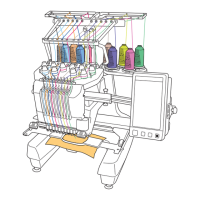
Six-needle machine embroidering

Description of the six-needle system and automatic thread color selection.

Machine Structure and Features: Differences with Single-Needle Machines

Machine Structure and Features: Other Capabilities

User Interface and Safety Features

Details on the LCD, safety lock mechanism, and thread color information.

Chapter 1: GETTING READY

Machine Parts Identification

Identification of key machine parts, including views and the operation panel.

Machine Setup Procedures

Step-by-step guide for setting up the machine, including precautions.

Chapter 2: EMBROIDERING TUTORIAL

Operating Precautions

Essential precautions for safe and correct operation during embroidery.

Chapter 3: OTHER BASIC PROCEDURES

Adjusting Thread Tension

Instructions for checking and adjusting thread tension.

Chapter 4: SELECTING;EDITING;SAVING PATTERNS

Selecting Embroidery Patterns

Guide to choosing patterns from memory, cards, USB, or computer.

Editing Embroidery Patterns

Detailed steps for editing patterns via the Pattern Editing and Settings screens.

Chapter 5: BASIC SETTINGS AND HELP FEATURE

Using the Settings Key

Adjusting LCD brightness, buzzer, language, units, and display guides.

Chapter 6: APPENDIX

Machine Maintenance Procedures

Steps for cleaning and oiling the machine.

Troubleshooting Common Issues

Guidance on diagnosing and resolving machine problems.

Brother PR-620 Specifications

General IconGeneral
BrandBrother
ModelPR-620
CategorySewing Machine
LanguageEnglish

Related product manuals