Screen Quick Reference Guide
57
2
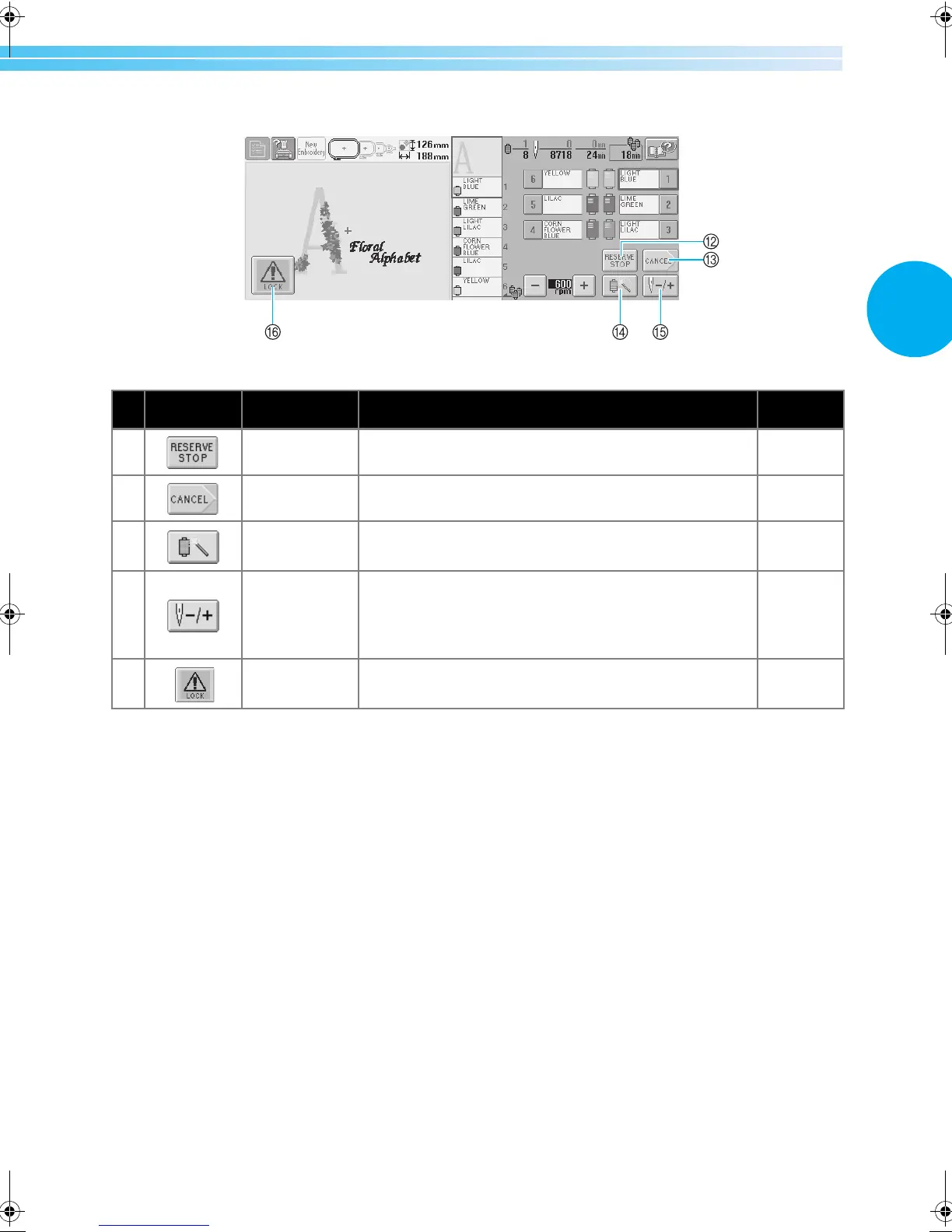
No. Display Key Name Description
Reference
Page
B
Reserve Stop
key
While sewing embroidery, touch this key for the machine to
stop as the next color begins.
p. 92
C Cancel key
Touch this key to quit sewing and return to the
embroidering settings screen.
D
Temporary
needle bar
settings key
Enables the needle bar settings to manually be specified p. 94
E
Forward/
Backward stitch
key
Moves the needle forward or backward through the
stitching. Use this key in the following situations:
● If the thread breaks or runs out while embroidering
● To restart sewing from the beginning
● To continue sewing after the machine was turned off
p.79
F Unlock key
Unlocks the machine so it can start sewing within 10
seconds. When this key is touched, the start/stop button
flashes in green.
p.42
Sapphire_brother.book Page 57 Thursday, November 17, 2005 2:48 PM
















 To Next Page