EasyManua.ls Logo

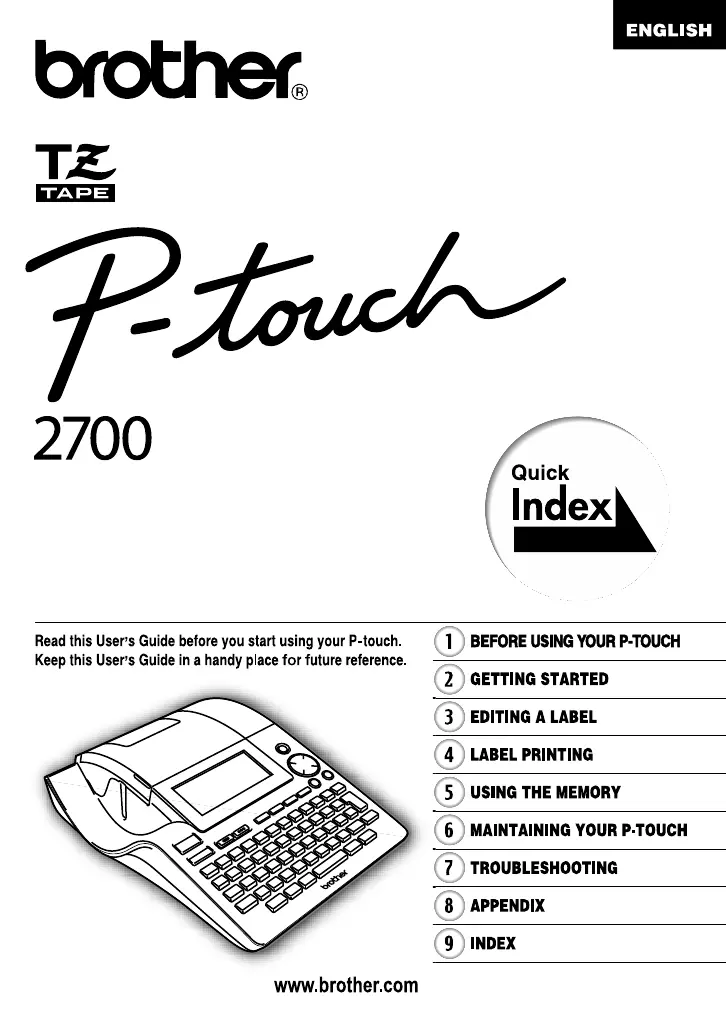
Brother PT-2700 - User Manual

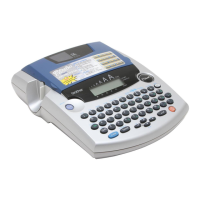
Brother PT-2700
92 pages
Print Icon
To Next Page IconTo Next Page
Loading...
User’s Guide
P. 20

Table of Contents

Other manuals for Brother PT-2700

Questions and Answers

  • J
    joshua53Aug 20, 2025
    What to do if Brother Label Maker is not printing correctly?
    • N
      Nina ArnoldAug 20, 2025
      If your Brother Label Maker is not printing correctly, ensure the tape cassette is installed correctly by pressing firmly until it clicks. Clean the print head with a cotton swab or optional print head cleaning cassette (TZ-CL4). Also, verify the Cut Option setting, as Chain or No Cut settings prevent tape feeding after printing. If either of these options are enabled, change the setting or hold the key and press the key to feed and cut the tape.
  • D
    David PhillipsAug 22, 2025
    What to do if Brother PT-2700 is not printing after pressing the key?
    • S
      sjohnsonAug 22, 2025
      If your Brother Label Maker isn't printing after pressing the print key, first check that text has been entered, as the printer will not print without text. Next, verify that the tape cassette is correctly installed and contains sufficient tape. Also, inspect the tape for any bends; if bent, cut the bent section and correctly thread the tape through the exit slot. Finally, check for tape jams; if jammed, remove the cassette, carefully extract the jammed tape, cut it, and ensure the tape end passes through the guide before reinstalling the cassette.
  • R
    Robert FordAug 25, 2025
    Why is the Brother PT-2700 not cutting automatically?
    • M
      Michael WatsonAug 25, 2025
      If your Brother Label Maker is not cutting automatically, it might be due to the Cut Option being set to 'Chain' or 'No Cut'. When either of these options is selected, the tape will not feed after printing. To resolve this, check the Cut Option setting and change it if needed, or hold down the key and press the key to manually feed and cut the tape.
  • D
    Dustin JonesAug 26, 2025
    Why does my Brother PT-2700 Label Maker stop while printing a label?
    • P
      pamelanelsonAug 26, 2025
      If your Brother Label Maker stops printing mid-label, it could be due to a lack of tape in the cassette. The striped tape indicates the end is near, so replace the cassette when you see it. Alternatively, your batteries might be weak, and the AC adapter isn't connected. Try replacing the batteries or connecting the AC adapter directly to the label maker.
  • R
    Rachel DiazAug 28, 2025
    What to do if my Brother Label Maker is not printing a label?
    • J
      Joseph MartinezAug 28, 2025
      If your Brother Label Maker isn't printing labels, ensure text has been entered because it will not print if there is no text. Also, verify that the tape cassette is correctly installed and contains sufficient tape. Check if the tape end is bent; if so, cut the bent section and re-thread the tape correctly through the exit slot. Finally, if the tape is jammed, remove the cassette, carefully extract the jammed tape, cut it, and reinstall the cassette, ensuring the tape passes through the guide.
  • A
    Angela RamirezAug 29, 2025
    Why is the display blank on my Brother PT-2700 after turning it on?
    • J
      Joseph JacksonAug 29, 2025
      If your Brother Label Maker display is blank after powering on, ensure the AC adapter is correctly connected and designed exclusively for your label maker. If using batteries, remove and reinstall them to ensure they are properly seated.
  • C
    Christopher MeyerAug 31, 2025
    How to fix a Brother Label Maker that is not cutting automatically?
    • M
      Miranda SandovalAug 31, 2025
      If your Brother Label Maker is not cutting labels automatically, check the Cut Option setting. If it is set to 'Chain' or 'No Cut', the tape won't feed after printing. Change the setting or hold down the key and press the key to feed and cut the tape. Also, if using Fabric Iron-On or Extra Strength Adhesive Tapes, use scissors to cut the tape. For other tapes, ensure 'Manual Cutting' is set to OFF.
  • S
    Shannon MckenzieSep 2, 2025
    Why is my Brother PT-2700 Label Maker not printing labels correctly?
    • V
      vmcdowellSep 2, 2025
      If labels are not printing correctly on your Brother Label Maker, make sure the tape cassette is installed correctly by pressing firmly until it clicks. Also, ensure the print head is clean; if not, clean it with a cotton swab or an optional print head cleaning cassette (TZ-CL4). Check the Cut Option setting, as setting it to 'Chain' or 'No Cut' will prevent the tape from feeding after printing.
  • C
    Carolyn ScottSep 4, 2025
    Why does my Brother PT-2700 stop while printing?
    • E
      Erin PattersonSep 4, 2025
      Your Brother Label Maker might stop printing due to insufficient tape in the cassette; the striped tape indicates the end of the tape. Replace the cassette. Alternatively, weak batteries or disconnection from the AC adapter can cause this issue. Replace the batteries or connect the AC adapter directly to the label maker.
  • M
    Michelle PachecoSep 6, 2025
    What to do if my Brother Label Maker display remains blank?
    • K
      kristinarossSep 6, 2025
      If the display on your Brother Label Maker remains blank after turning it on, verify that the AC adapter is correctly connected. Ensure you are using the AC adapter designed exclusively for your label maker, which should have been included in the package. Also, check that the batteries are correctly installed; remove and reinstall them to ensure proper contact.

Summary

BEFORE USING YOUR P-TOUCH

Safety Precautions

Important notes and warnings to prevent injury and damage during use of the P-touch.

General Precautions

General advice and precautions for operating the P-touch device correctly.

GETTING STARTED

Creating Your First Label

Step-by-step instructions for creating and printing your initial label.

EDITING A LABEL

Entering and Editing Text

How to input, modify, add lines, blocks, and move the cursor within text.

Entering Symbols

Methods for inserting symbols using keyboard keys or the symbol function.

Setting Character Attributes

How to adjust font, size, width, style, and alignment for text.

Setting Label Attributes

How to set frame, label length, and tab length for label design.

Using Auto-Format Layouts

Creating labels using pre-defined templates for various purposes.

Using Time & Date Function

Adding current time and date to labels, with format and timing options.

Creating a Bar Code Label

Steps for setting parameters and entering data to create bar code labels.

LABEL PRINTING

Printing a Label

Features for printing single copies of labels.

TROUBLESHOOTING

What to do when...

Common problems and their causes with step-by-step solutions.

Error Messages

Explanations of error messages and how to resolve them.

Brother PT-2700 Specifications

General IconGeneral
ModelPT-2700
Print TechnologyThermal Transfer
Maximum Print Resolution180 dpi
Maximum Print Speed10 mm/sec
KeyboardQWERTY
CutterAutomatic
Tape Widths6mm, 9mm, 12mm, 18mm
Display16 characters x 3 lines
ConnectivityUSB
Power SourceAC adapter
StylesNormal, Bold, Outline, Shadow, Italic
Label Cassette24mm
TypeDesktop Label Maker

Related product manuals