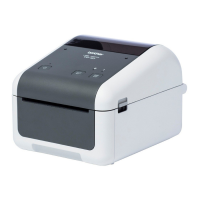
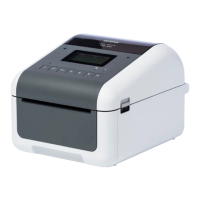
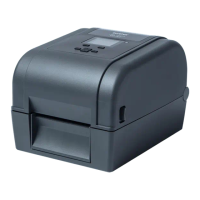
The Brother TD-4420DN(FC) and TD-4550DNWB(FC) are label printers designed exclusively for printing linerless labels. These models are presented as an addendum to existing user guides, focusing on specific features and maintenance related to linerless media.
Function Description:
These devices serve as dedicated label printers, specifically optimized for use with continuous linerless label rolls. They are capable of creating and printing various types of linerless labels, with settings adjustable via the Printer Setting Tool. The printers support both computer-based and mobile device printing methods, as detailed in their respective User's Guides. A key feature is their ability to handle linerless media, which eliminates backing paper, reducing waste and increasing label capacity per roll.
Important Technical Specifications:
- Models: TD-4420DN(FC) and TD-4550DNWB(FC)
- Print Resolution:
- TD-4420DN(FC): 203 dpi (Thermal Print Head PA-HU2-001)
- TD-4550DNWB(FC): 300 dpi (Thermal Print Head PA-HU3-001)
- Print Speed (Default):
- TD-4420DN(FC): 7 ips (203 dpi)
- TD-4550DNWB(FC): 5 ips (300 dpi)
- Print speed is adjustable via the Printer Setting Tool (Device Settings > Basic > Print Speed). Increasing print speed may result in lighter printouts.
- Dimensions (W x D x H): 180.0 mm (7.08") x 281.2 mm (11.07") x 154.5 mm (6.08")
- Weight: 2.49 kg (5.49 lb)
- Media Type: Linerless label rolls only. Brother recommends using only supported linerless label rolls.
- Media Width: 39 mm (1.54"), 58 mm (2.28"), 80 mm (3.15"), 106 mm (4.17")
- Minimum Media Length: 20 mm (0.78")
- Media Thickness: 86 µm (0.0033") to 95 µm (0.0037")
- Maximum Roll Outside Diameter: 102 mm (4.02")
- Minimum Core Diameter: 25.4 mm (1.00")
- Media Sensors: Transmissive, Label Taken, Reflective
- Optional Parts (Pre-installed):
- Linerless Cutter (PA-LCU-002) for both models.
- Linerless Platen Roller: PA-LPR2-002 (203 dpi) for TD-4420DN(FC), PA-LPR3-002 (300 dpi) for TD-4550DNWB(FC).
- Thermal Print Head: PA-HU2-001 (203 dpi) for TD-4420DN(FC), PA-HU3-001 (300 dpi) for TD-4550DNWB(FC).
- Important Note on Parts: Standard Platen Rollers or Cutters are NOT compatible with these Label Printers.
Usage Features:
- Linerless Label Roll Support: The printers are designed to work exclusively with linerless label rolls. Users must import supported linerless label roll lists via the Printer Setting Tool's Paper Size Setup. New linerless label roll types can be registered by selecting "Continuous Length Tape" in the "New" dialog box within the Paper Size Setup.
- Label Support Insertion: A Label Support must be inserted into the center of the Label Output Slot until it locks into place.
- Roll Loading: Detailed instructions for loading the linerless label roll are found in the "Load the RD Roll" section of the main User's Guide.
- Print Settings Adjustment:
- Print Speed and Density: The default auto speed configuration is OFF. Print speed and density can be adjusted through the Printer Setting Tool (Device Settings > Basic > Print Speed for speed; Device Settings > Basic > Auto speed configuration OFF → ON, then Paper Size Setup > Select the paper > Edit > Advanced Printing Adjustments > Energy Rank for density). Increasing the Energy Rank value darkens the printout but may slow down the print speed.
- Paper Type Settings: When changing the Paper Type, "Cut Every (1 label)" and "Cut at end" settings remain ON, and "Use Peeler function" remains OFF.
- Printing Multiple Labels: When printing multiple labels, it is crucial to remove each printed label to allow the next one to print.
- Troubleshooting Jams: If roll paper jams, open the Roll Compartment Cover and gently remove the paper. Force should not be used.
- Printer Information: Users can print printer setup information (All, Usage Log, Printer Settings, Transfer Data) directly from the printer's menu.
- Printer Status Check: The BRAdmin Professional software allows users to check the printer's status by selecting the "Devices" tab and then configuring the displayed columns to include relevant "Label printer" information such as total print length, cut count, battery levels, and device status.
Maintenance Features:
- Platen Roller and Surrounding Area Cleaning:
- If print quality is poor, the Platen Roller may need cleaning.
- Use the adhesive side of a label to remove dust or stains from the Platen Roller and its surrounding area.
- Caution: DO NOT clean the small clear window on the sensor. Avoid using solutions or abrasive materials on the platen roller, as this can cause damage and shorten its service life.
- Print Head, Roll Guides, and Label Support Cleaning:
- Poor print quality may also indicate a need to clean the Print Head, the sides of the Roll Guides, and the Label Support.
- Wipe the Print Head with a lint-free cloth or cotton swab dipped in isopropyl alcohol or ethanol.
- Caution: DO NOT clean the small clear window of the sensor. Use isopropyl alcohol or ethanol according to the manufacturer's safety guidelines.
- Cutter Replacement: If the cutter loses its sharpness, it should be replaced.
- Addressing Label Jams:
- Clean the Platen Roller, surrounding areas, Print Head, Roll Guides, and Label Support.
- Check if the label roll is wound incorrectly; if so, remove and replace it.
- If jams persist, the Platen Roller may be worn and require replacement.
- Addressing Label Wrinkles:
- Wrinkles can occur if the roll adhesive adheres to the Roll Guide. Adjust the position of the Roll Guides using the adjuster dial, referring to the "Load the RD Roll" section of the User's Guide.
- If wrinkles persist, replace the label roll.
- Roll Storage: DO NOT leave the roll in the printer for extended periods when not in use. Store rolls in a cool, dry place, away from direct sunlight, liquids, dust, and dirt. Store rolls with the core positioned vertically; horizontal storage may degrade label quality.



 To Next Page
 General