3
Chapter 2
Controls
Front Panel
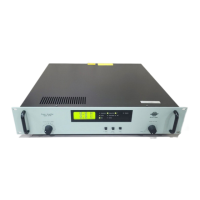
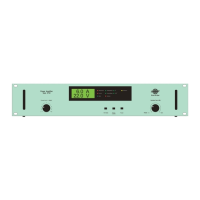
Fig.2.1 Front panel of Type 2732
Power: Mains On/Off push-button switch.
Display: The display shows output AC current and voltage on a LCD display
– The LED Indicator for State lights green when the amplifier power is switched on
– The LED Indicator for Output Phase lights green when indicating phase shift from input
to output
– The LED Indicator for Distortion lights yellow when output voltage or current clipping
take place
– The LED Indicator for Temperature lights red if the Power MOS Output Transistors over-
heat. Power Amplifier Type 2732 is then put in the Reset State
– The LED Indicator for Current lights red when output current to the load exceeds the
current
– Limit value set. Power Amplifier Type 2732 is then put in the Reset State
– The LED Indicator for Output V/C Mode lights green showing the Output Mode, Current
Mode or Voltage Mode – whichever is applicable
– The LED Indicator for Interlock lights red when the interlock circuit is activated
Variable Gain (dB): Single-turn, logarithmic potentiometer for continuous adjustment of input
signal level. To prevent a power surge, turn the knob fully anticlockwise for maximum attenua-
tion before switching the power on or off. Turning the knob fully anticlockwise past the click
and back again activates reset.


 To Next Page
 Loading...