21
22
4) Press ENTER to start the timer of the first reversed leg (last completed leg)
counting down. Day Navigation arrows appear if the Ôoff-trackÕ angle is
greater than zero. See page 19 for details on Day Navigation. Night
Navigation arrows appear if Night Navigation is on. See page 21 for details
on Night Navigation.
5) To end a leg before the timer counts down to zero, press ENTER and the timer
stops. If the timer reaches zero, it automatically begins to count up. This
allows you to estimate how much longer it took returning on a leg or how much
you may have overshot a leg.
6) Press ADVANCE to move to the next leg, and then press ENTER to start the
next timer.
7) After using the Automatic Return feature, re-executing Automatic Return
reverses the legs back to the original order and resets the timers to the original
values. The legs are denoted with an ÔLÕ instead of an ÔRÕ.
Note: If after selecting Automatic Return, you decide not to return, you can continue on your journey by
executing the Automatic Return command again. The legs are denoted with an ÔLÕ instead of an ÔRÕ.
F
IGURE
5
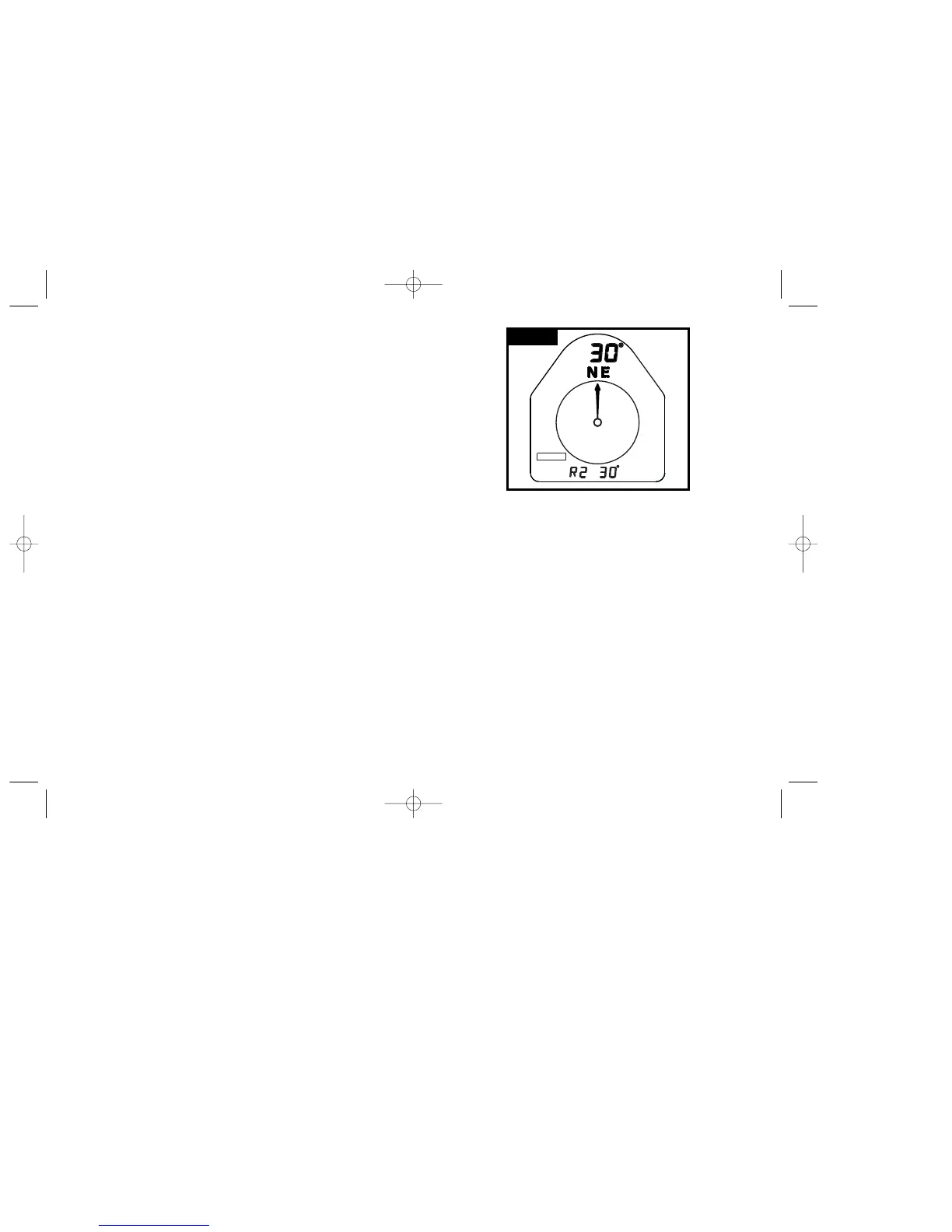
The Outback is in operating mode of Trail Blazing, the course
has been reversed, and L2 is running. The Outback is Ôon-trackÕ,
therefore one Day Navigation arrow is illuminated..
N
IGHT
N
AVIGATION IN
T
RAIL
B
LAZING AND
M
ULTI
-L
EG
Night Navigation only functions while running a leg
in Trail Blazing and Multi-Leg.
1) An Ôoff-trackÕ angle of 1¡ or greater must be set for Night Navigation to function.
To change the off-track angle, see the ÒOff-Track AngleÓ on page 18.
2) Hold LIGHT (for more than 2 seconds) while in Trail Blazing or Multi-Leg to
turn Night Navigation on. The timer for a leg must be running for Night
Navigation to operate.
3) Follow the Night Navigation arrows to keep on the desired course.
See Figures 3 and 4 on the previous page.
Green Arrow: On course, continue straight ahead.
Left Red Arrow: Off course, bear left until the green arrow appears.
Right Red Arrow: Off course, bear right until the green arrow appears.
4) To turn Night Navigation off, hold LIGHT for more than 2 seconds.
AUTOMATIC RETURN IN TRAIL BLAZING AND MULTI-LEG
E
XECUTING
A
UTOMATIC
R
ETURN IN
T
RAIL
B
LAZING AND
M
ULTI
-L
EG
1) To reverse a course in Trail Blazing, the Outback must be in Trail Blazing.
To reverse a course in Multi-Leg, the Outback must be in Multi-Leg.
2) Hold MENU until PROGRAM flashes to enter programming mode.
Press ADVANCE until the display word flashes, ÒRETURNÓ then press
ENTER. The Outback automatically reverses all the legs and returns to
operating mode.
3) The return legs have an ÔRÕ instead of an ÔLÕ in front of them, indicating that
the legs have been reversed. (Example: ÒR2: 30
0
Ó)
See Figure 5 on the next page.
BRUNTON MAN. MECH. 7/97 9/29/98 9:09 AM Page 13


 To Next Page