IMPORTANT NOTE: When changing the reference from true to magnetic north or magnetic to true north, all stored headings
in Trail Blazing, Multi-Leg, and Bearing are automatically converted to whichever north the Outback is currently referenced to,
regardless of which north the headings were stored in. (Example: The Outback is referenced to true north while Multi-Leg
headings are stored. The OutbackÕs reference is now changed to magnetic north. The Multi-Leg stored headings are automati-
cally converted to magnetic north. The Outback is now changed back to true north, all the stored headings are automatically
converted back to true north)
C
HANGING FROM MAGNETIC TO TRUE NORTH
1) The Outback must be in Basic to change from magnetic to true north.
2) A magnetic declination angle must be stored for the Outback to be accurately
referenced to true north. See page 29 for details on declination angles.
3) When the heading reference is magnetic north, the MAG symbol is
illuminated and the display word is blank.
4) Press ADVANCE and the display word flashes the true north reference.
(Example: ÒTRU:140Ó)
5) Press ENTER to change the heading reference to true north. Now the TRUE
symbol is illuminated and the display word shows the current declination angle.
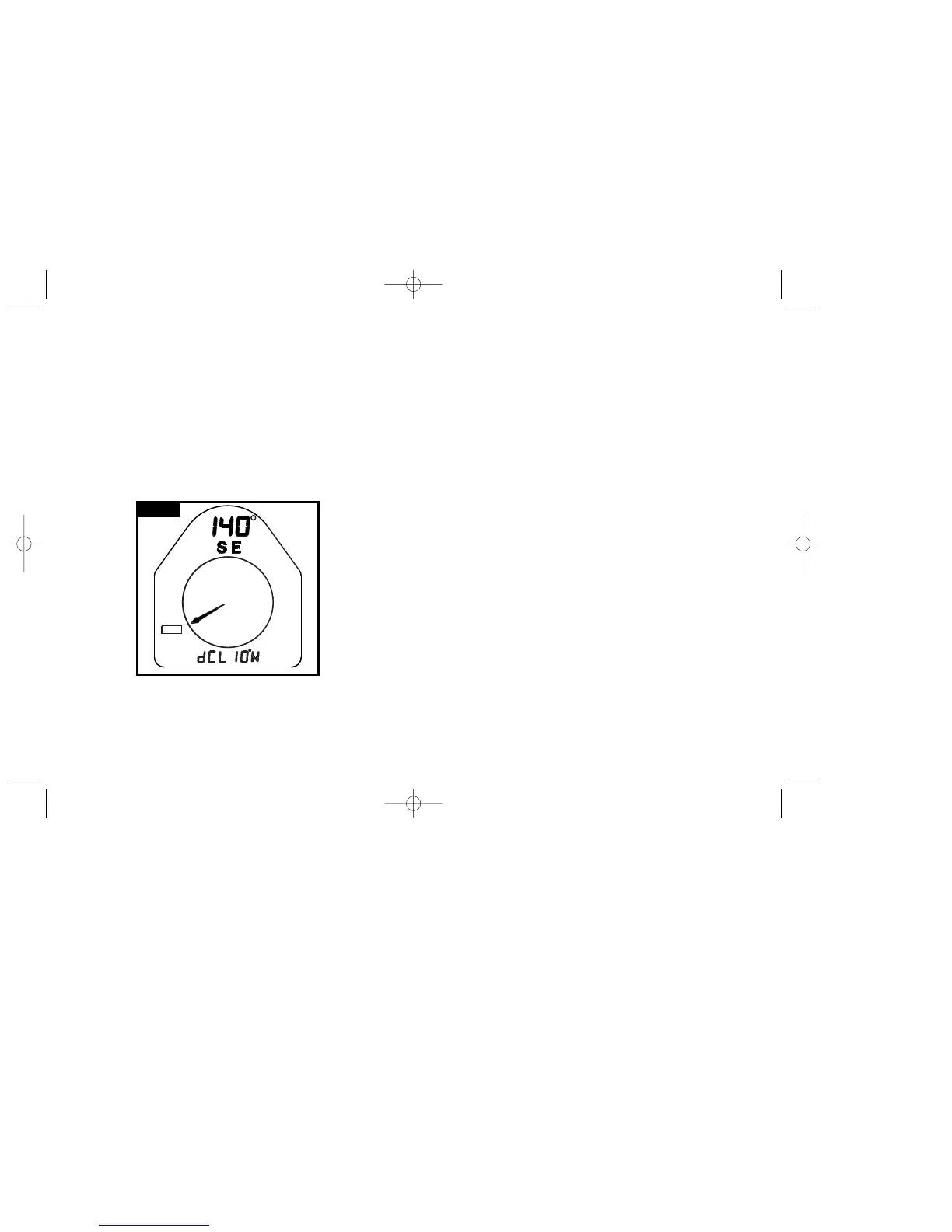
(Example: ÒdCL:10¡WÓ) See Figure 2.
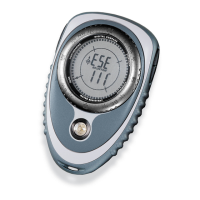
The Outback is in operating mode of Basic, pointing 140¡ SE.
The heading reference is true north and the declination angle is
10¡W.
F
IGURE
2
7
8
POWER AUTO SHUT-OFF
Power Auto shut-off allows the user to select the interval at which the Outback will
automatically turn off. The Outback can be programmed to automatically shut-off at
6 predetermined intervals. They are 5 minutes, 15 minutes, 30 minutes , 60 minutes,
120 minutes and 180 minutes. The Outback can also be set to never automatically
shut-off. The default power auto shut-off value is 15 minutes. The Outback can
always be turned off the pressing the POWER button, regardless of which power auto
shut-off value is chosen. When the Outback reaches the auto shut-off value, it turns
off regardless of which mode or menu option the Outback is in. Legs in Trail Blazing
and Multi-leg and the timer will continue to run even when the Outback shuts-off.
1) The Outback must be in Basic to program the Power Auto Shut-Off.
2) Hold MENU until PROGRAM flashes to enter programming mode.
The display word flashes ÒPOWERÓ.
3) Press ENTER to select power auto shut-off.
5) The chosen auto shut-off value is displayed. (Example: Ò15MINÓ if the auto shut
off value is 15 minutes or ÒOFFÓ if the auto shut-off is disabled)
6) Press ADVANCE to step from one auto shut-off value to the next until you see
the one you want to use, then press ENTER.
7) The chosen auto shut off value does not flash when in the display word. Any
value which is not the chosen value flashes when in the display word.
8) If you do no press ENTER while viewing an auto shut-off value, the Outback
continues to uses the value which was previously selected. (Example: If the auto
shut-off value is currently Ò15MINÓ, and you scroll through the auto shut-off
values by pressing ADVANCE, and ENTER is not pressed while viewing a
different auto shut-off value, the Outback continues to use 15 minutes as the
auto shut-off value)
BRUNTON MAN. MECH. 7/97 9/29/98 9:08 AM Page 6


 To Next Page