B
ACKLIGHT
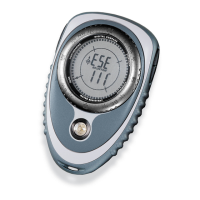
The Outback has a built-in backlight which allows the entire LCD to be visible in low
lighting. Pressing LIGHT turns the backlight on or off. The light functions in all
menu options and stays on until LIGHT is pressed, the chosen power or backlight
auto shut-off value is reached (see page 9 for details) or the Outback is turned off.
It is recommended the backlight be turned off when not being used to conserve
batteries.
M
ENU
O
PTIONS
O
F
T
HE
O
UTBACK
1) The Outback has eight menu options: Basic, Trail Blazing, Multi-Leg, Bearing,
Clock, Timer, Declination and Damping. Each menu option is continuously
displayed. A box around the menu option indicates which option the Outback is using.
2) Pressing MENU steps from one menu option to another.
3) All menu options have both an operating and programming mode, except
damping which only has an operating mode. In programming mode, values or
parameters are stored or selected. In operating mode, stored values or
parameters are used. (Example: A course is stored in programming
mode of Multi-Leg, whereas a course is followed in operating mode of
Multi-Leg)
4) The Outback is by default in operating mode if it is not in programming
mode. (Example: If the PROGRAM symbol is not flashing, the Outback is
in operating mode)
5) Throughout this manual, the Outback is assumed to be in operating mode
unless otherwise stated.
6) Programming mode is achieved by holding MENU for more than 2 seconds
until PROGRAM flashes.
7) Pressing MENU returns the Outback to operating mode from programming
mode.
I
NTRODUCTION
C
ONVENTIONS
U
SED
I
N
T
HIS
M
ANUAL
¥ The names of buttons are capitalized. (Example: press POWER)
¥ The LCD symbols are capitalized and italicized. (Example: PROGRAM)
¥ When the manual says press a button, it means press the button for less than
2 seconds. (Example: press ENTER)
¥ When the manual says hold a button, it means hold the button down for more
than 2 seconds. (Example: hold MENU)
¥ Quotation marks indicate the characters are shown in the display word.
(Example: ÒL2 210¡Ó)
E
RROR
M
ESSAGES
ÒbAT LOÓ Error Message
The Outback will alert you when the batteries are low by displaying ÒbAT LOÓ in
the display word when the power is turned on. Pressing MENU, ENTER or
ADVANCE will override this message. The Outback will function for a short
period of time after ÒbAT LOÓ is displayed, although it is recommended the
batteries be changed immediately. See Changing Batteries on page 32 for details
on how to change batteries.
ÒdISTÓ Error Message
When the Outback detects magnetic inference causing errors in the compass heading,
ÒdISTÓ is shown on the display word, indicating magnetic distortion. This is a sign
the Outback may need to be calibrated. See Calibration on page 10 for details. If
ÒdISTÓ is still displayed after performing calibration, the compass is most likely close
to some object with very strong magnetic fields such as steel. Try moving the
Outback away from the source of the magnetic field; even a slight separation helps.
3
4
BRUNTON MAN. MECH. 7/97 9/29/98 9:08 AM Page 4


 To Next Page