12
OPERATING THE THERMOSTAT
Using the Touch ’N’ Go feature
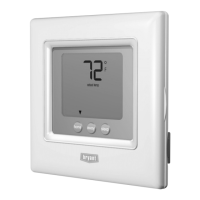
The Touch ’N’ Go feature on your thermostat involves the home, away and sleep
buttons immediately under the display. You can either accept the preset temperature
settings for when you are home, away or asleep, or set your own Touch ’N’ Go
heating and cooling temperature settings. And, because these buttons and their
comfort settings aren’t linked to specific times of the day, you are free to use any
button and its settings whenever it suits your lifestyle needs. Just touch the button
you want to use when you are away from home, return, or g o to sleep. It’s easier
than manually re- setting the temperature several times a day.
Here are the temperature settings that are pre- set for your home, away and sleep
buttons.
Tou ch ’N’ G o Op t ion Heat Cool
Home 68 74
Away 60 85
Sleep 66 78



 To Next Page
 Loading...