Getting ready for your new broadband
We’ve arranged for an engineer to come and
set up your Hub. Here’s what you need to do
to get ready and what to do once they’ve got
you connected.
Your new equipment
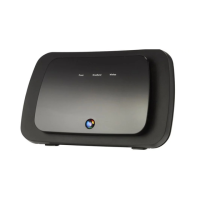
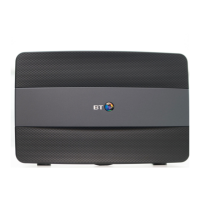
Keep your new Smart Hub somewhere safe for when the engineer
comes to set up your broadband.
Installing Business Broadband at your premises
The engineer will help you decide the best place for your Hub.
They might also suggest installing some extra cabling to give you
the fastest speeds and best wireless coverage.
Power sockets
The engineer will usually t the Hub near a main phone socket.
So make sure you’ve got a spare power socket there or have an
extension cable available.
Alarms
If you’ve got an alarm on your phone line, please tell the alarm
provider that there might be a false alert while we’re installing
your broadband.
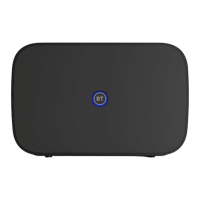
A blue light shows your Hub is ready.
Once everything’s set up
When your Hub is connected and your broadband is up and running,
the Hub’s light will glow blue.
Now you can connect your devices, nish setting up online with
Smart Setup and switch on Guest Wi-.
1
4
Welcome to BT Business Broadband
4005 BTB Smart Hub User Guide-FTTP v4 [3].indd 4 26/01/2018 16:09



 To Next Page
 Loading...