4 Working without the Autosampler K-371
10 K-370/371 Quick Guide, Version B
4 Working without the Autosampler K-371
4.1 Sample determination in a group with blank correction
4.1.1 Group definition
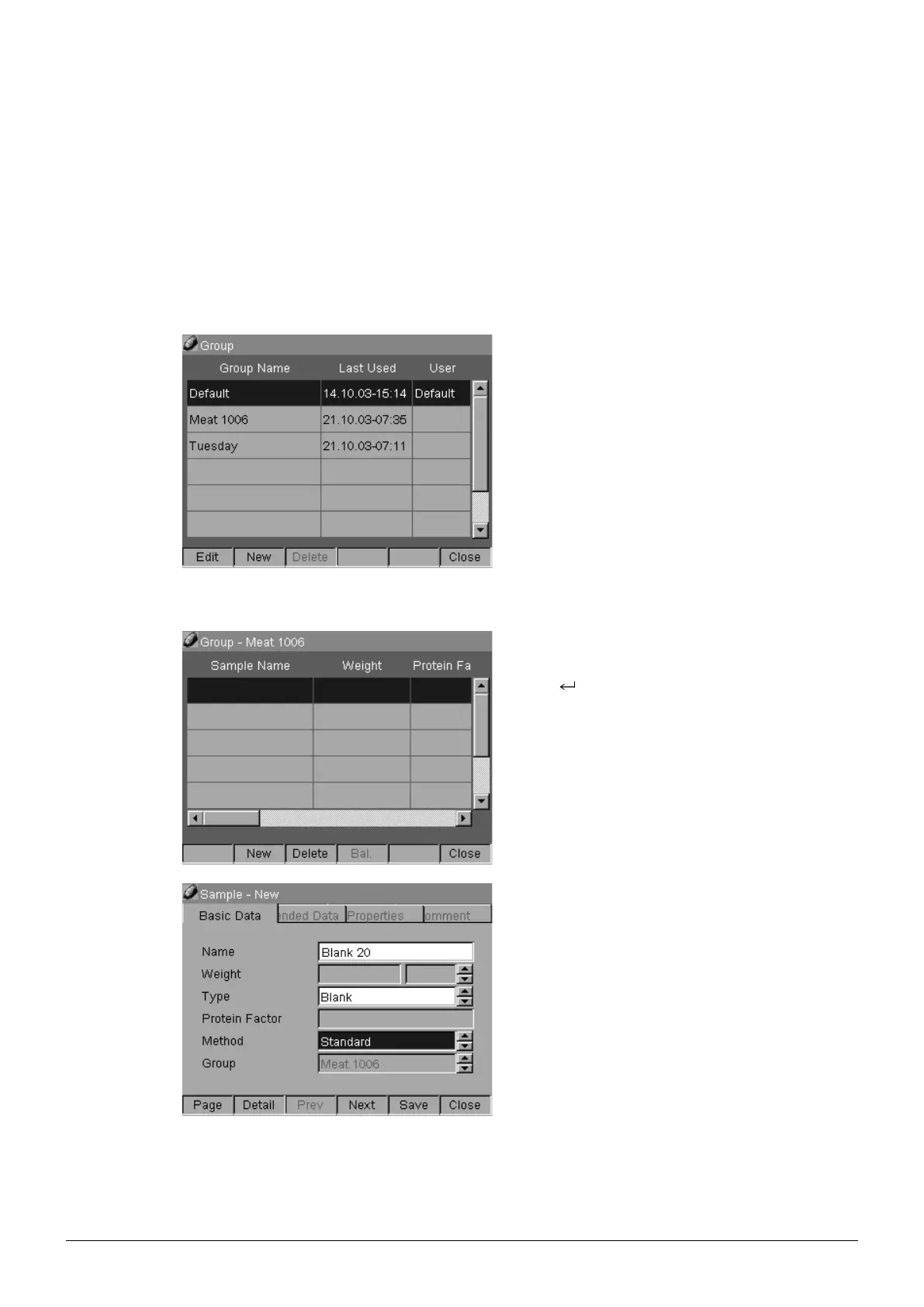
Use the Group Default or define a new Group.
Select Configurator > Group and press [New].
Enter a Group Name (e. g. Meat 1006).
Press [Save] then press [Close].
4.1.2 Data input
Select Configurator > Group.
Select the group e. g. Meat 1006 and open it with
Enter .
Open a new sample by pressing [New].
Fill in the sample information.
E. g.:
Name = Blank 20
Type = Blank
Method = Standard










 To Next Page