5 View and print results
17 K-370/371 Quick Guide, Version B
5 View and print results
5.1 View results
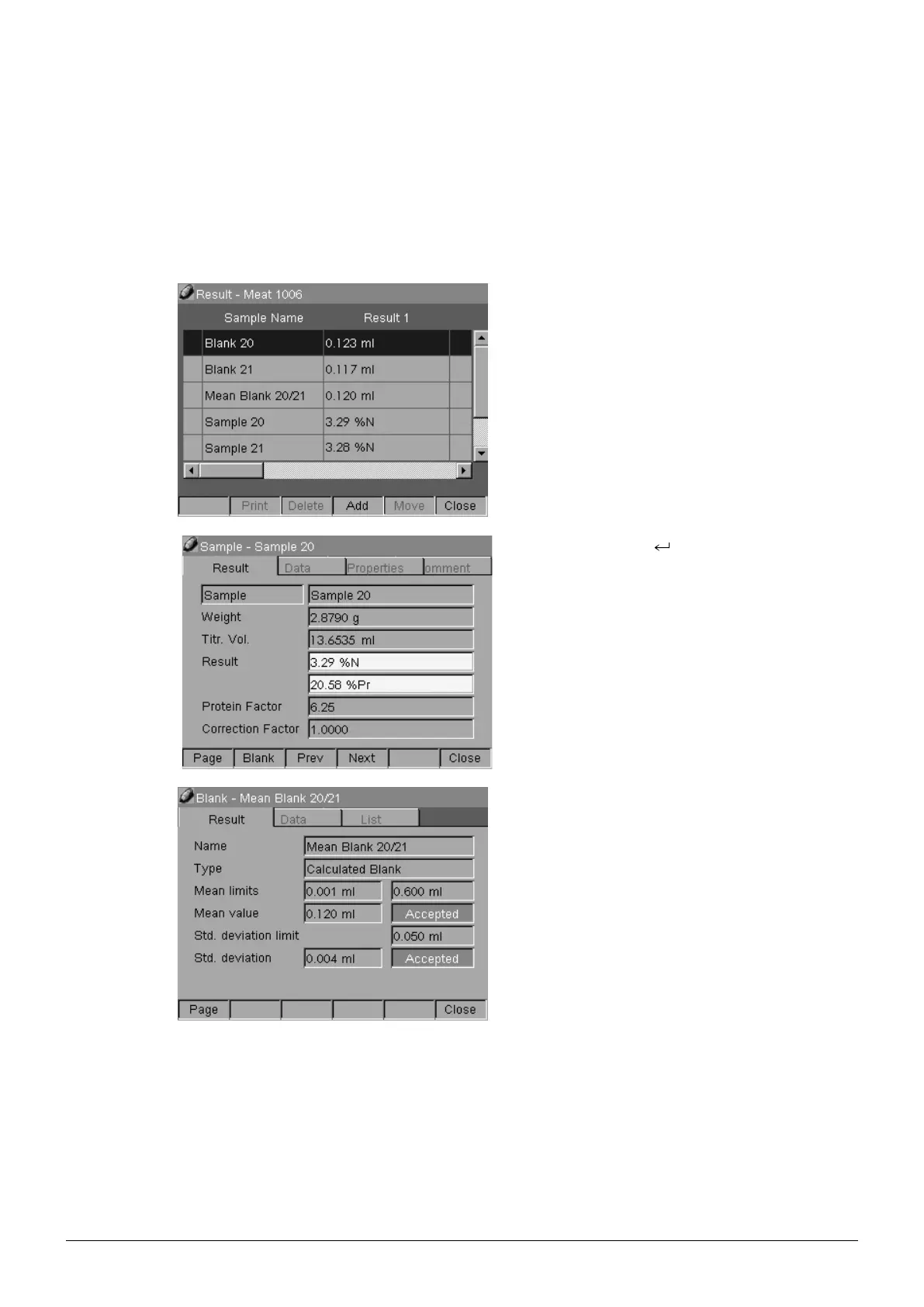
All results of the group are visible under:
Configurator > Data Manager > Result >
Group > Group Name (e. g. Meat 1006).
Press the Enter key to see details of the
determination (e. g. Sample 20).
Press [Blank] to see the considered blank value.
NOTE
The defined blank value is considered.
5.2 Printing results
Select Configurator > Data Manager > Result > Group. Press [Print] to print out all results
summarized in the selected group.










 To Next Page