4 Working without the Autosampler K-371
16 K-370/371 Quick Guide, Version B
4.1.5 Sample determination
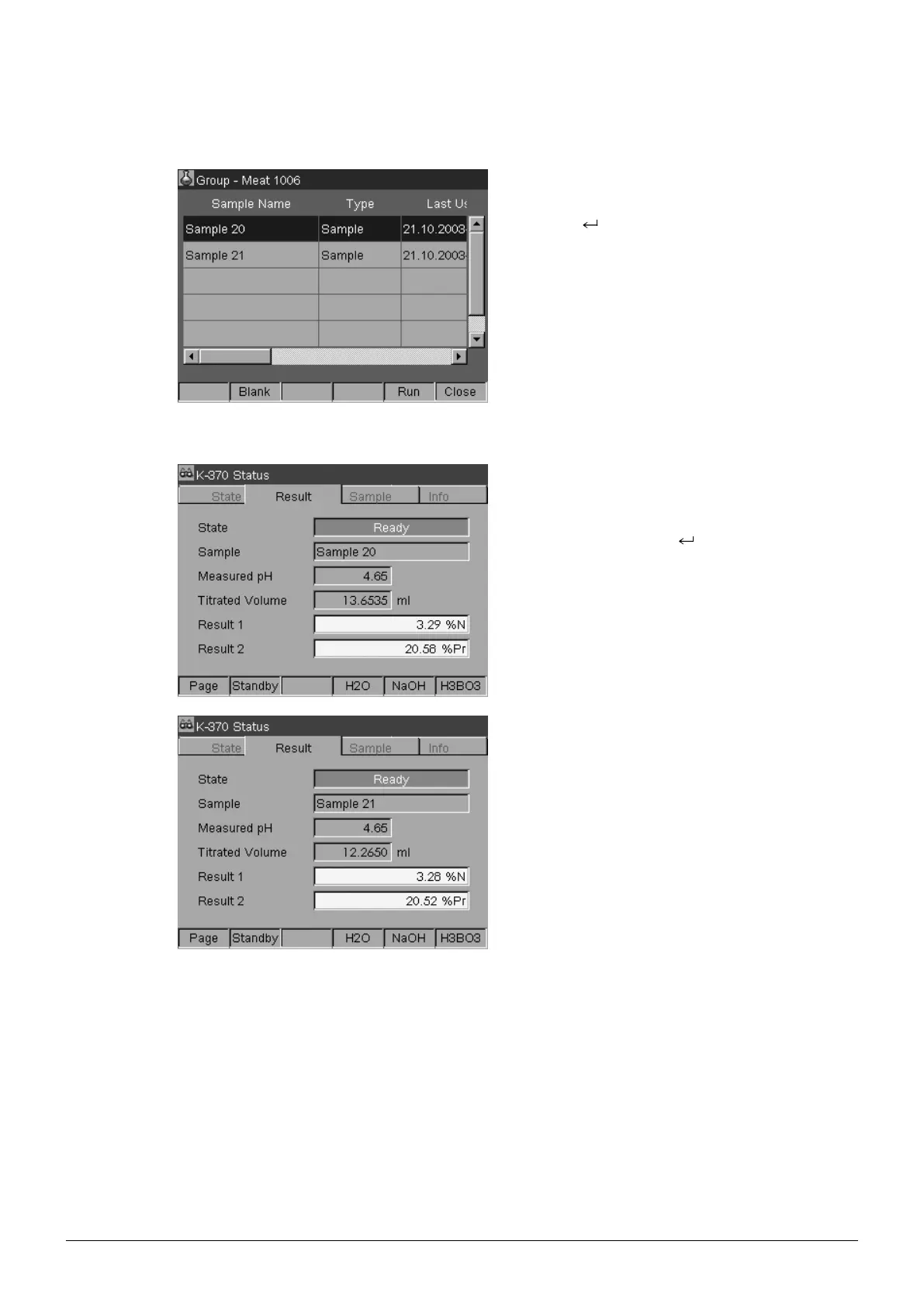
Select Operator > Determination > Group >
Group Name (e. g. Meat 1006) and press the
Enter key .
Place the next tube (Sample 20) into the instru-
ment.
Select the next sample (Sample 20) and start the
determination by pressing [Run].
The display switches to the Status mode and
shows the different steps of the determination
method. At the end of the determination, State will
show Ready.
Press [Page] to see the Result of Sample 20.
Or select Configurator > Data Manager > Re-
sult > Group > Group Name (e. g. Meat 1006)
and press the Enter key .
Place the next tube (Sample 21) into the instru-
ment.
Press the Mode key to switch to the Operator.
Select the next sample (Sample 21) and start the
determination by pressing [Run].
Press [Page] to see the result of Sample 21.










 To Next Page