The LEDs indicate the operating state of the system:
c LED ON/OFF
• Permanent light: The system is ready to operate
• LED flashes: The system is in the Continuous mode (the pump runs constantly)
d LED PROCESS STATUS
• Permanent light: The system has reached the optimum vacuum for the distillation
• LED flashes: The system searches the optimum vacuum for the distillation
e PRESSURE UP/DOWN
By means of these buttons, the pressure can be adjusted manually.
NOTE
In case EasyVac cannot find a starting point, the distillation start has to be searched for manually by
means of the buttons PRESSURE UP/DOWN.
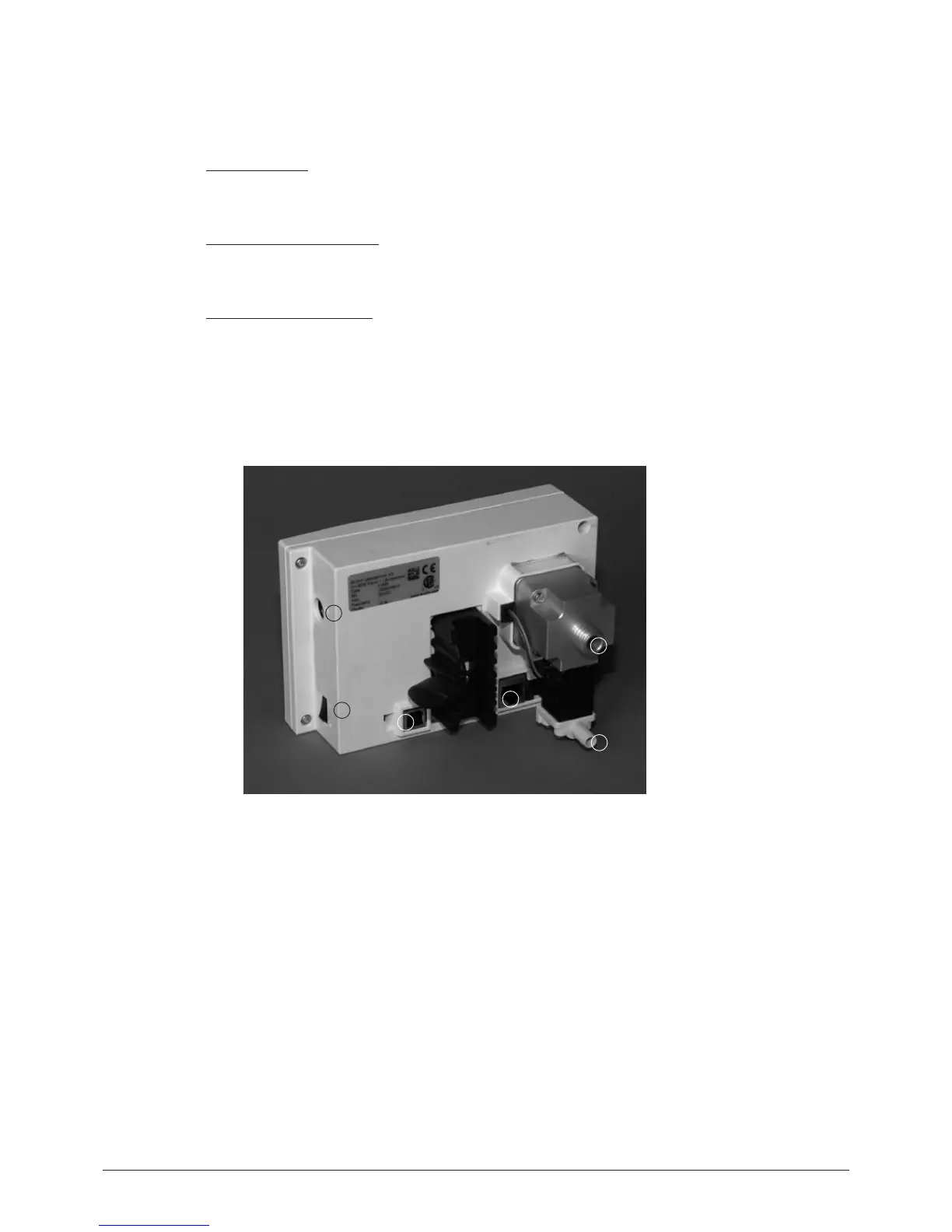
4.3.2 Back view EasyVac
a Mains switch On/Off
b USB for data output / firmware update
c RS 485 connection to V-700/710 or R-210/215
d Vacuum connection to Woulff bottle
e Ventilation valve and inert gas connection
f Connection for cooling water valve (CW)
Fig. 4.10: Back view EasyVac
1
2
3
4
5
6


 To Next Page