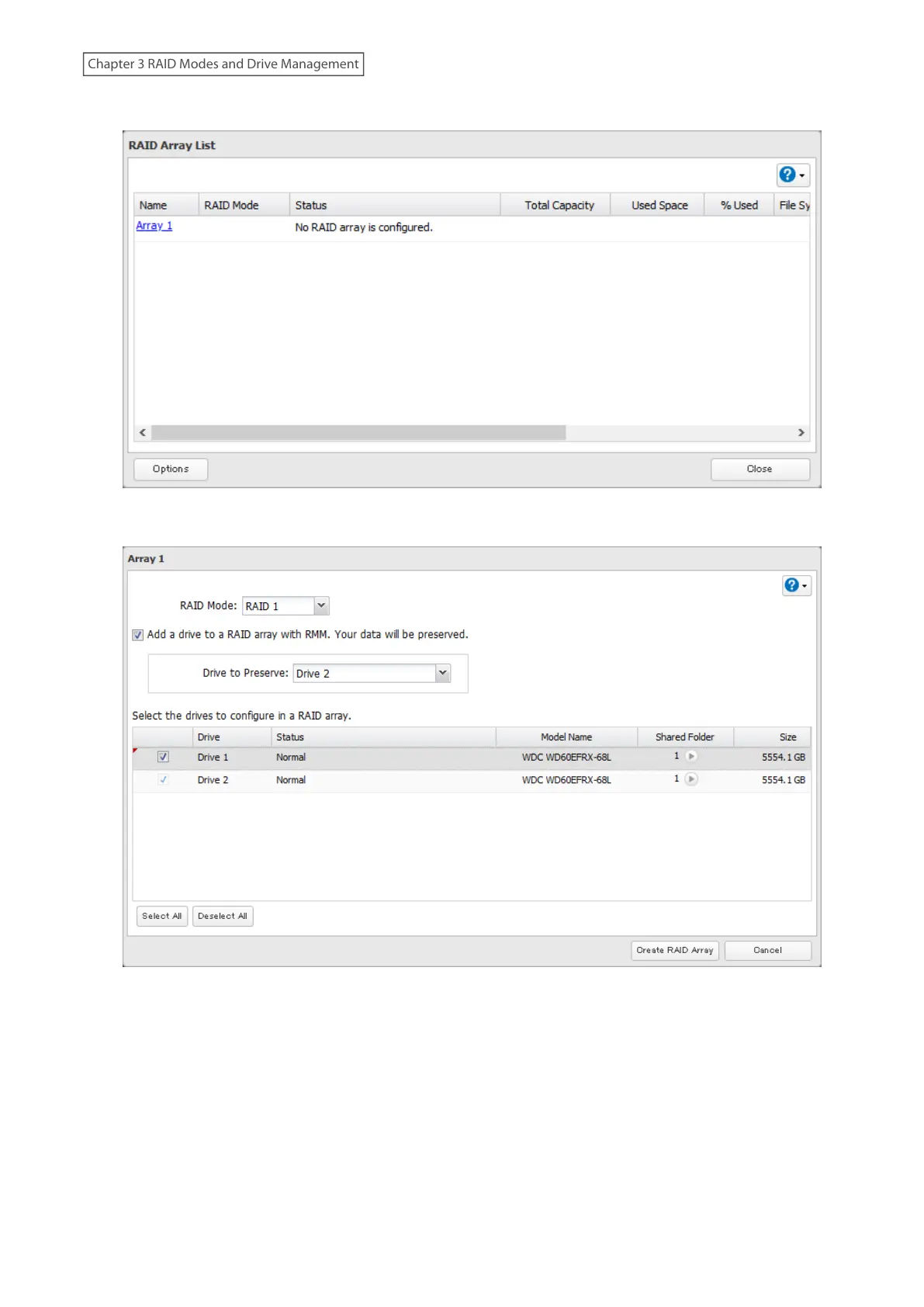
3 Click Array 1.
4 Set the RAID mode to “RAID 1”.
5 Select the “Add a drive to a RAID array with RMM. Your data will be preserved.” checkbox.
6 Select the drive whose data will be saved from the drop-down list.
7 Select the drive to add to the RAID array.
8 Click Create RAID Array.
9 The “Confirm Operation” screen will open. Enter the confirmation number, then click OK.
50
Chapter 3 RAID Modes and Drive Management














 To Next Page