Page 13
cup count
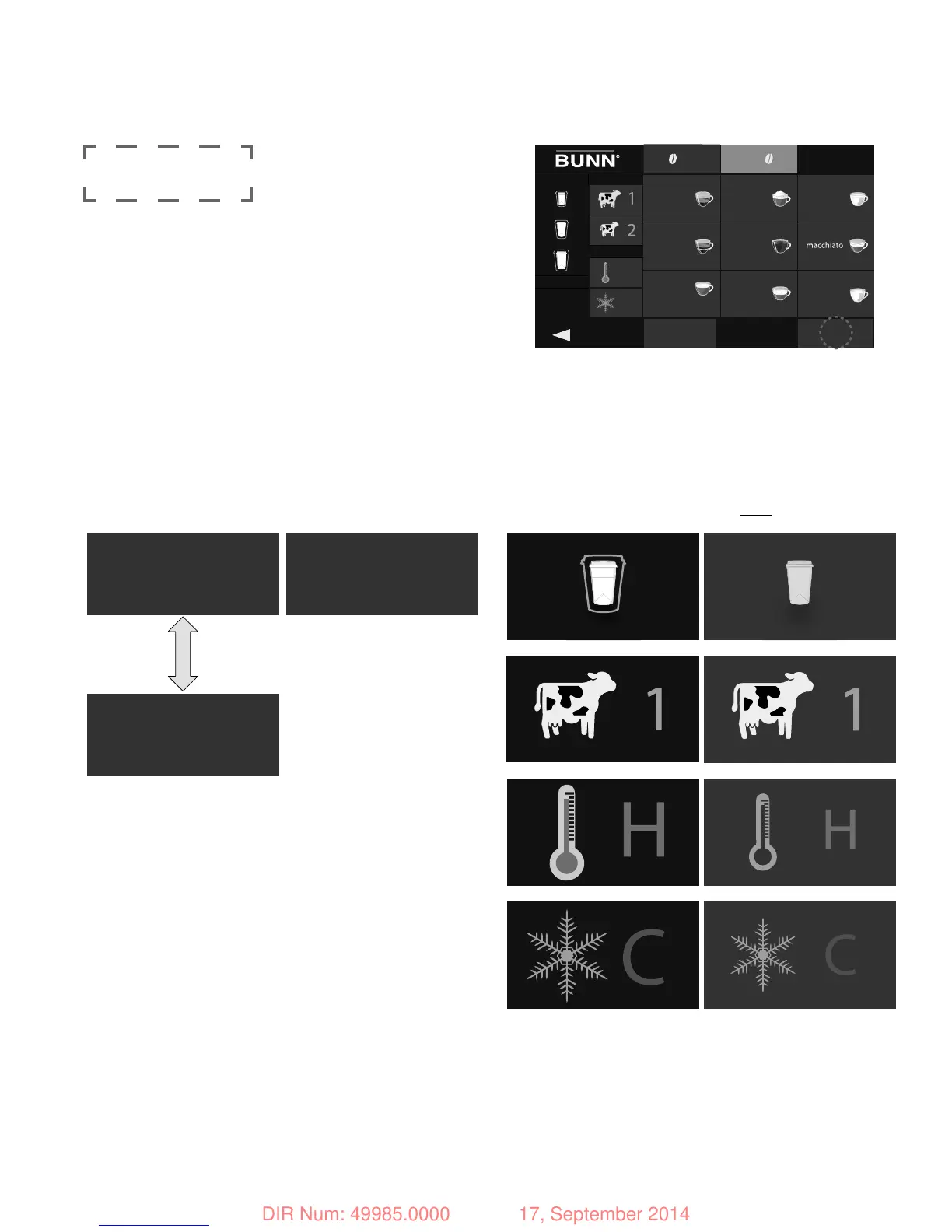
1. Press left or right (hopper).
2. Press to highlight/un-highlight box(s).
size milk type
right cup countsleft
reset
milk temp
espresso x1
cappuccino
milk
mocha
H
C
DAILY
lifetime
espresso x2
15
25 28
americano
add milk
4
latte
20
1030
select cup counts
then press reset
MENU OPTIONS
HIGHLIGHTED NOT highlighted
By default, all items on this screen start out highlighted (for totals). De-select individual items as desired to
obtain individual counts by hopper, drink size/type and temperature. NOTE: only "daily" counters can be reset.
49985 082114
DAILY
lifetime
daily
LIFETIME
PRESS “RESET” FOR
DAILY
COUNTERS ONLY
NO RESET FOR
LIFETIME
COUNTERS
RELEASED FOR PRODUCTION
DIR Num: 49985.0000 17, September 2014


 To Next Page