26
SERVICE (CONT.)
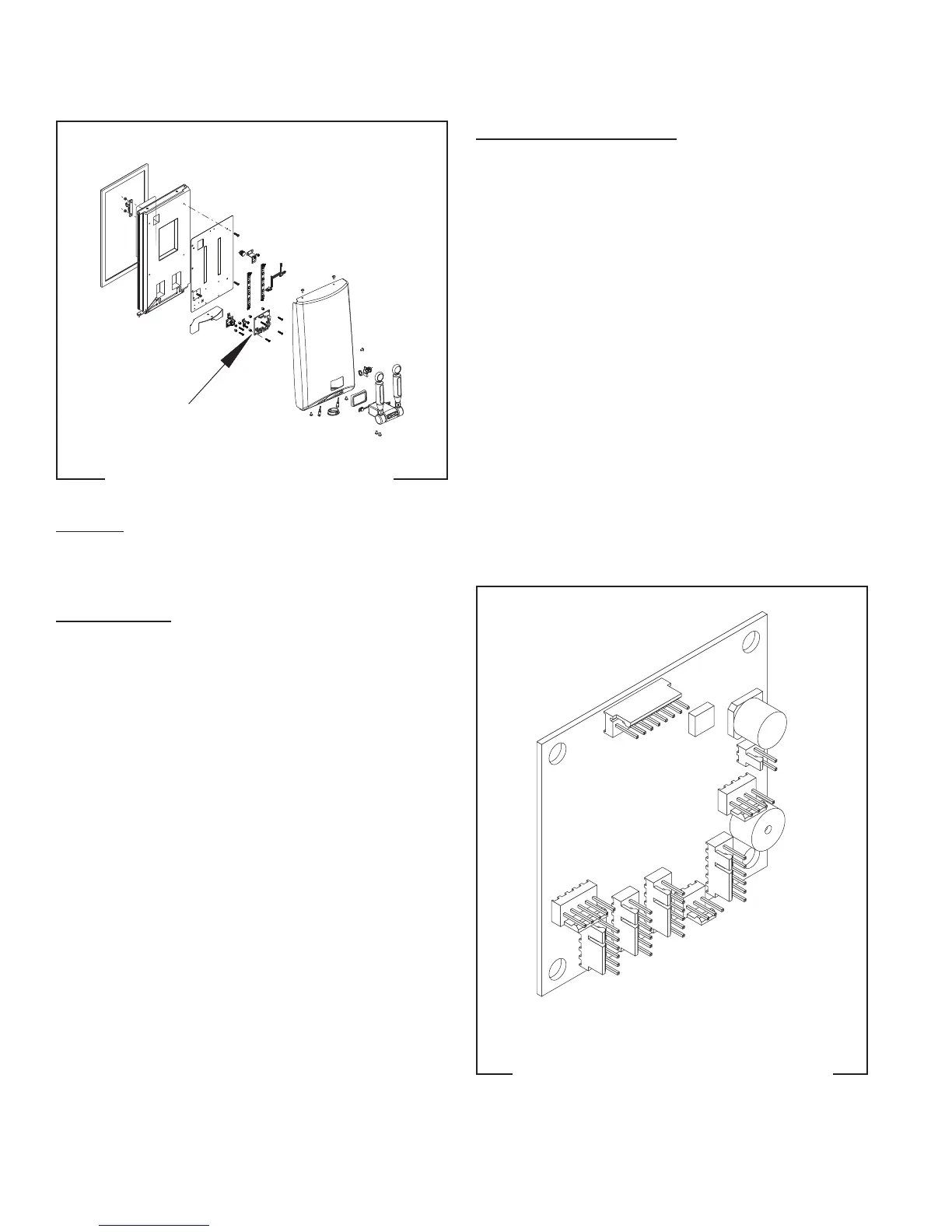
Portion Control Board
FIG. 16 PORTION CONTROL BOARD
Location:
The Portion Control Board is located inside the door
cover mounted on the bracket.
Test Procedure:
1. Disconnect the dispenser from the power source.
2. With a voltmeter, back probe check the voltage
across pins 1 & 5 of the J6 connector on the wir-
ing harness. Connect the dispenser to the power
source. The indication must be 30 volts dc.
3. Disconnect the dispenser from the power source.
If voltage is present as described, replace the board.
If voltage is not present, inspect the door cable and con-
nector for loose connection at the CBA J11 connector.
FIG. 17 CONTROL BOARD CONNECTORS
Removal and Replacement:
1. Remove the five screws securing the door cover to
the door frame.
2. Carefully pull the cover forward and disconnect
all switch harnesses from the connectors on the
control board.
3. Remove the four #6-20 screws securing the control
board to the light panel.
4. Remove the spacers from the control board and
discard the old board.
5. Install the spacers on to the new control board.
6. Install new control board on the light panel using
four #6-20 screws.
7. Position the door cover to the door frame and
reconnect all switch harnesses to the connectors
on the control board.
8. Secure the door cover to the frame with the five
screws previously removed.
J-6
J-2
J-3
J-4
J-1
J-5
J-8
J-9
J-7
J-1 Dispense Lockout Switch
J-2 Left and Right Handle Reed Switches
J-3 N/A
J-4 N/A
J-5 N/A
J-6 Door Harness to Main Circuit Board
J-7 N/A
J-8 Blue and Red LED's
J-9 N/A
55124 021418


 To Next Page