BCR30DAB
19
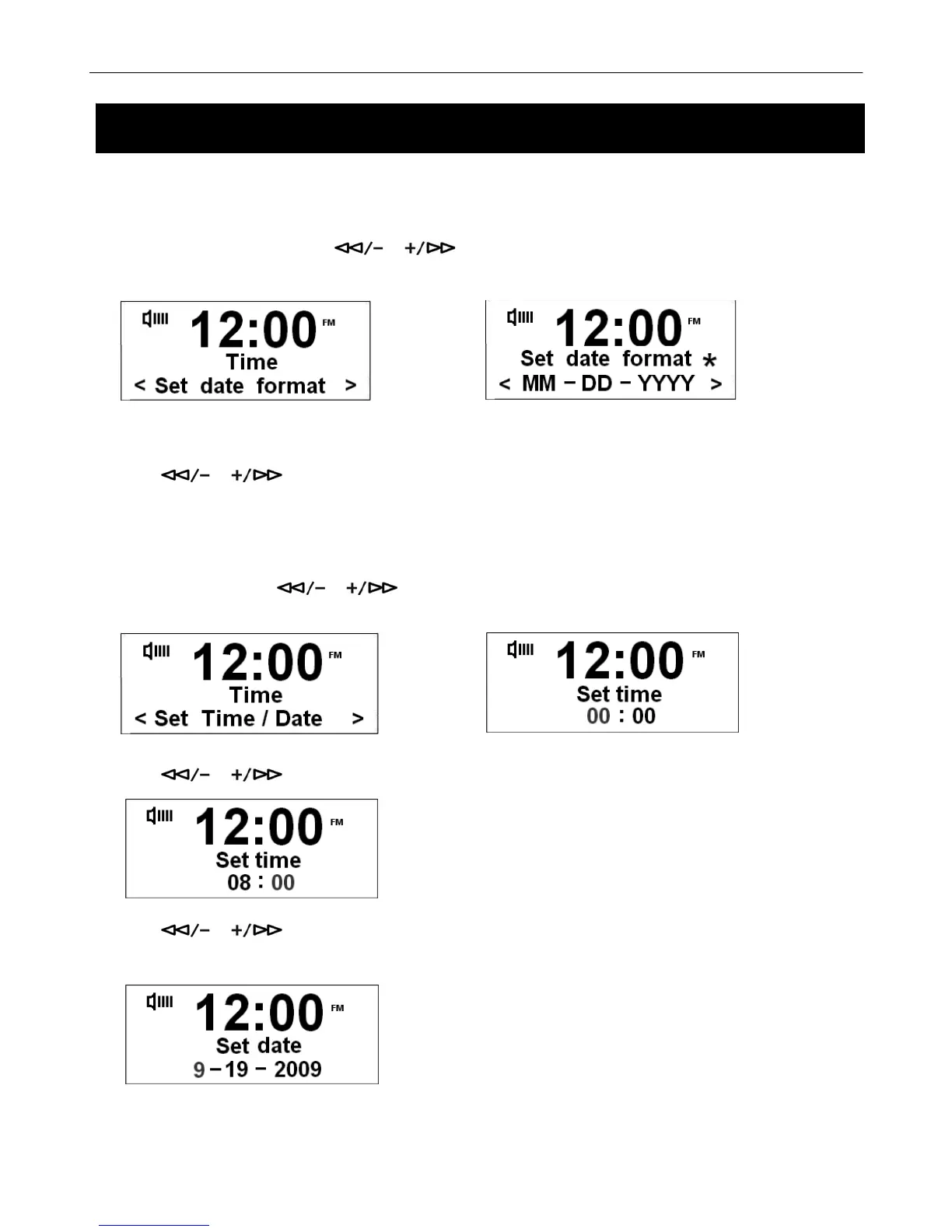
Set Date format
a.) In the Time System Menu, press or to select Set date format option, then press the SELECT/NAV
to confirm.
Æ
# Note: You can choose ‘MM-DD-YYYY’ or ‘DD-MM-YYYY’.
b.) Press or to select date format. Press the SELECT/NAV button to confirm.
Set Time / Date (Manually)
a.) In the time menu, press or to select Set Time/Date option, then press the SELECT/NAV button to
confirm.
Æ
b.) Press or to change hours, and then press the SELECT/NAV button to confirm.
c.) Press or to change minutes, and then press the SELECT/NAV button to confirm. The radio will
ask you to set the date.
d.) Using the same method to set the date as you did to set the time.
S



 To Next Page