BCR30DAB
20
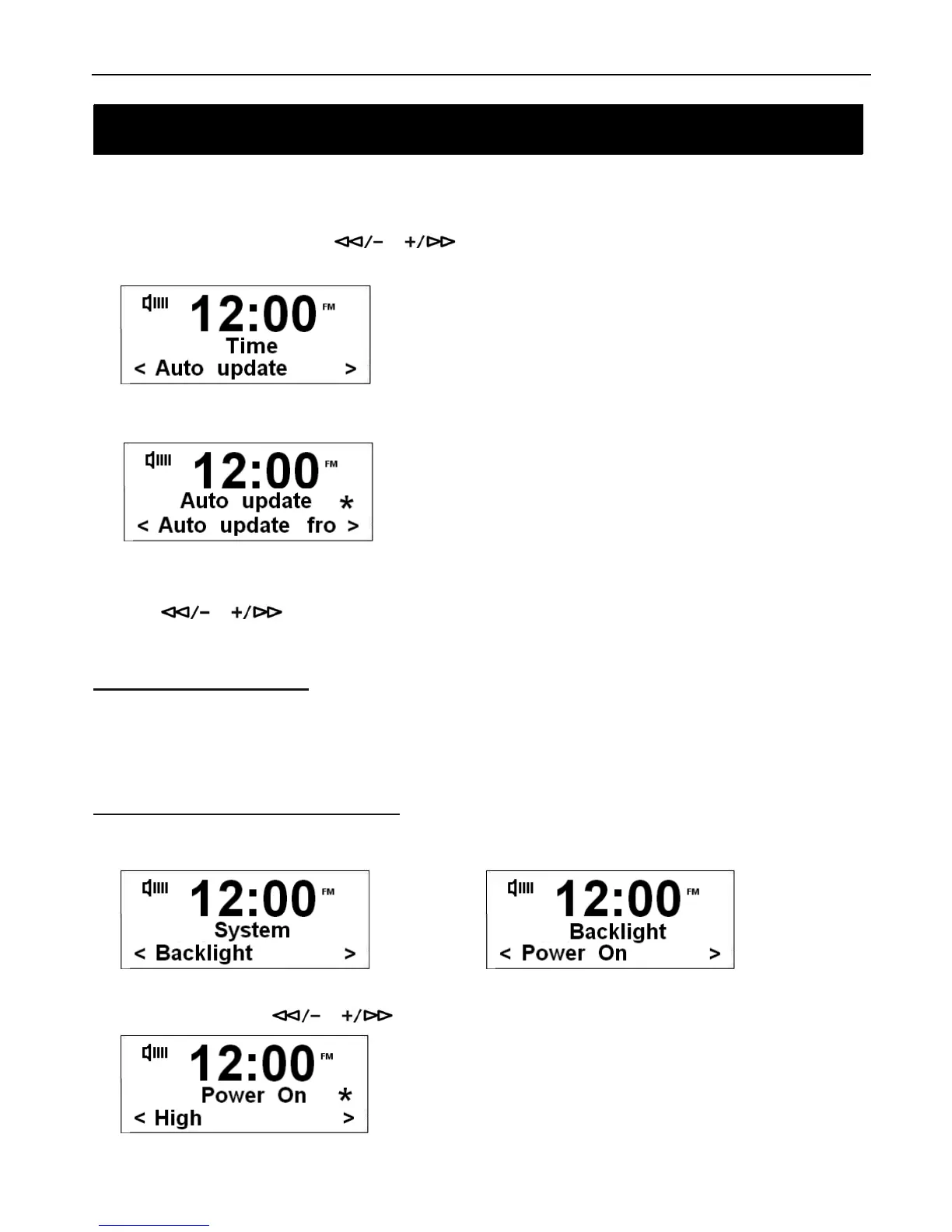
Auto update
a.) In the Time System Menu, press
or to select ‘Auto update’ option. Then press the SELECT/NAV
button to confirm.
b.) Press the SELECT/NAV button to confirm.
# Note: You can choose ‘Auto update from DAB’ and ‘No update’.
c.) Press or to select ‘Auto update from DAB’, then press the SELECT/NAV button to confirm.
How to set Backlight
# Note: You can adjust the backlight level to ‘High’, ‘Medium’ and ‘Low’. High backlight will make it easier to view the display
content or alarm/clock information. Low backlight level can eliminate the brightness and use less power.
Setting Backlight for Power on Mode
1. In System Menu, select Backlight Menu and press the SELECT/NAV button to confirm.
Æ
2. In Backlight Menu, use or to select Power On, press SELECT/NAV to confirm.
System Setup
System Setup



 To Next Page