BCR30DAB
21
3. Once in Power On Menu, press or to scroll through options and press the SELECT/NAV button to
Setting Backlight for Standby Mode
1. Follow steps 1-3 above, then you need press or to ‘Standby’, press the SELECT/NAV button to
confirm.
2. Press or to your selecting one, ‘High’, ‘Medium’ or ‘Low’, and then press the SELECT/NAV button
to confirm.
How to Factory reset
# Note: Doing this will reset and delete all of the preset stations, stored channels and return radio to its factory settings.
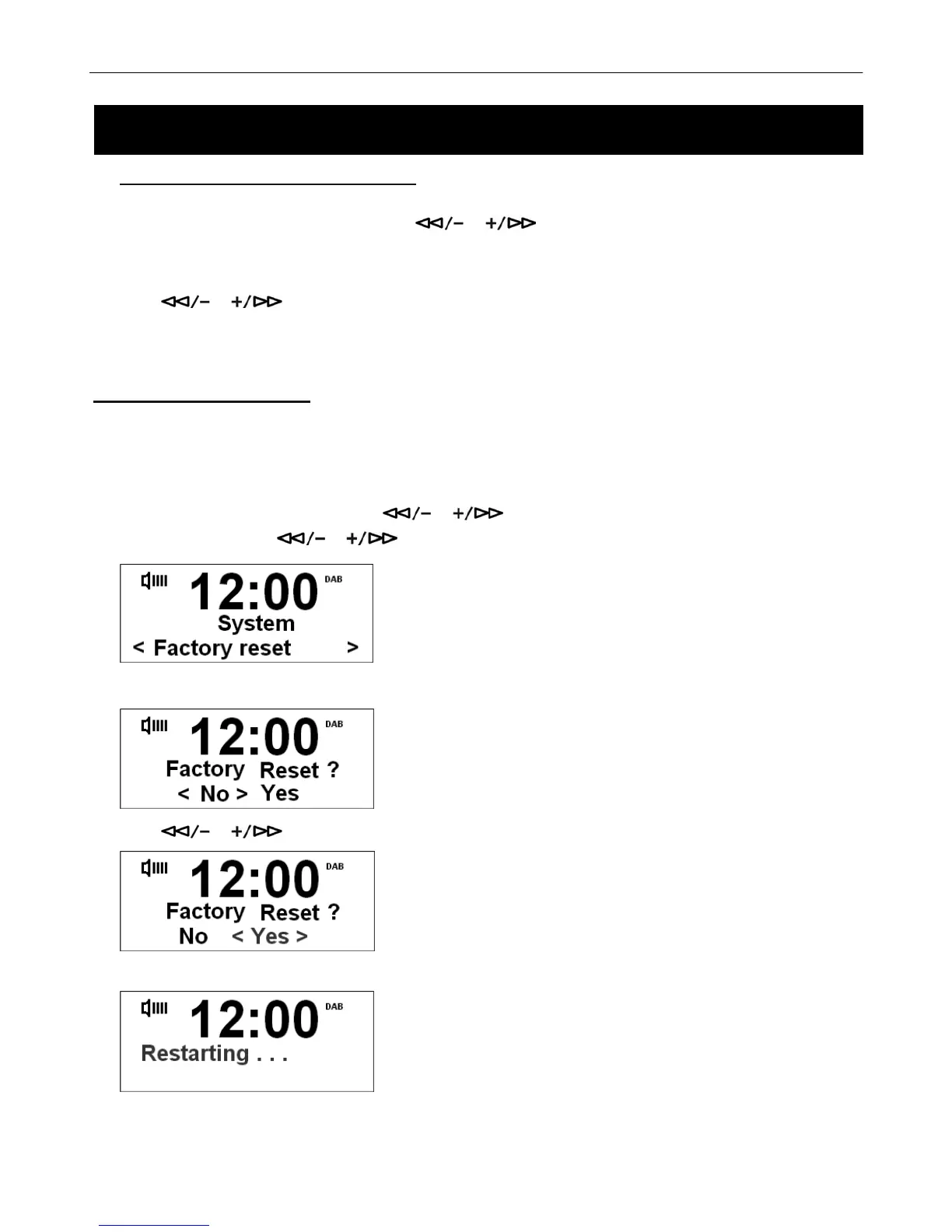
1. Press the MENU button, and then press or to select System Menu, press the SELECT/NAV to
confirm, and then press
or to select Factory Reset option.
2. Press the SELECT/NAV button to confirm.
3. Press or to select ‘Yes’ or ‘No’. Press Yes to perform Factory Reset.
4. Press the SELECT/NAV button to confirm, then radio will begin to reset.
5. The presets and alarm setting will be erased and the radio will return to its factory settings.
System Setup



 To Next Page