BR10DAB
10
Changing DAB Stations
If the DAB Receiver is in FM mode, press the MODE button to select DAB mode.
Press the SELECT/NAV button, the station name will start to flash and then use
the
buttons to move through the list.
Push the SELECT/NAV Button to confirm selection & start DAB broadcast (or
timeout after 5 sec).
Browsing DAB, to select a service push the SELECT/NAV button to enable
navigation and then use the
buttons to browse the service list, and press
SELECT/NAV button to select the service displayed.
When a station has been selected the display will show the information of the radio
station.
Switching On for the first time
Insert the power adapter into the unit. Now insert the power adapter into the wall outlet.
Press the ON button to turn on your DAB Receiver for the first time DAB mode is
selected automatically. The DISPLAY will illuminate and “ Welcome to Radio ” will be
displayed.
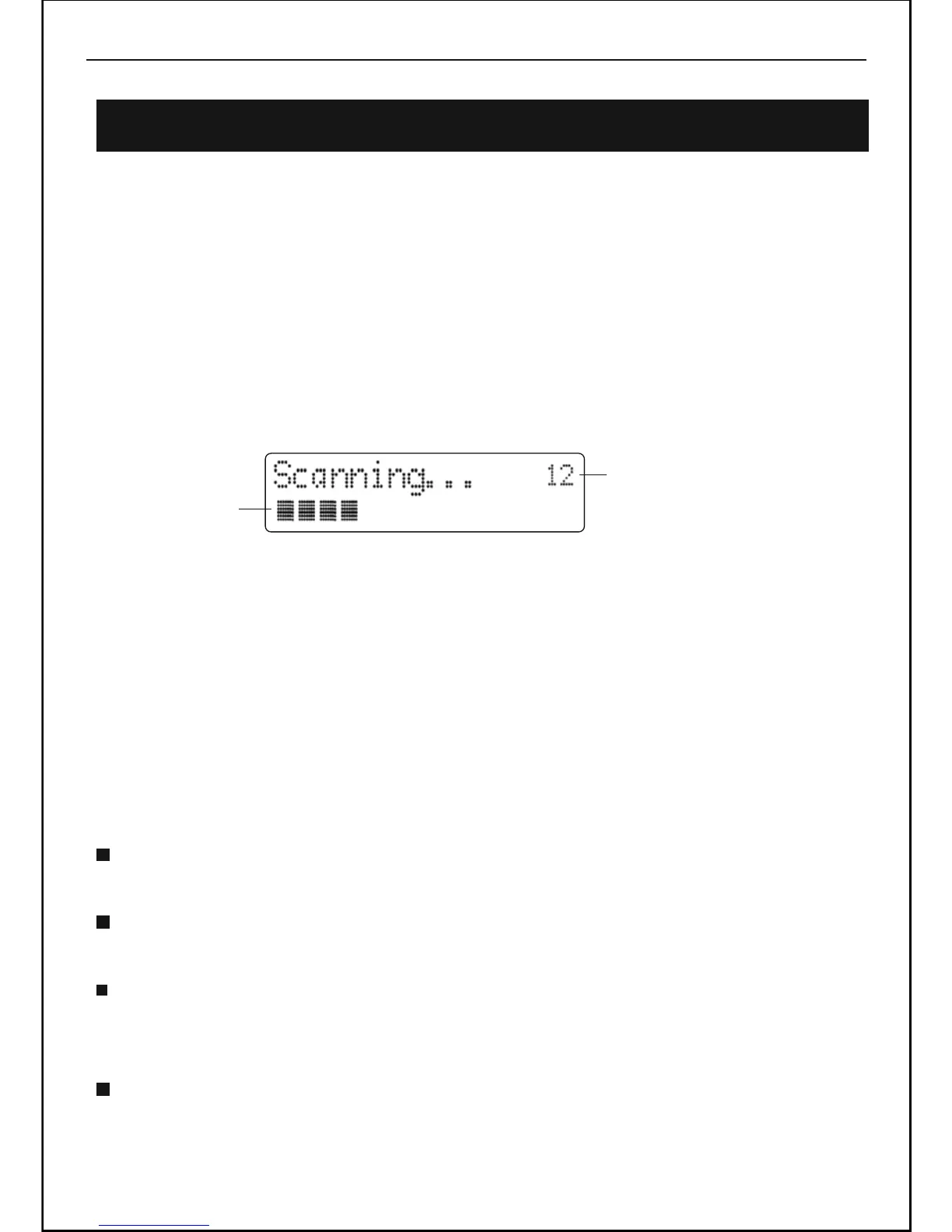
The following screen will be displayed A bar graph indicates the progress of the
search - the number of stations found increases as the scan progresses.
When the scan is complete, the DAB Receiver will then select the first available
station - stations are listed in numerical then alphabetic order. The station list is
retained in memory so the next time you switch the DAB Receiver on, the station
search does not take place. If there are no stations found, check that adequate DAB
coverage exists in your area.
Using DAB Radio
Progress bar
Number of stations found



 To Next Page