Page 9
User instructions
Backlight timer (cont)
3: Use the TUNE UP (4) or DOWN (3) buttons to find the
<Backlight> option and press SELECT.
4: Select one of the available time periods: <ON>, <10
sec>, <20 sec>, <30 sec>, <45 sec>, <60 sec > , <90 sec>,
<120 sec> and <180 sec> using the TUNE UP (4) or
DOWN (3) buttons.
5: Press the SELECT button to select and activate the
timer duration.
Technical specifications
Mains Input Power: .............. 100-240V~50/60Hz
Adaptor Output Power: .............5V
0.5A (USB)
Power consumption: ............................2.5W
Battery: ...................................... Lithium
DAB: ........................BAND III 174.928-239.200
FM: .....................................87.5-108 MHz
Headphone Output: ...............3.5mm stereo jack
Care & maintenance
Care and cleaning
• All care and cleaning operations should be carried out
with the unit unplugged from the mains power.
• Occasionally wipe the cabinet with a lint free duster.
Never clean the unit with liquids or solvents.
Instructions for earphone usage.
1: Connect the 3.5mm jack into the EARPHONE socket
(20) on the unit.
To prevent possible hearing damage, do
not listen at high volume levels for long
periods.
If you hear no sound during playback, do not turn the
volume up as the music may suddenly begin at a high
volume.
Excessive sound pressure from earphones and
headphones can cause hearing loss.
To avoid damaging your ears, adjust the volume to the
lowest safe level before playing, and turn up to the
desired level when playback has started.
Battery removal & disposal instructions
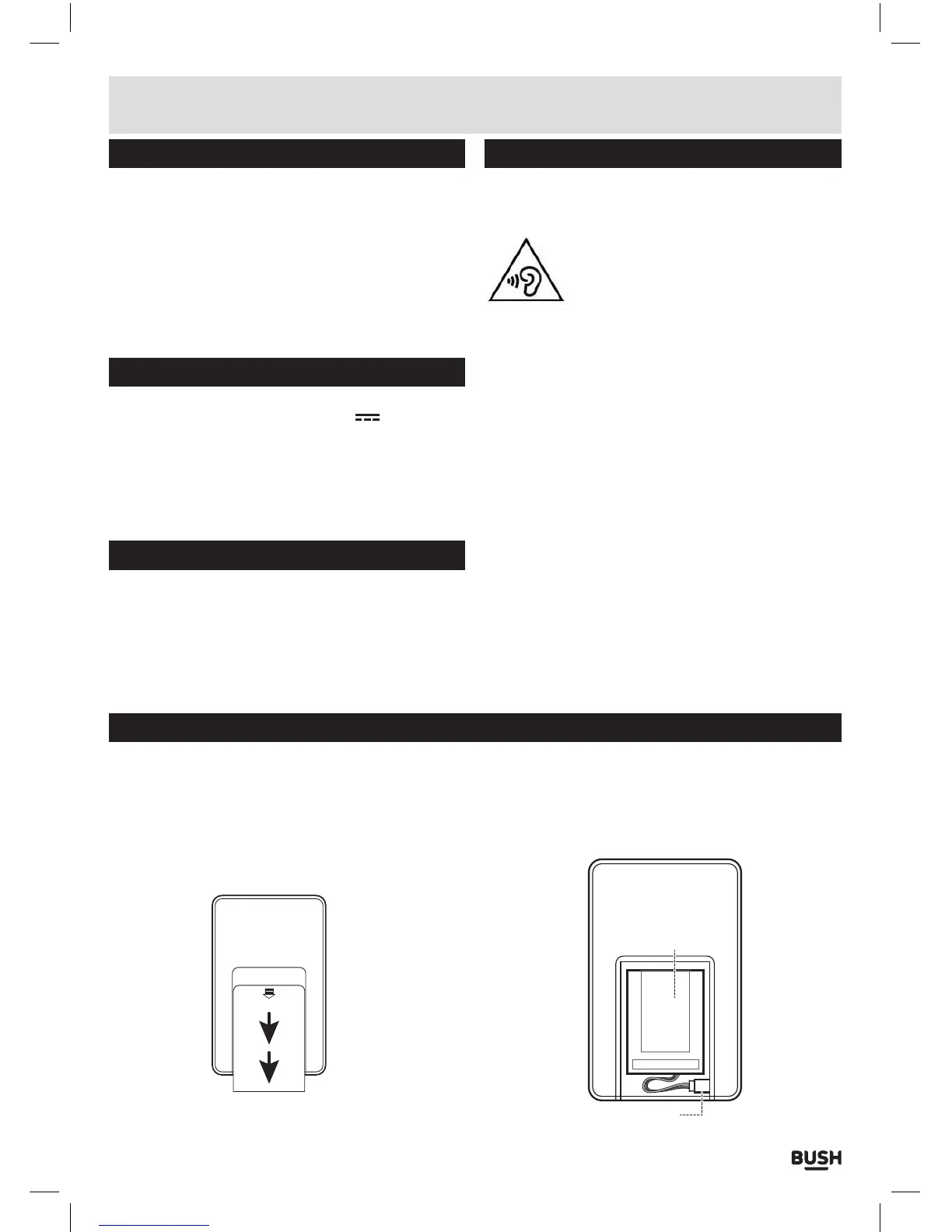
The internal battery is removable in order to dispose
of in the correct manner. Follow the below steps to
remove the battery from the unit.
1: Remove the battery compartment cover by pressing
downwards slightly on the engraved arrow at the
top of the cover, and sliding downwards (see arrow
direction).



 To Next Page