Page 7
DRC ( Dynamic Range Control )
This causes the radio to reduce the dynamic range of
the audio signal. The purpose of this is to adapt the
dynamic range of the audio signal to listening in a noisy
environment.
NOTE: this is not available on many DAB stations.
1: Press and hold the MENU button (8).
2: When the <Station List> option appears press either
TUNE UP (4) or DOWN (3) button to locate the <DRC>
option. Press the SELECT button to select.
3: Choose between DRC off, DRC Low and DRC High
using the TUNE UP (4) or DOWN (3) buttons.
4: Press SELECT to save the setting.
FM operation
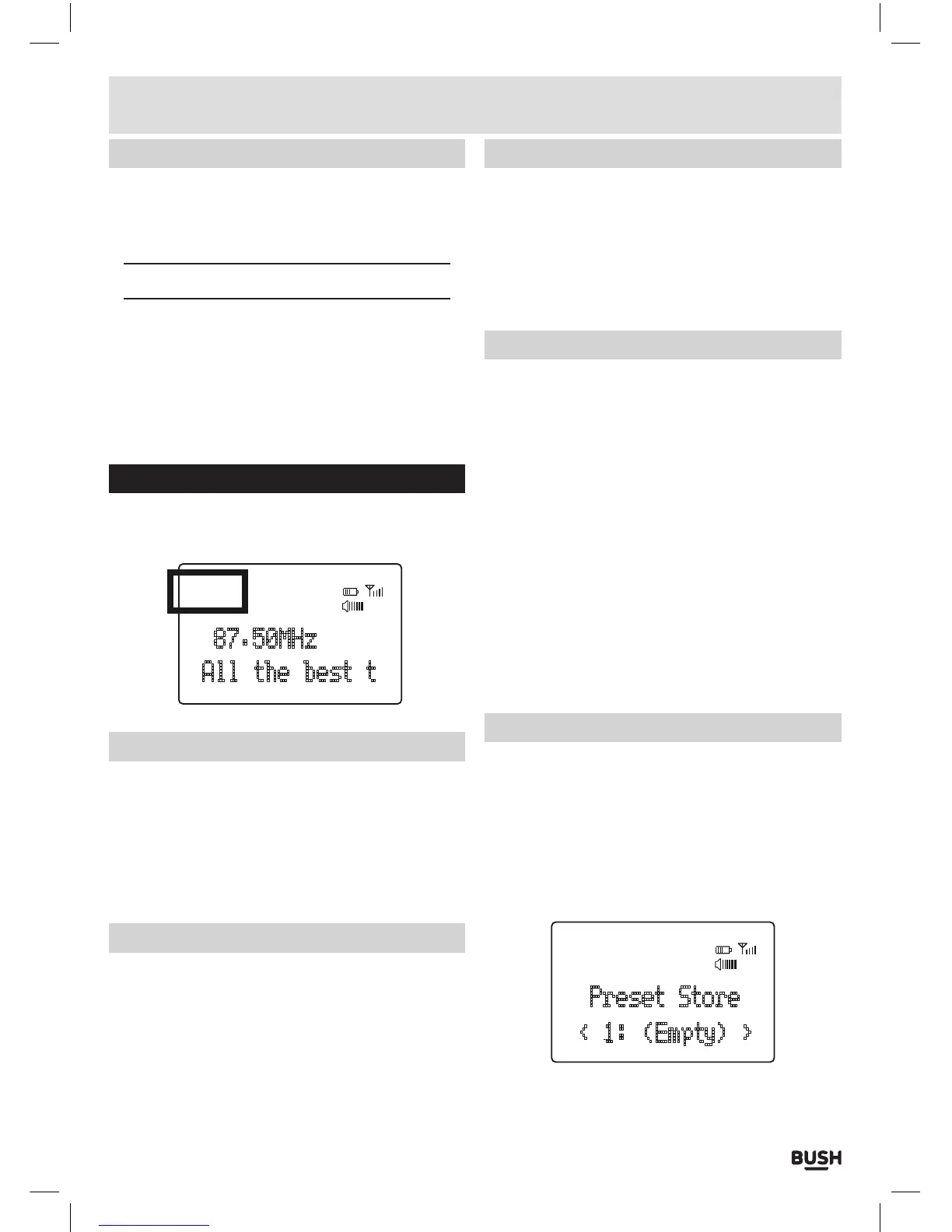
Press the MODE button (9) (if in DAB mode) to switch
to FM mode. The display will show ‘FM’.
FM
87.50MHz
All the best t
08
:
42
Tuning an FM station
1: Press and hold either TUNE UP (4) or DOWN (3)
button to scan up or down the frequency range. When
a station is found the scan will stop and play the
found station.
3: You can fine tune the frequency by pressing either
TUNE UP (4) or DOWN (3) button to advance 0.05MHz
with each press.
Scan mode
This function allows you to tailor which stations will be
detected when performing a scan.
1: Press and hold the MENU button (8).
2: When the <Scan setting> option appears the SELECT
button to select.
Scan mode (cont)
3: Use the TUNE UP (4) or DOWN (3) buttons to select
from <Strong stations only> or <All stations>.Strong
stations only, will only stop at stations with a strong
signal. All stations will stop at any station found with a
strong or weak signal.
4: Make your choice by pressing the SELECT button to
activate the setting.
Audio mode (STEREO/MONO)
Denotes if the broadcast is in Stereo or Mono.
To specify that a station can be only played in mono or
that stereo is allowed.
1: Press and hold the MENU button (8).
2: When the <Scan setting>option appears press either
TUNE UP (4) or DOWN (3) button to locate the <Audio
setting> option. Press the SELECT button to select.
3: Use the TUNE UP (4) or DOWN (3) buttons to cycle
through the two options <Forced Mono> or <Stereo
Allowed>. Press SELECT to select.
Stereo allowed: Means any station broadcast in stereo
with a strong enough signal will be played in stereo.
Mono only: Plays ALL stations in mono regardless of the
availability of a stereo signal.
Storing FM station presets
It is possible to store up to 10 of your favourite DAB
stations. This will enable you to access your favourite
stations quickly & easily.
1: To store a preset, you must first be listening to the
station that you would like to save, press and hold the
PRESET button (7) for 2 seconds. The LCD will then
show the following.
Preset Store
< 1: (Empty) >
08
:
42
FM
2: Use the TUNE UP (4) or DOWN (3) buttons to choose
the preset number from 1-10 you wish to use. Then
press the SELECT button to store.
User instructions



 To Next Page