Page 9
Programme playback
You may wish to play back tracks of a CD in a different
order than the original disc was recorded in.
1: Press the PROGRAM button (31) to enter the
programme setup function.
2: Use the
/ buttons (22, 32) to skip between the
play order numbers.
3: Set the play order track numbers using the numeric
keys.
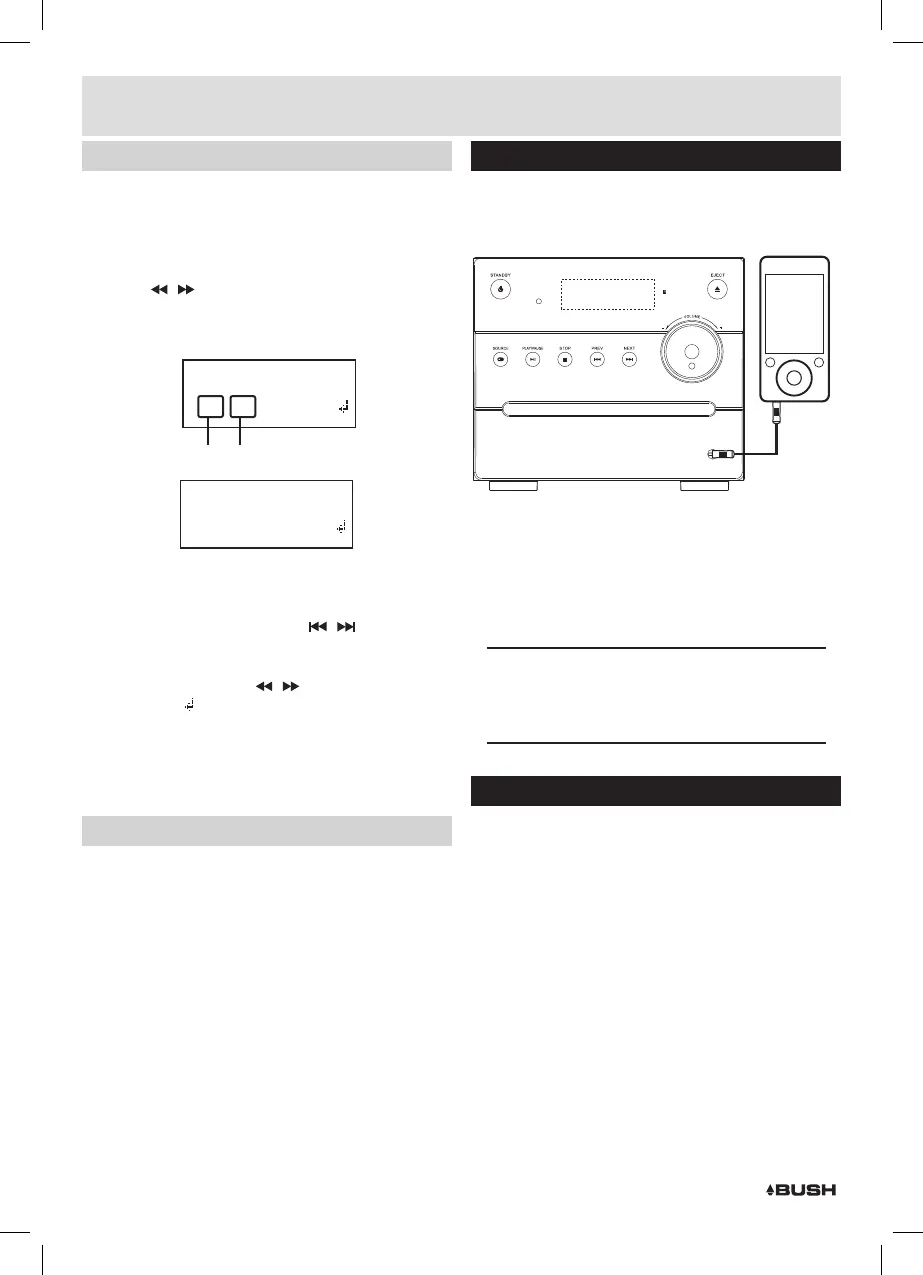
PROGRAM INPUT
01[00] 02[00]
_
Play Order Track Number
PROGRAM INPUT
01[02] 02[14]
_
For example: the diagram on the right would play track
02 as the first track and track 14 as the second track.
4: When tracks 1-2 are set use the
/ buttons (8,9
23, 33) to access further play order screens. Repeat
steps 2-3 for the remainder of the program playlist.
5: When complete use the
/ buttons (8, 9) to scroll
across to the
arrow on the right of the display and
press the ENTER or PLAY/PAUSE button to begin
playback.
6: To cancel the program sequence press the STOP
button 5, 19) twice.
Random CD Operation
1: Press the SHUFFLE button (30) on the remote control.
The CD contents will be played once in a random
order. You will see ‘SHUFFLE’ on the display.
2: To cancel the random operation press the SHUFFLE
button again. You will see ‘OFF’ on the display.
Connecting an external audio device
External audio sources such as iPod’s & MP3 players
can be connected using a 3.5mm to 3.5mm audio
cable (not supplied).
AUDIO IN
1: Connect one end of the cable to the AUDIO devices
headphone /Line output and the other end to the
AUDIO IN input (7) on the front of the unit.
2: Press the SOURCE button (3) until you reach the AUX
IN option or press the AUX IN button on the remote
control (18).
3: Adjust the volume to your desired level.
NOTE: when connecting via the headphone output
the volume of the Micro system is affected by
the volume control on the player. Ensure that the
player is set to about 70-80% to avoid distortion.
DAB availability
Check how many stations you can get in your area
by texting DAB and your postcode to 88600# or
find out which stations on the website at:
http://www.getdigitalradio.com/
Main Unit
1: STANDBY indicator LED
2: STANDBY button
3: SOURCE SELECT button
4: PLAY/PAUSE button
5: STOP button
6: CD DRAWER
7: AUX INPUT socket
8: PREVIOUS /SCAN- button
9: SKIP / SCAN+ button
10: VOLUME control
11: IR sensor
12: DISC EJECT button
13: LED display
14: ANTENNA cable
15: SPEAKER terminals
16: MAINS cable
Remote Control
17: STANDBY button
18: SOURCE buttons
19: MENU/STOP button
20: PLAY/PAUSE button
21: ENTER button
22: FRWD /TUNE+ button
23: PREVIOUS /SCAN- button
24: NUMERIC buttons
25: TONE button
26: VOLUME -/+ buttons
27: MUTE button
28: DSP button
29: LOUD button
30: SHUFFLE button
31: PROGRAM button
32: FFWD /TUNE- button
33: SKIP / SCAN+ button
34: REPEAT button
35: INFO button
36: EJECT button
User instructions



 To Next Page