EasyManua.ls Logo

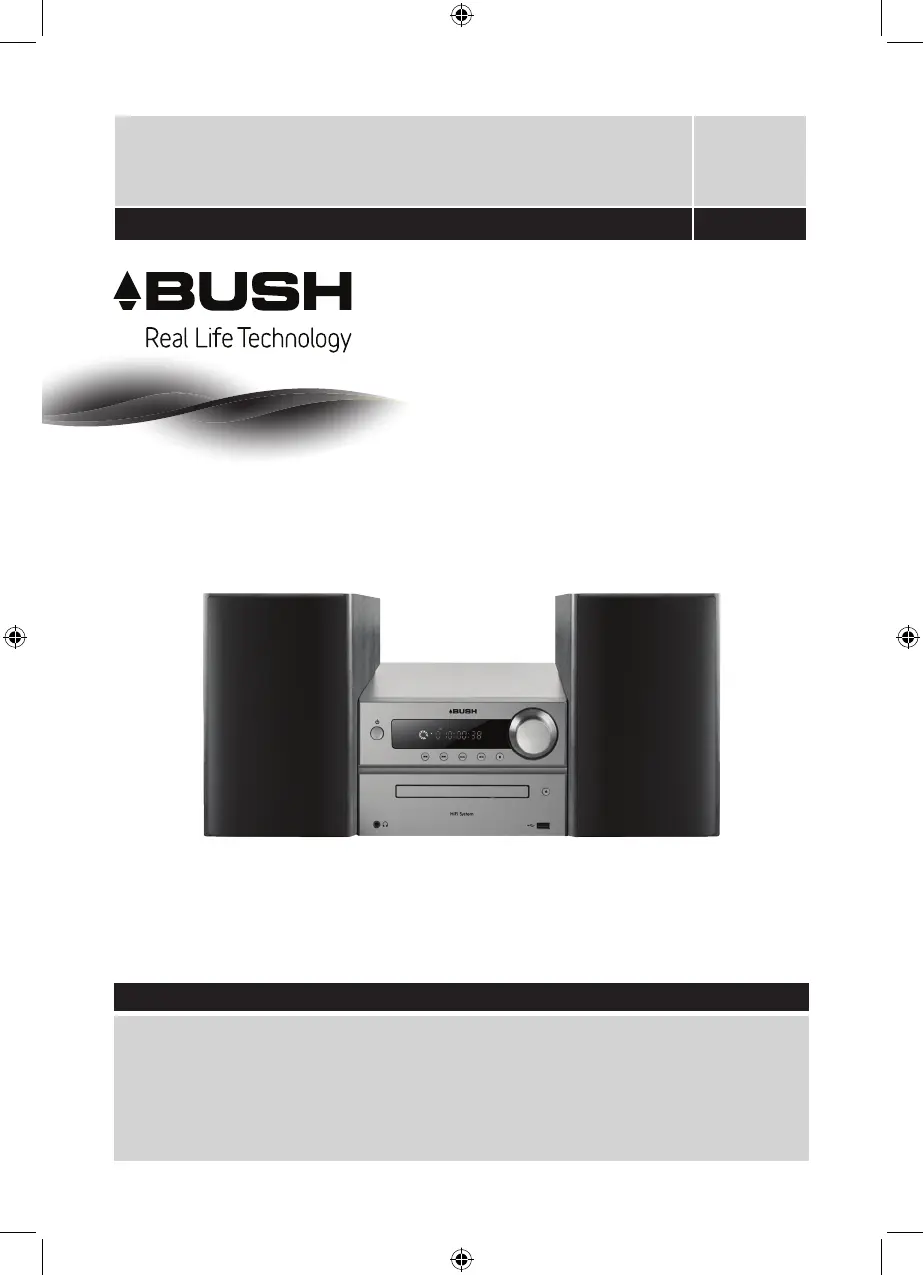
Bush MCS-512 - User Manual

Bush MCS-512
24 pages
Print Icon
To Next Page IconTo Next Page
Loading...
These instructions contain important information which will help you get the very best from
your Micro Hi-Fi and ensure safe and correct set up and operation.
Important - Please read these instructions fully before using your product
Micro Hi-Fi MCS-512
Set up & Operating Instructions - Please keep for future reference 332/8978

Questions and Answers

  • B
    bellrachaelAug 1, 2025
    How to fix no sound or power on my Bush Stereo System?
    • V
      Victoria TuckerAug 1, 2025
      If your Bush Stereo System has no sound or power, check the following: * If using mains power, ensure the wall socket is switched on and the system is not in standby mode. * Adjust the volume using the rotary control on the right side or the ‘Vol-’ or ‘Vol+’ buttons on the remote. * If headphones are connected, either use them or unplug them. * Ensure you're using the correct function buttons for the current mode. * If using Bluetooth or Line in, increase the volume on both the external device and the Bush Stereo System.
  • A
    Anthony NelsonAug 5, 2025
    Why is the radio reception so poor on my Bush MCS-512?
    • C
      Curtis RodriguezAug 5, 2025
      If you are experiencing poor radio reception on your Bush Stereo System, take the following steps: 1. Check the wire aerial connection on the back and fully extend the aerial. 2. Retune the radio station. 3. Try moving the Hi-Fi to another location. 4. Ensure no other electrical equipment is too close, causing interference.
  • M
    mitchellpetersonAug 10, 2025
    What to do if I'm unable to pair my Bluetooth device with Bush MCS-512?
    • K
      Kevin MontoyaAug 10, 2025
      If you're unable to pair your Bluetooth device with the Bush Stereo System: * First, ensure that the system is in Bluetooth mode by pressing the ‘Mode’ button until ‘BT’ is displayed. * Make sure the device is within 10 meters (line of sight) of the stereo. * Move both the Hi-Fi and your Bluetooth device away from other Bluetooth devices and electrical equipment. * If possible, turn off or disable Bluetooth on other nearby devices.
  • C
    Chad WhiteAug 14, 2025
    Why won't my CD play on my Bush MCS-512 Stereo System?
    • J
      Joseph GuerraAug 14, 2025
      If your Bush Stereo System CD player isn't working, try the following: * Ensure the system is in CD mode by pressing the ‘Mode’ button until ‘CD’ is displayed. * Check that the CD is placed correctly in the tray with the label side up. * Inspect the CD for marks or scratches, as damaged CDs may not play correctly. * Confirm that you are using an original audio CD, as copied CDs may not be compatible.
  • J
    jenkinsjeremyAug 18, 2025
    What to do if the function buttons do not respond on Bush MCS-512?
    • M
      Miss Kimberly DavisAug 19, 2025
      If the function buttons on your Bush Stereo System are not responding: * Check that the mains power wall socket is switched on and that the system is not in standby mode. * Ensure that you are trying to use the function buttons for the mode that you are currently in. * If using mains power, unplug the system, wait 3 minutes, and then reconnect the power.
  • S
    Stephen RyanAug 23, 2025
    Bush MCS-512 Stereo System remote control not working, how to fix?
    • L
      Laurie JacksonAug 23, 2025
      If the remote control for your Bush Stereo System is not working, check the following: * Make sure you are within range of the Hi-Fi (within +/- 30 degrees). * Replace the batteries with 2 new AAA batteries.
  • M
    millerpatrickAug 27, 2025
    What to do if Line in function failure on Bush Stereo System?
    • C
      Cindy PhelpsAug 27, 2025
      If the Line in function on your Bush Stereo System is not working: * Ensure that the system is in Line in mode by pressing the ‘Mode’ button until ‘Line in’ is displayed. * Verify that the audio cables are correctly connected to the appropriate sockets (Line in or Audio out) on the back of the system.

Summary

Important Safety Information

Instructions for Use

Setting Up Your Micro Hi-Fi

Step-by-step guide to connect speakers, aerial, and power for initial setup.

Using Your Micro Hi-Fi

Your Micro Hi-Fi Overview

Remote Control Functions

Explanation of the layout and operation of the remote control.

Using the CD Player

Playing an Audio CD

Step-by-step instructions for inserting and playing a CD.

USB Mode

Using the FM Radio

Tuning FM Stations

Steps to scan for and tune into FM radio stations.

Bluetooth Mode

Pairing Bluetooth Devices

Step-by-step process to connect external Bluetooth devices to the Hi-Fi.

Listening via Bluetooth

How to play music or audio from paired Bluetooth devices.

Line In and Audio Out Modes

Troubleshooting Common Issues

No Sound or Power Problems

Solutions for when the Hi-Fi has no sound or does not power on.

Poor Radio Reception

Tips to improve FM radio signal quality and reception.

Bush MCS-512 Specifications

General IconGeneral
CD PlayerYes
USB PlaybackYes
FM RadioYes
AUX InputYes
Remote ControlYes
TypeMicro System
Playable Media FormatCD, MP3

Related product manuals