18
Using your All-in-one System
Let’s get started
Battery Replacement for the Remote Control
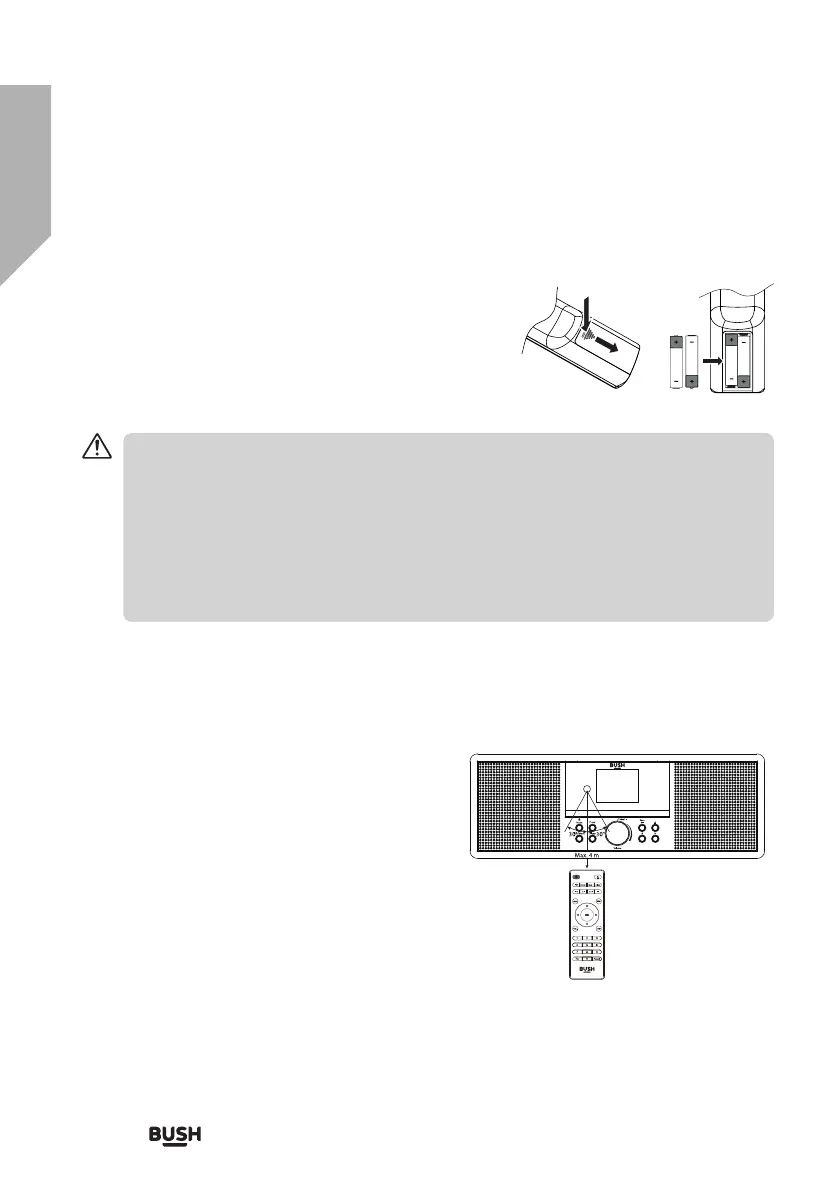
1. Press down the battery cover at “OPEN” and push the
battery cover outwards in the direction of the arrow.
2. Insert 2 x AAA 1.5V alkaline batteries (included). Make sure
to match the (+) and ( - ) ends of the battery with the (+)
and ( - ) ends indicated in the battery compartment.
3. Close the cover.
Handling the Battery
∞ Improper or incorrect use of batteries may cause corrosion or battery leakage, which
could cause fire, personal injury or damage to property.
∞ Only use the battery type indicated in this manual.
∞ Do not dispose of the used battery as domestic waste. Dispose of it in accordance with
local regulations.
∞ Remove the battery from the remote control when not in use for a long period of time,
as corrosion or battery leakage may occur and result in physical injury, and/or property
damage, and/or fire.
Remote Control Operation Range
Point the remote control at the unit no more than
4 metres from the remote control sensor and within
60° of the front of the unit.
The operating distance may vary depending on the
brightness of the room.
Navigate



 To Next Page