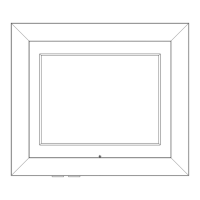
Getting to know your Digital Picture Frame
You’ll be up and running in no time
Getting to know your Digital Picture Frame
Positioning the stand
The frame features it's own integral stand.
Just stand the frame on a flat surface and allow it to lean back approx
13 degrees as shown. (Fig 1)
Powering the picture frame
1. Connect the mains adaptor DC plug into the Power Input socket on the rear of the
picture frame (5) and insert the mains adaptor into mains socket.
The Digital picture frame will now power up. If you have an SD card or USB flash drive
inserted the device will detect images and automatically start a slide show. If no media
is detected the main menu will appear.
2. Press and hold the HOME button (1) for 2 seconds to enter STANDBY mode.
3. Press and hold the HOME button (1) for 2 seconds again to wake from STANDBY
mode.
13
o
Fig 1.


 To Next Page