Main menu
1. Access the main menu by pressing the HOME button (1). Navigate this menu using the
/ buttons (7), and the PLAY/PAUSE button (6) as ENTER.
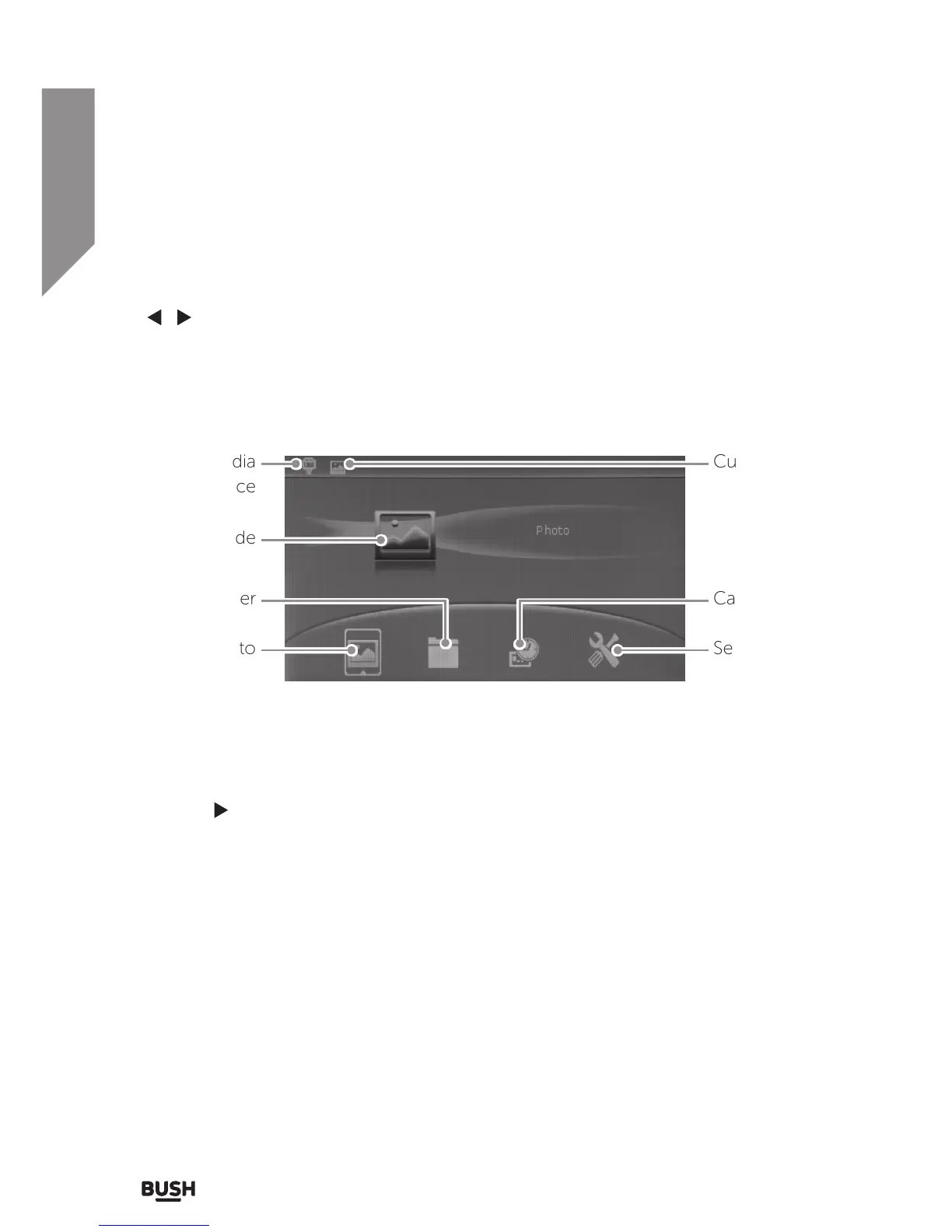
• The menu consists of : PHOTO, FILE (BROWSER), CALENDAR & SETUP.
Selecting the input media
1. To select the active input media press the HOME button (1) until you reach the MAIN
MENU.
2. Press the BACK button (2) to display the media selection screen.
3. Use the
navigation button (7) to select the input required and press the PLAY/PAUSE
button (6).
4. After selecting the media input device you will see an icon appear on the top left of
the MAIN MENU to indicate which media input is currently active. See below diagram
for other features of main menu.
Current media
input device
Selected mode
Photo Setup menu
Current mode
CalendarFile browser


 To Next Page