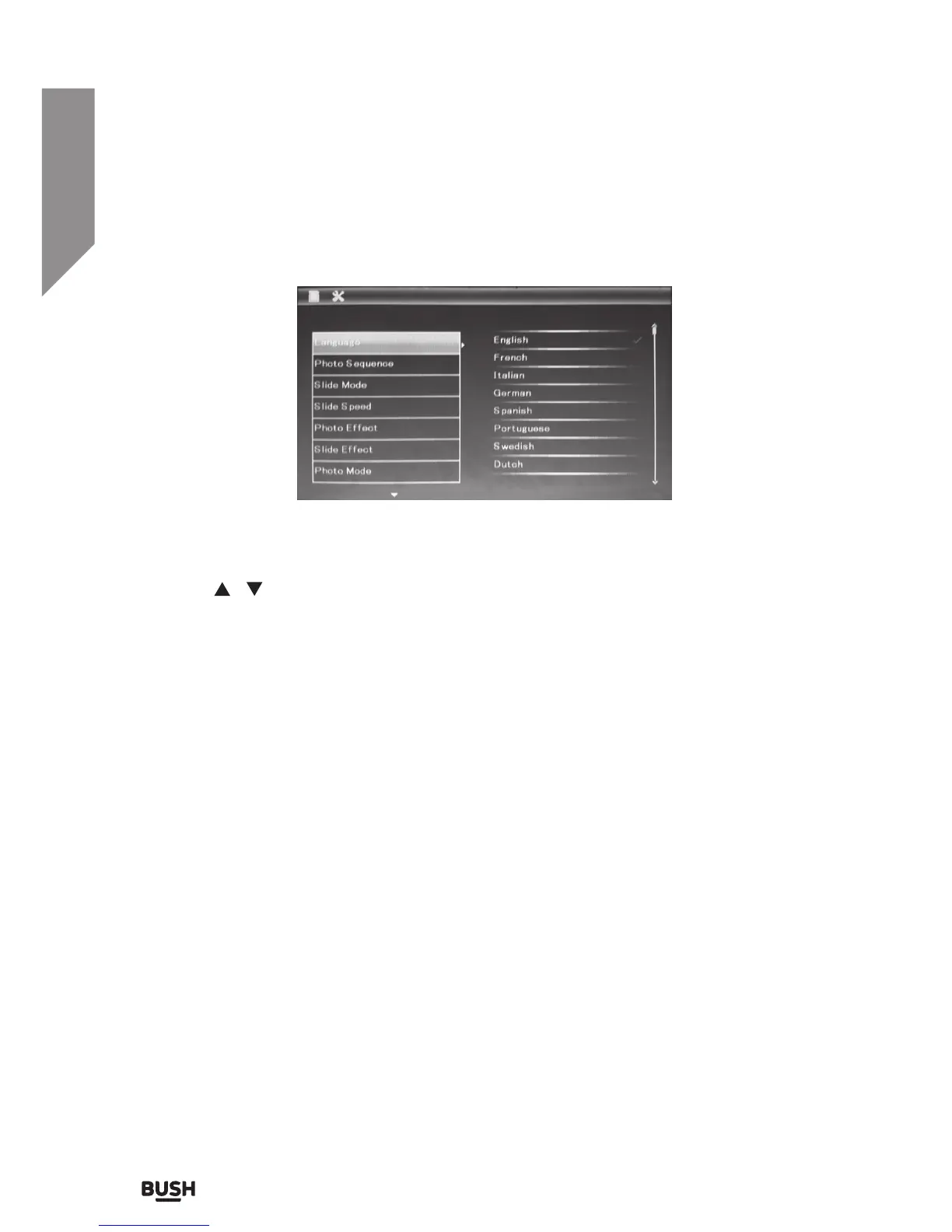
Setup menu
• Use the navigation buttons (7) to scroll up & down the setting options.
• Press the PLAY/PAUSE button (6) to select and enter the setting options.
• Use the
/ navigation buttons (7) to select the setting option required.
• Press the PLAY/PAUSE button (6) to store the selected setting.
• Press the BACK button (2) once to return to SETUP list or twice to return to the MAIN
MENU.
Language
Use this setting to set the user interface language.
Photo sequence
This setting will designate whether the photos are displayed in a random order or in
sequence.
Slide mode
This setting will designate how many images will be displayed at the same time in
slideshow mode.
For example Single would display only 1 full screen image at a time. Triple will display 3
images on screen at the same time (not full screen).


 To Next Page