29
Troubleshooting section of these instructions, or online at www.argos-support.co.uk If you still require further assistance, call one of our
experts on 0207 744 0346.
Getting to know your tablet
Getting to know your Bush Eluma B2 8" Tablet
You’ll be up and running in no time
The Windows 10 interface
Start screen:
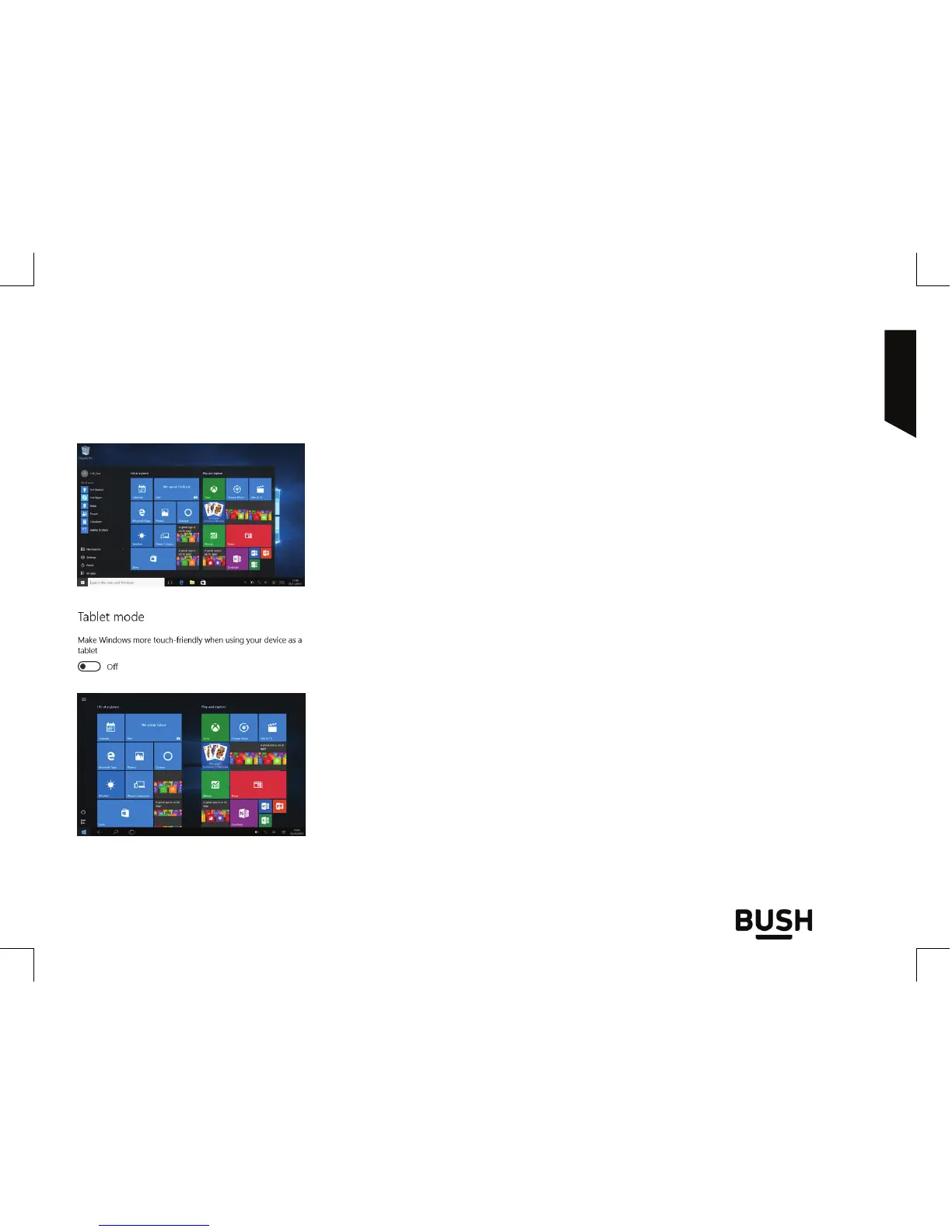
The Start screen is the launching pad to access your favourite
apps and websites at a touch. To access this screen, press the
Windows button on your keyboard or on the Taskbar.
You have two options of display: Tablet mode or
standard mode
Swipe your finger from the right edge of the screen to the left
to turn on/o the tablet mode.
You can customize your Start screen. You have the ability to pin
apps, contacts and more to keep them handy.



 To Next Page