16
3. After you added the stations, in order to have your radio access your new settings, get your
radio power off for several minutes is necessary.
4. The added stations are accessible by pressing MENU button > Station list > My added
stations.
# Note: doing a ‘factory reset’ cannot erase ‘my added stations’’.
Viewing Station Information
Internet programs broadcast additional information. Press INFO button on the main unit
repeatedly, the display will show the information through Station Description, Genre, Country,
Reliability, Bit rate, Codec, Sampling Rate, Playback Buffer and Date.
Storing Preset Stations
Your radio can store up to 10 of your favourite Internet stations. This will enable you to access
your favourite stations quickly and easily.
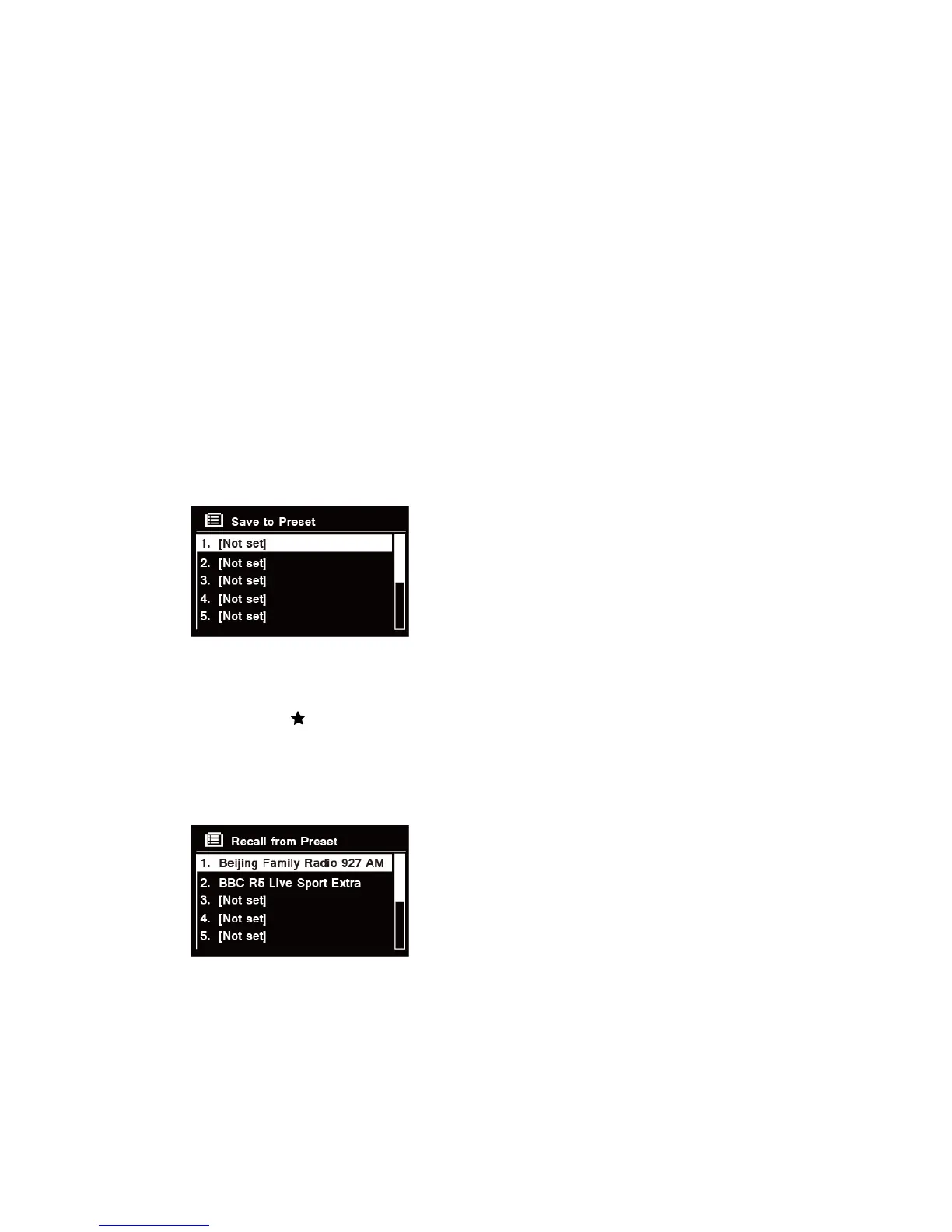
1. While playing your favourite station, press and hold PRESET button on the main unit until
display shows as below:
2. Turn SELECT/SNOOZE knob to cycle through the preset numbers 1-10.
3. Select one preset number and then press the SELECT/SNOOZE knob, display will show
‘Preset stored’.
4. Preset number ‘ ##’ will show on the display.
Recalling a Preset Station
1. Press PRESET button to show the saved preset stations.
2. Turn SELECT/SNOOZE knob to select the preset station you want to play and then press the
SELECT/SNOOZE knob to confirm.



 To Next Page