20
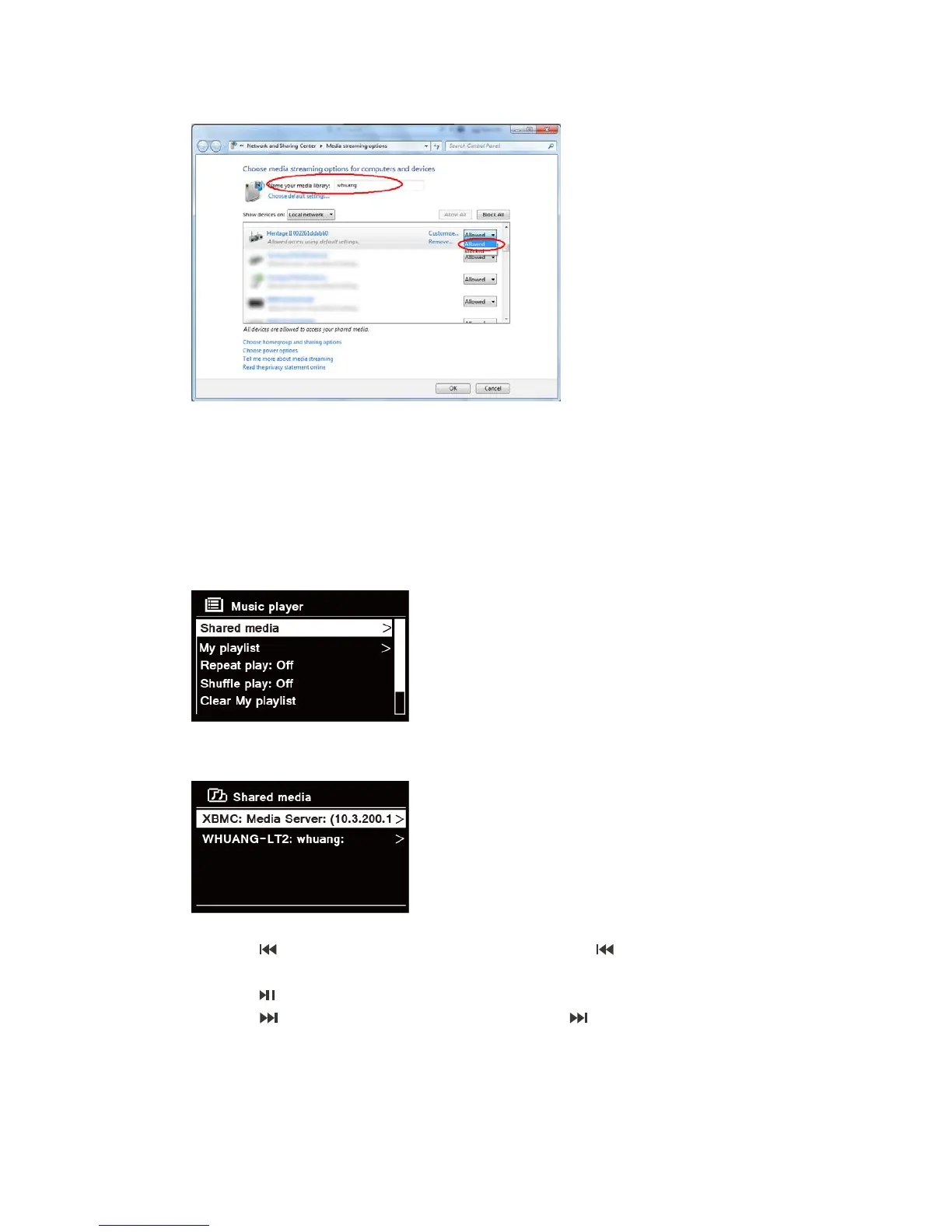
OK to close the dialogue boxes.
6. The PC is now ready to stream the music to the radio. The WMP UPnP service runs in the
background; there is no need to start WMP explicitly.
Playing Shared Media
1. Press MODE button repeatedly to select Music player mode.
2. While 'Shared media' is highlighted, press SELECT/SNOOZE knob to confirm.
3. Available media servers will be listed. Turn SELECT/SNOOZE knob to select and press to
confirm, and then step by step to your selecting music.
4. When a track is playing, you can:
a. Press button to skip to previous track; press and hold button to fast reverse
current playing track.
b. Press button to pause or play current playing track.
c. Press button to skip to next track; press and hold button to fast forward current
playing track.
d. Switch radio to other modes to stop playing.



 To Next Page