13
Getting to know your DAB/FM Digital Radio
You’ll be up and running in no time
Getting to know your DAB/FM Digital Radio
• Never mix old and new batteries (replace all batteries at the same
time).
• Never try to dismantle batteries.
• Do not short-circuit the supply terminals.
• Always remove exhausted or dead batteries from the product.
• Remove batteries from the product before extended storage.
• Dispose of batteries responsibly at local authority household waste
recycling facility.
• DO NOT dispose of batteries in a fire as the batteries may explode.
SETTING THE CLOCK
The clock in this radio is equipped to receive a DAB and FM radio
frequency time signal.
1. Place the appliance on a flat and stable surface.
2. Connect the mains lead into the socket at the rear of the radio, plug
in and switch on at the mains. The display backlight will illuminate
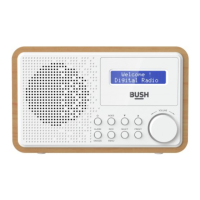
for a few seconds, a welcome message (fig.1) will appear in the
display briefly and the clock (00:00:00) will flash in the display and
a message ‘time is not set’ will appear underneath.
3. If a DAB signal can be received in the area of operation after a short
time the clock will automatically synchronise to the local time and
then the unit will enter standby mode.



 To Next Page