25
Using your DAB/FM Digital Radio
Let’s get started
Using your DAB/FM Digital Radio
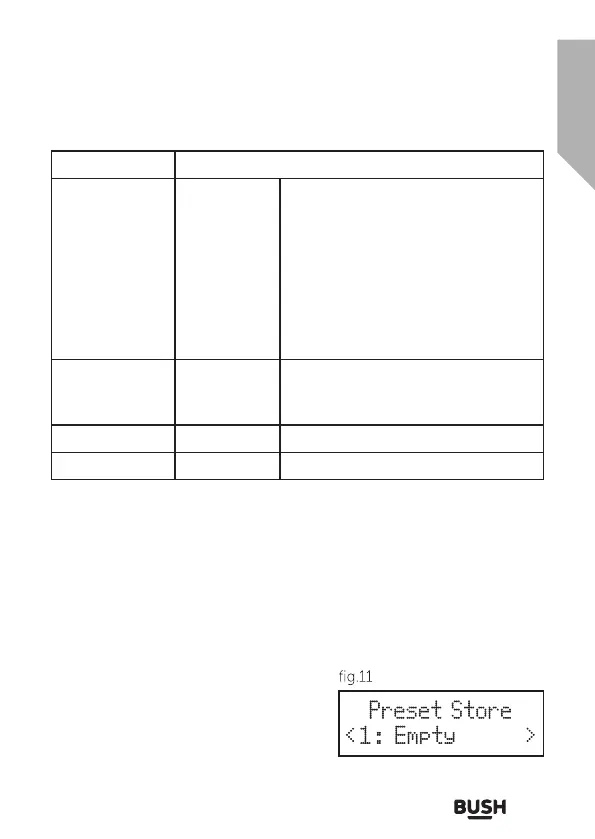
Menu Options
Sleep Off
10 mins
20 mins
30 mins
60 mins
70 mins
80 mins
90 mins
Backlight Low
Medium
High
Factory reset Initiates reset
SW version Display software version
USING THE RADIO - PROGRAMMED STATION
FUNCTION
This function allows up to 10 stations to be programmed into the
memory and stored in DAB and FM modes.
1. Follow the directions above to select a radio station.
2. Press and hold the PRESET button
until the display shows a flashing
‘Preset store # empty’ (fig.11).
3. Use the TUNNING (
◄
) or (
►
)
buttons to select the preset storage
location and then press the SELECT
button to confirm.The station now
Preset Store
< 1 : Empty >



 To Next Page