17
Using your DAB/FM Digital Radio
Let’s get started
Using your DAB/FM Digital Radio
11. To turn off the radio, unplug from the mains supply.
USING THE RADIO - DAB MODE
DAB differs from analogue radio; the separate signals from a number
of stations are grouped together and transmitted as a single frequency.
These groups are referred to as multiplexes and ensembles. Each time
a group has been found the name of the group will be shown on the
lower half of the display.
DAB MODE - AUTO TUNE
This function allows the radio to search automatically for DAB Band III
channels. Press the MENU button to enter the tuning menu.
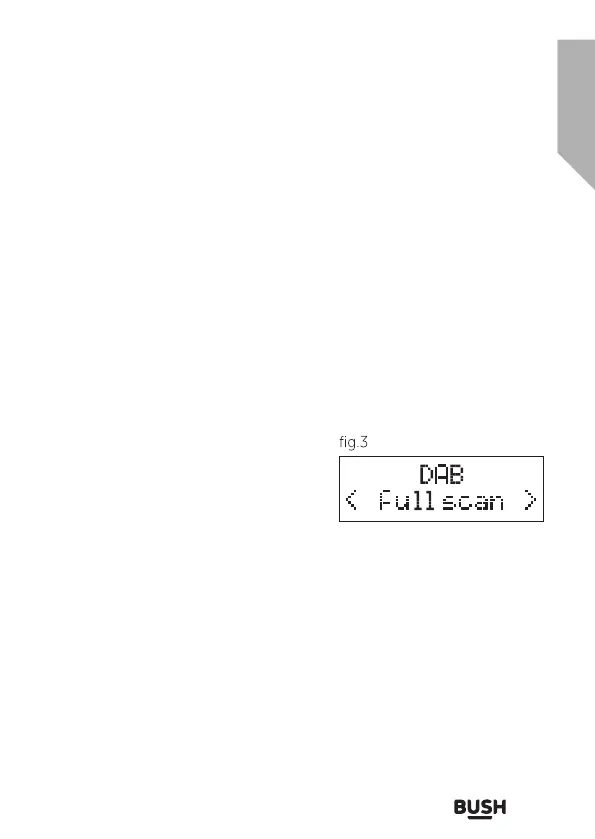
1. In DAB mode, press the MENU
button until ‘Full scan’ (fig.3) is
displayed and press the SELECT
button accept. The radio will
start to scan, the display will show
‘Scanning’, together with a slide bar
(fig.2) that indicates the progress of
the scan and the number of stations found so far.
2. When the scan is finished the radio will return to the station played
before the scan was initiated but any new stations found will have
been added.
DAB MODE – MANUAL TUNE
This function allows a specific or new ensemble to be manually added
to the stations already available on the radio. Press the MENU button
once to enter the tuning menu.
1. In DAB mode, press the MENU button and the press the TUNNING
(
◄
) or (
►
) buttons until ‘Manual tune’ (fig.4) is displayed. Press the
SELECT button to accept.



 To Next Page