4
Click to Return to the Table of Contents
ACTIVE LASER
Crosshairs surrounding the aiming circle indicate that the laser is transmitted. Once a range is acquired, you can release
the Power/Fire button. The crosshairs surrounding the circle will disappear once the Power/Fire button is released (i.e.,
the laser is no longer transmitted).
ADJUSTING THE EYEPIECE
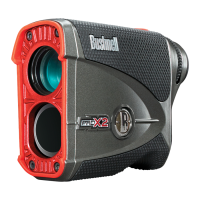
The Pro X3+ has an adjustable Fast Focus eyepiece (+/- 3.5 diopter adjustment) that allows you to focus the displayed
data and icons relative to the viewed image from the monocular optics. Rotate the eyepiece until the display is in focus.
BASIC OPERATION
While looking through the Bushnell Pro X3+, press and release the Power/Fire button to activate the display. If the display
icons and numbers are blurry, rotate the eyepiece in either direction until they focus (see "Adjusting the Eyepiece" below).
Next, placing the aiming circle (center of the display) over a target at least 5 yards away, press and hold the Power/
Fire button until the "line of sight" distance is displayed near the bottom of the display (see "Display Indicators" below).
Crosshairs surrounding the aiming circle indicate that the laser is transmitted. After a range is acquired and displayed, you
can release the Power/Fire button. The crosshairs surrounding the aiming circle will disappear once the Power/Fire button
is released (i.e., the laser is no longer transmitted).
Once activated, the display will remain visible and display the last distance measurement for 10 seconds. You can press the Power/Fire button again at any
time to range to a new target. The maximum time the laser is transmitted (active) is ve seconds. To re-re, press the button down again.
BATTERY LEVEL INDICATOR
The Battery Indicator (4) shows the remaining power level:
• Full charge
• Approx. 2/3 battery life remaining
• Approx. 1/3 battery Life remaining
• Battery Indicator Blinks - The battery needs replacing, and the unit will not be operable.
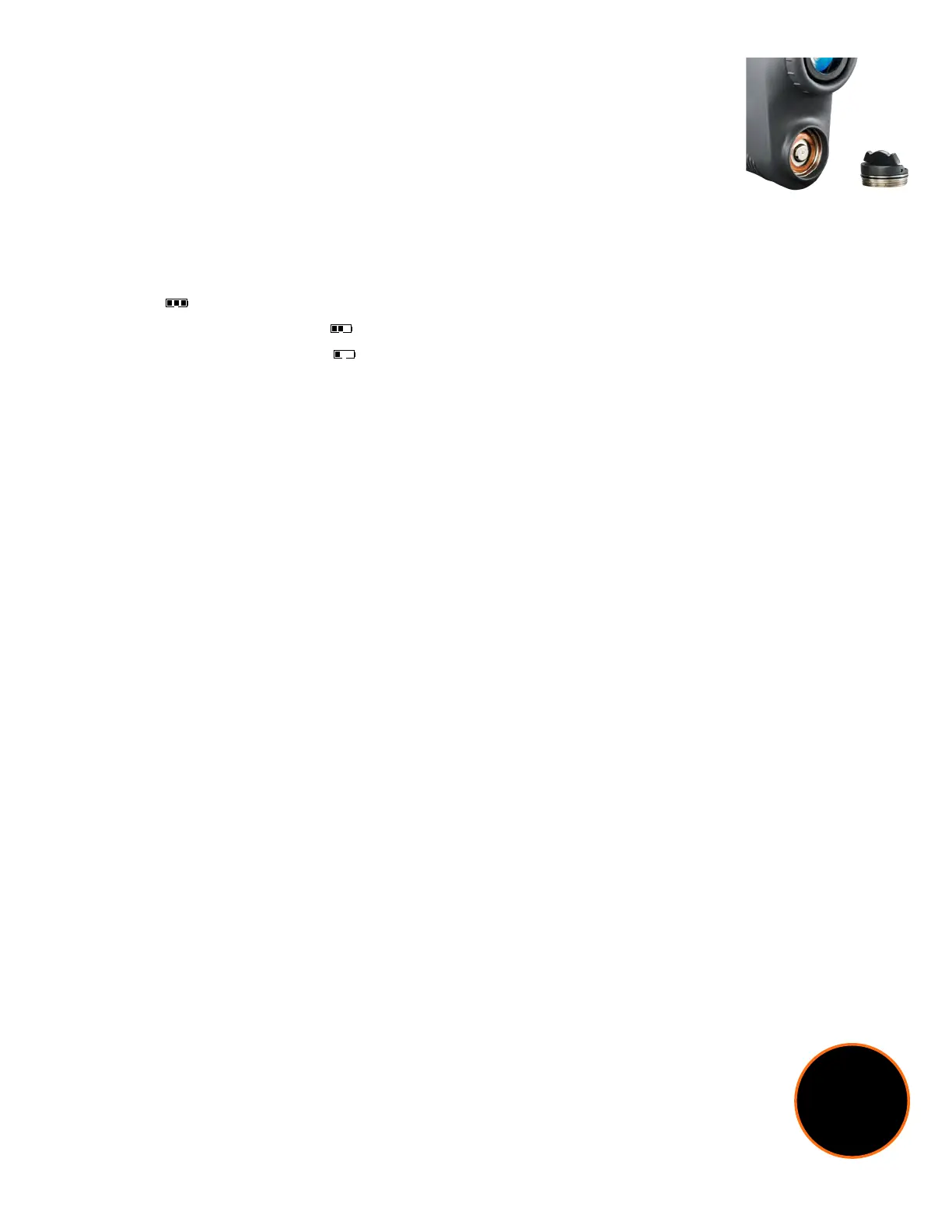
Positive (+)
end facing out
ACTIVATING/REPLACING THE BATTERY
Remove the battery door by lifting the battery door tab and rotating counterclockwise until it is
loose.
Activating the installed battery: A CR2 battery is pre-installed in your new Pro X3+. Before using
the rangender, remove the battery door as described above. Remove the plastic protective disc
from the top of the battery, replace the battery door.
Replacing a low battery: Insert a new CR2 3-volt lithium battery into the compartment negative
(at) end rst (positive end facing out towards the battery cover), then replace the battery door.
Settings
can also
be accessed
through the
Bushnell Golf
App!
PINSEEKER™ WITH VISUAL JOLT®
Ever had trouble getting the distance to the ag? This advanced mode allows easy ag acquisition without inadvertently
getting distances to background targets (i.e., trees) with stronger signal strength.
To use PinSeeker™, align the aiming circle reticle onto the ag that you want to measure the distance. Then, press and
hold the Power/Fire button and move the laser slowly across an area until the aiming circle at the center of the display
is located over the ag or desired object. If the laser beam recognized more than one object (i.e., the ag and a group
of trees behind it), only the distance to the closest object (the ag) would be displayed. The JOLT Technology provides
two short pulses to conrm that the distance displayed is to the ag. Then, the red ring around the display (Visual JOLT
Indicator) is activated, conrming the laser has ranged the correct target via PinSeeker™. Sometimes, the laser beam only
sees one object in its path. In this case, the distance is displayed, but no JOLT indication will be provided because more
than one object was not acquired.
TIP: While pressing the Power/Fire button, you can move the device slowly from object to object and intentionally force the laser
to hit multiple objects to ensure that you only display the closest objects recognized by the laser. Once the device has shut off,
the unit will always default to the last mode used.
*For ease of use, the device will always be in PinSeeker™ Mode.




 To Next Page