6
Click to Return to the Table of Contents
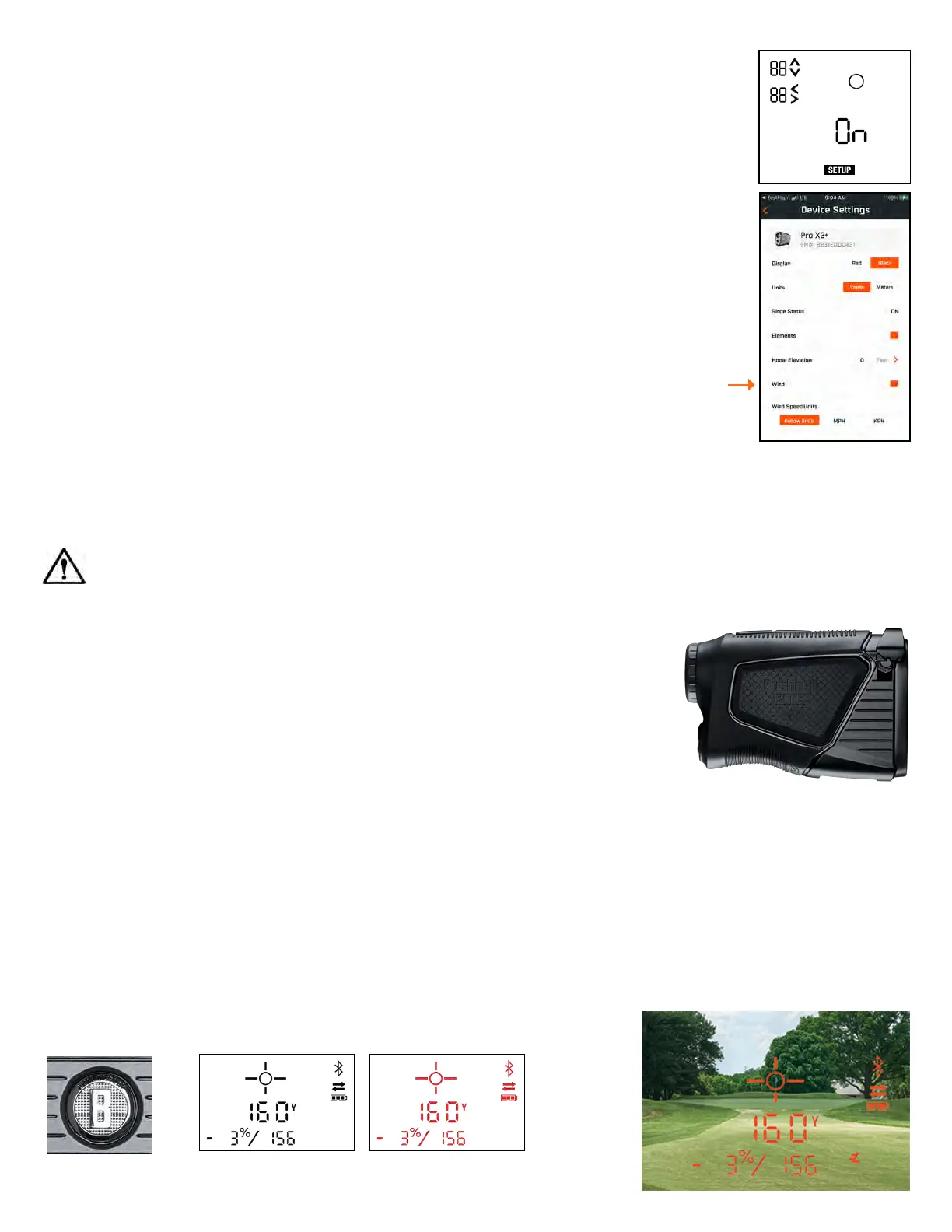
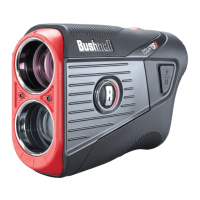
Dual Display Button Black Display Red Display
DUAL DISPLAY
To adjust the Dual Display from Black to Red, press the button on the left side of
the rangender.
DISTANCE UNITS: YARDS OR METERS
To set the distance units between Yards or Meters, press Fire/Power to turn the unit on, then press and hold the Mode
button until the display is blinking. Press the Mode to switch from Y (yards) or M (meters). Press Fire/Power button to set
the distance units.
Note: If the Red Display is being used, the rst setting is to adjust the Display Brightness. The second setting is to select the Distance Units. Follow the
instructions above to complete.
USING THE WIND FEATURE
To get Wind Speed and Direction, the PRO X3+ needs to be in SLOPE Mode (link to turning slope on),
connected to the Bushnell Golf Mobile App (link to connecting to the mobile app), and have the
Wind feature set to on.
To turn the Wind Feature On in the PRO X3+ Set Up Menu:
1. Press and Hold the Mode Button on the top of the PRO X3+ to enter Set Up Mode
2. Press the Fire Button to move to the Wind Screen (see right)
3. Press Mode button to switch between ON and OFF
4. Press Fire button to select ON and continue pressing Fire/Power button to navigate out of Set
Up Mode
Note: The PRO X3+ includes a BITE magnet and a digital compass. Digital compasses need to be
calibrated when there is a signicant change in the surrounding magnetic eld. Use of the BITE
magnet with the wind function may necessitate more frequent calibrations.
BITE MAGNETIC MOUNT
The Pro X3+ features a powerful BITE magnet incorporated into the right side of its housing, which allows the device to be
securely attached to a golf cart bar or frame.
WARNING: BITE FEATURE INCLUDED WITH THE DEVICE CONTAINS A NEODYMIUM MAGNET. MAGNETS COULD
AFFECT THE FUNCTIONING OF PACEMAKERS AND IMPLANTED HEART DEFIBRILLATORS. IF YOU USE THESE DEVICES,
KEEP A SUFFICIENT DISTANCE FROM THE MAGNET. ALSO, WARN OTHERS WHO WEAR THESE DEVICES FROM
GETTING TOO CLOSE TO MAGNETS.
• The magnet may permanently lose part of its adhesive force if exposed to
temperatures above 175º F (80º C).
• Magnets produce a far-reaching, strong magnetic field. They could damage
TVs and laptops, computer hard drives, credit and ATM cards, data storage media,
mechanical watches, hearing aids, and speakers. Keep the unit away from
devices and objects that strong magnetic fields could damage.
• Magnets have strong magnetic fields which can pinch skin and fingers. Use caution
when attaching the unit to a metal bar.
CALIBRATING THE DIGITAL COMPASS
When the DIGITAL COMPASS is not calibrated the arrows in the display will ash and the
PRO X3+ will vibrate while the display is on. To manually calibrate the digital compass,
the PRO X3+ needs to be rotated and spun in a gure 8 pattern.



 To Next Page